Objective
Learn how to filter the Sequence list view page in Outreach to show sequences created in a specific time range.
Applies To
- Sequences
- Users
Procedure
- In your Outreach web application left nav, click Content > Sequences to access the Sequence list view page.
- (Optional) To see all sequences in the range and not just your own, at the top of the page, clear (click the x on) the filter Owner is you.
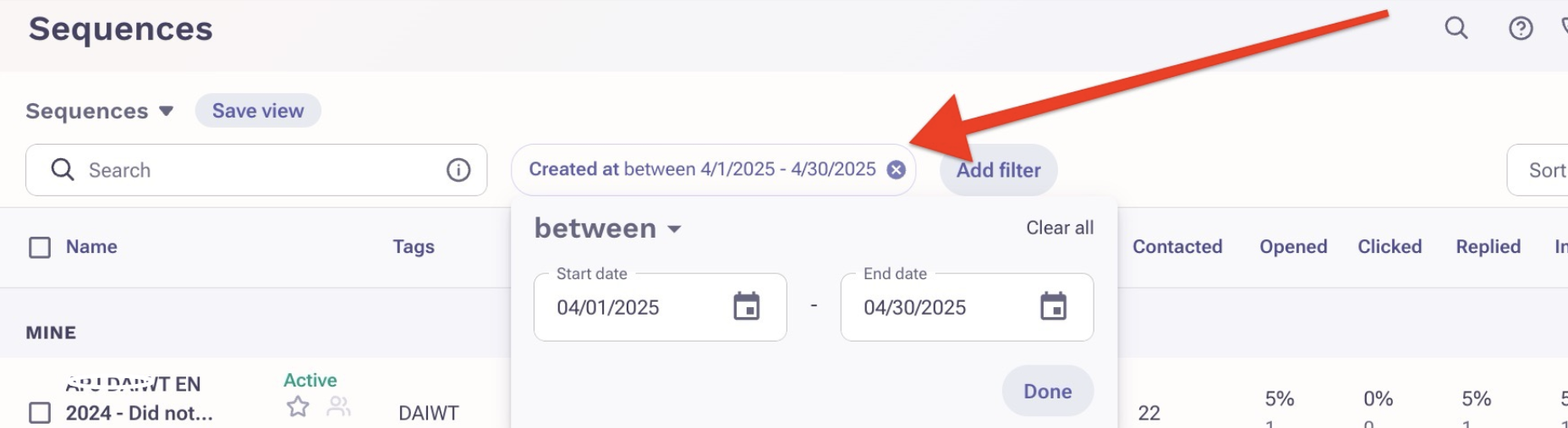
- Click Add filter.
- Find and select Created at.
- Click the is dropdown and select between.
- Select the time range then click Done.
Additional Information
Was this article helpful?
That’s Great!
Thank you for your feedback
Sorry! We couldn't be helpful
Thank you for your feedback
Feedback sent
We appreciate your effort and will try to fix the article