Objective
To view the sequences that I own.
Applies To
- Sequences
- Users
Procedure
- Sign in to the Outreach platform.
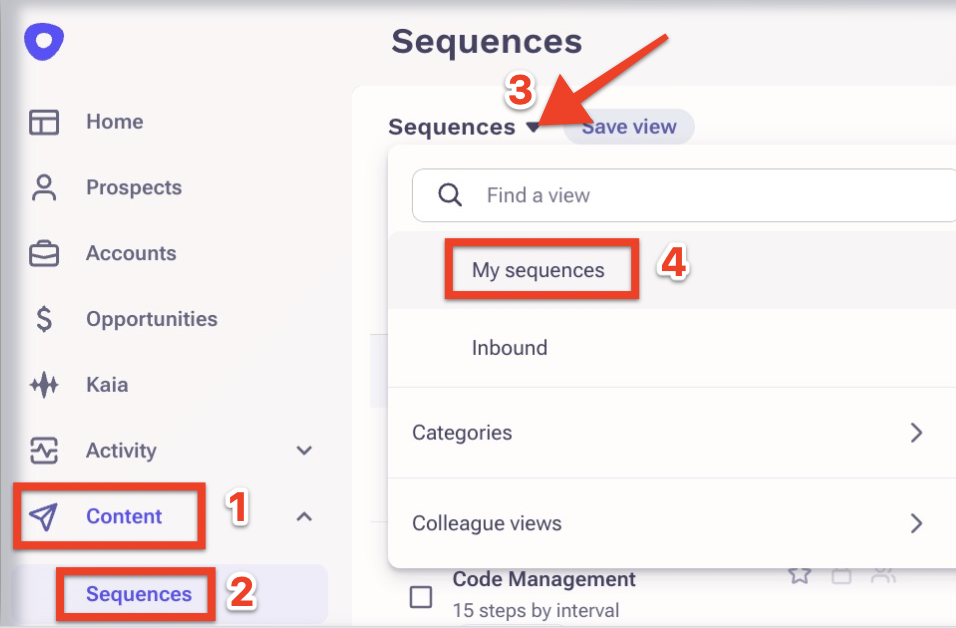
- Expand the Content section.
- Click Sequences.
-
Select My Sequences after expanding the little triangle as shown in the screenshot below.
Was this article helpful?
That’s Great!
Thank you for your feedback
Sorry! We couldn't be helpful
Thank you for your feedback
Feedback sent
We appreciate your effort and will try to fix the article