Objective
The purpose of this article is to provide direction to Outreach Admins on how to setup a user as leader of a team in Outreach.
Applies To
- Outreach Admins
- Teams
Procedure
- Access the Outreach Platform.
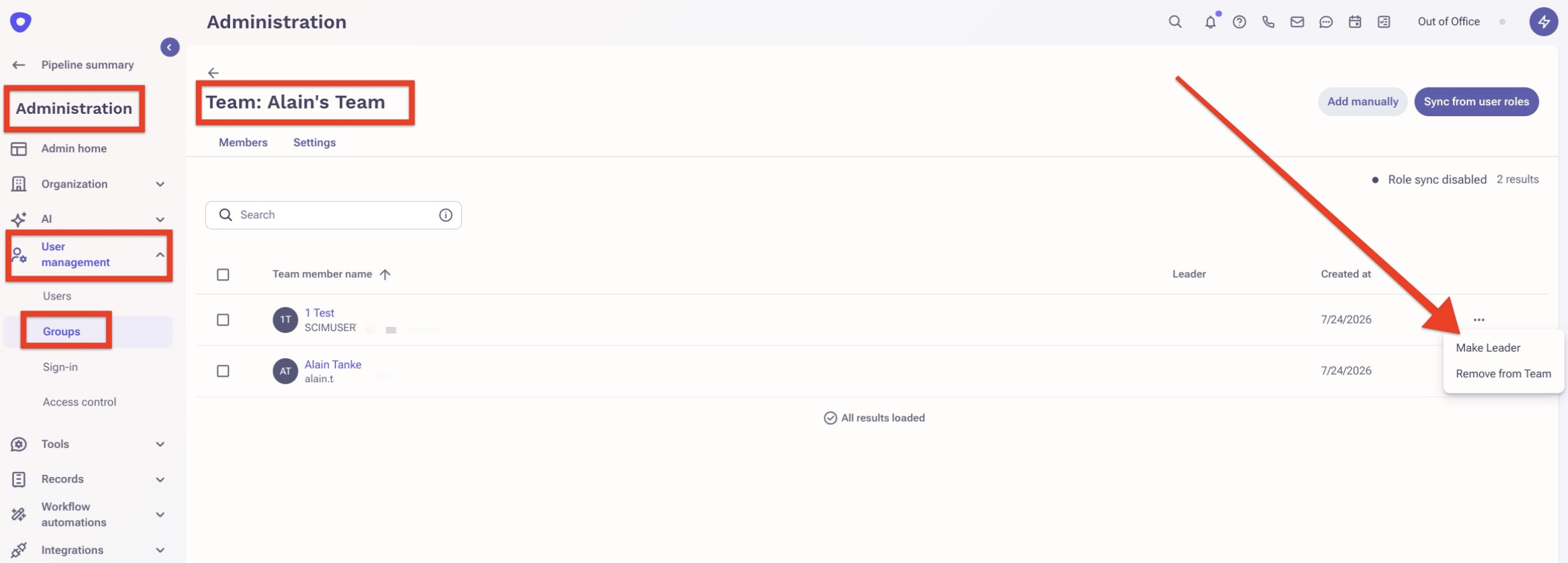
- Click Administration in the bottom left corner of the navigation sidebar.
- Click Groups under User Management.
- Click Outreach Teams and then click on the name of the team you want to setup the leader.
- Locate the name of the user you want to setup as leader and select Make Leader.
Additional Information
Was this article helpful?
That’s Great!
Thank you for your feedback
Sorry! We couldn't be helpful
Thank you for your feedback
Feedback sent
We appreciate your effort and will try to fix the article