Objective
The purpose of this article is to provide direction to Outreach Users in customizing Sales Intelligence Tiles.
Each individual has the option to tailor which tiles appear in Account and Prospect overviews. Modifications made are unique to the individual, meaning changes to these tiles will only be reflected in the individual making the changes.
Applies To
- Outreach Users
Procedure
- Log in to Outreach.
- Select the Account or Prospect.
- Click Edit.
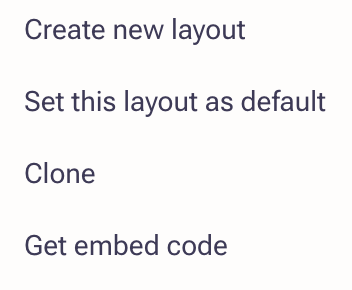
- To customize your layout, select one of the system layouts and select ”...”. Click on "Clone", which is the option that gives you the ability to customize with your preferences. You may also start fresh by click Create new layout.
- Adjust the layout name.
- Once complete, you'll be brought to the layout editor.
The layout editor allows you to:- Add and/or remove tiles
- Drag and drop tiles to reorganize their placement (click to drag and drop)
- Add and/or remove tiles
- Resize tiles (click the bottom right corner and drag to resize)
Note: Any changes made to customize the layout of Intelligence Tiles are unique to the specific user and are not reflected org-wide to other users. If you have access to someone else's layout and make adjustments, it won't affect the parent layout.
Was this article helpful?
That’s Great!
Thank you for your feedback
Sorry! We couldn't be helpful
Thank you for your feedback
Feedback sent
We appreciate your effort and will try to fix the article