Objective
The purpose of this article is to provide direction to Outreach users in activating a sequence step in Outreach.
Applies To
- Outreach Users
- Sequence step
Notes
- Users require permission to edit sequences. If you are unable to edit a sequence, contact your Outreach Admin for assistance.
- If a user updates a sequence step to a scheduled task, the due date will be reset.
Procedure
- Access the Outreach Platform.
- Click Sequences.
- Click the applicable sequence.
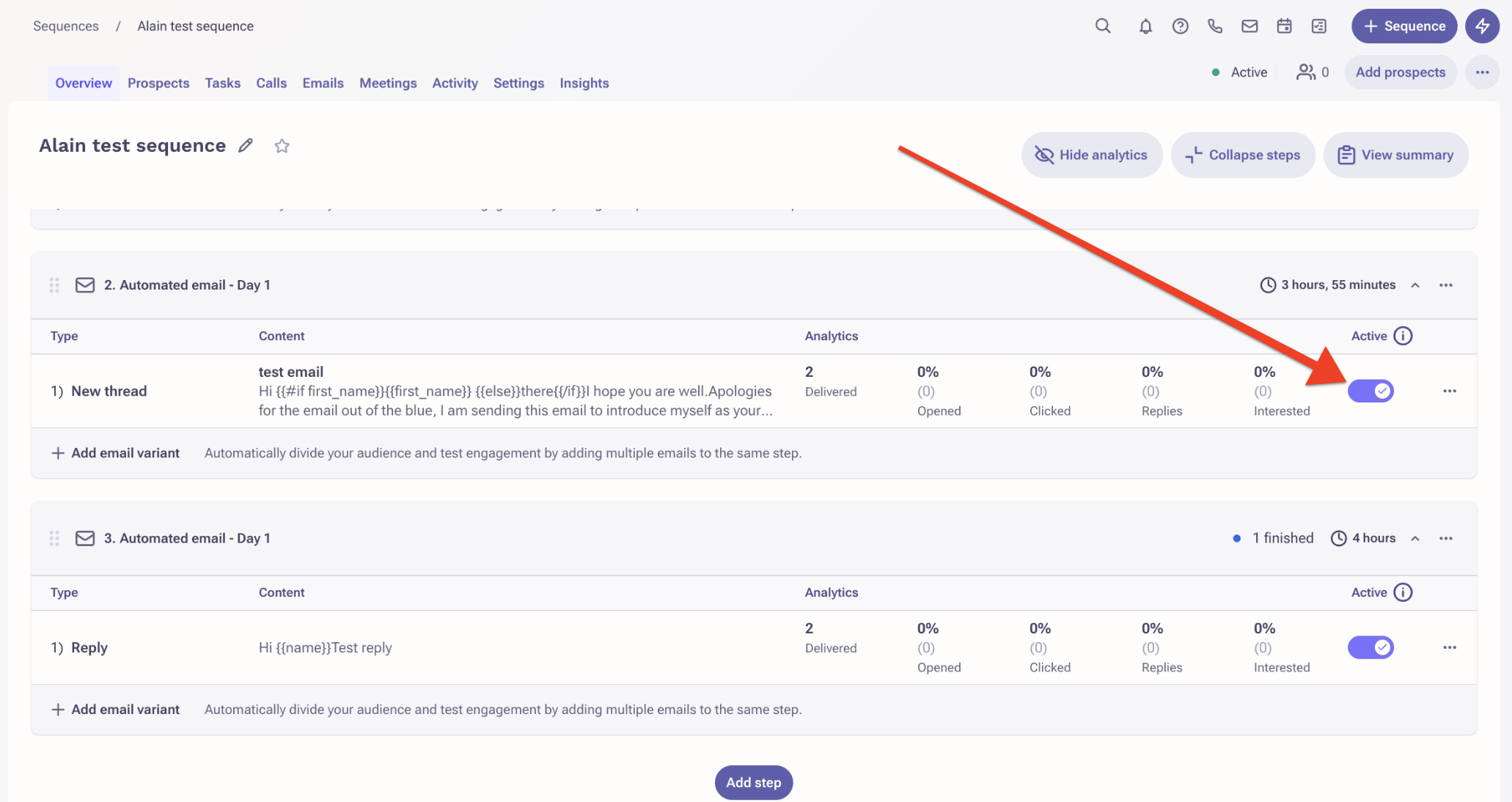
- Search for the applicable sequence step and turn on the toggle as shown in the screenshot below.
- Click Save.
Additional Information
Was this article helpful?
That’s Great!
Thank you for your feedback
Sorry! We couldn't be helpful
Thank you for your feedback
Feedback sent
We appreciate your effort and will try to fix the article