Symptom
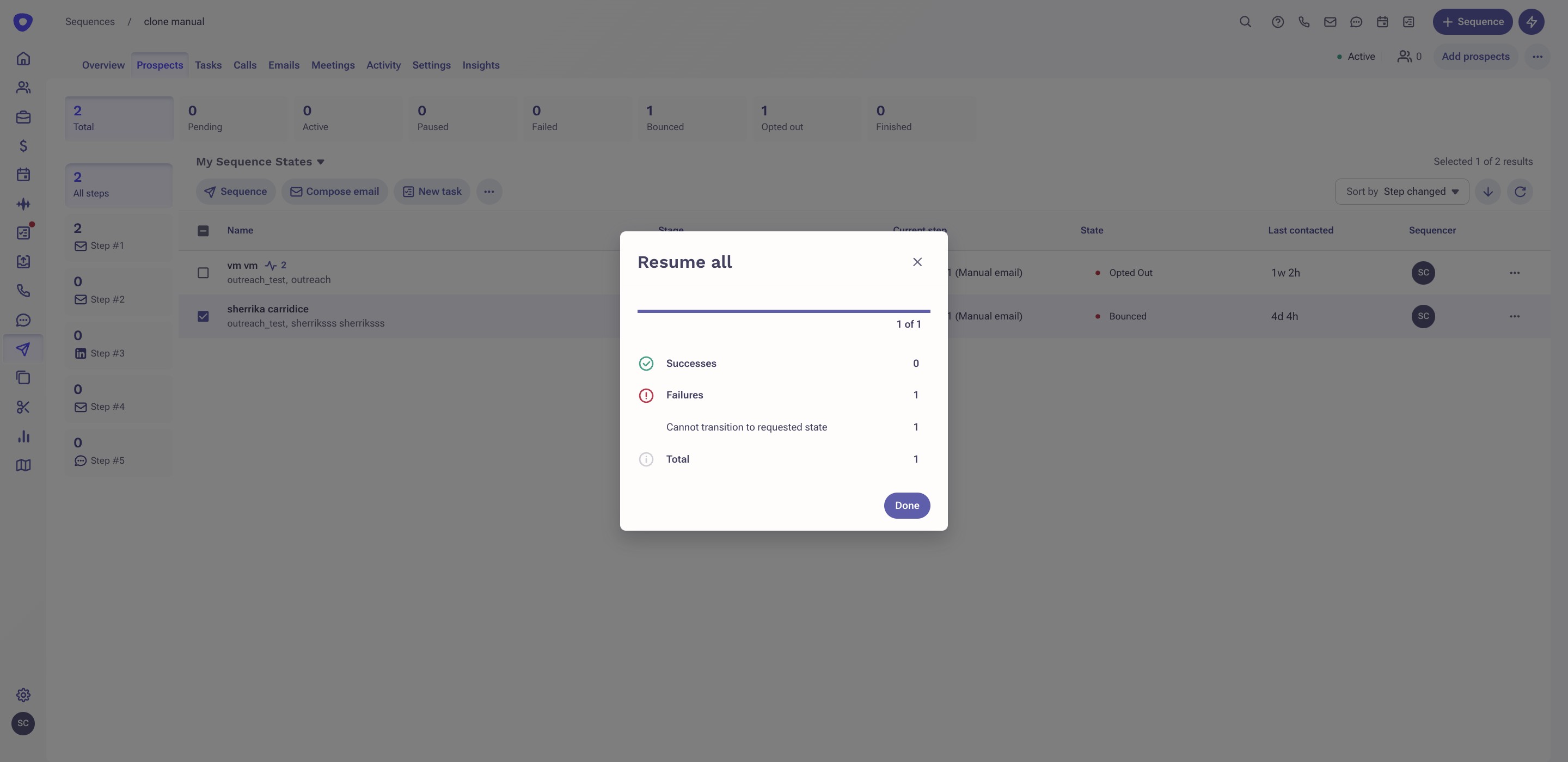
You are trying to manually update a prospect’s sequence state, but you’re seeing an error: “Cannot transition to requested state”.
Applies To
- Sequences
- Sequence States
Resolution
When updating prospect sequence states from the Sequence list view or Sequences page, ensure you transition to the correct state. Example: If the prospect is currently in a Paused sequence state, you have to choose Resume. Please see the correct workflow below.
- Paused > Resume
- Pending > Activate
- Failed > Retry
Cause
This can happen for a few reasons:
- You are trying to Resume prospects in a step that is disabled.
- You're trying to activate paused prospects.
- You attempt to continue a Bounced prospect in a sequence. These must be completely removed first, then re-added.
Additional Information
Was this article helpful?
That’s Great!
Thank you for your feedback
Sorry! We couldn't be helpful
Thank you for your feedback
Feedback sent
We appreciate your effort and will try to fix the article