Objective
Load a call list and verify data flow between the ConnectAndSell and Outreach applications as an Outreach User.
Intended Audience:
- Outreach Users
- ConnectAndSell
- Outreach Integrations
Before You Begin
- In separate browser tabs, log in to Outreach and the ConnectAndSell application.
- Ensure you have first created a Call List in ConnectAndSell.
Procedure
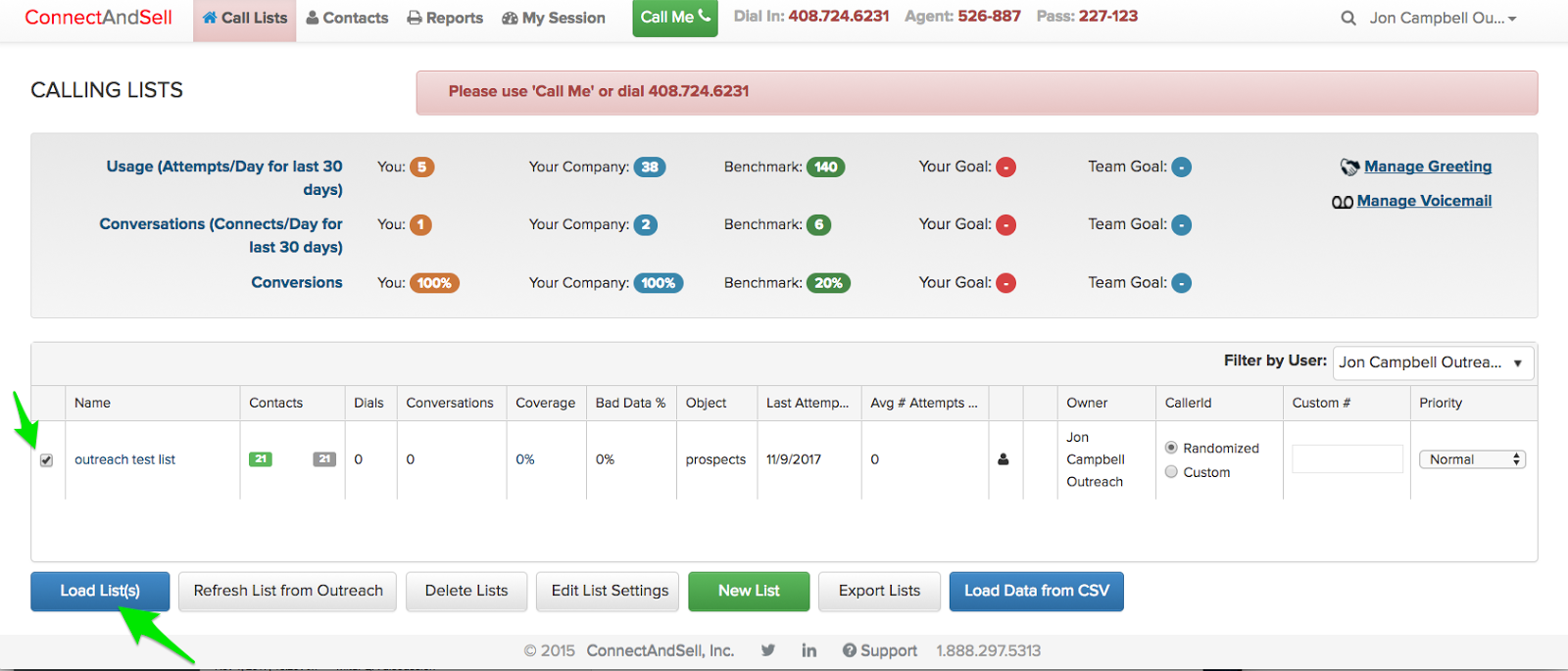
- In ConnectAndSell, access the Call Lists page.
- Click the checkbox next to the list you created.
- Click Load List.
- Leave the Session Dial settings at the defaults, then click Submit to load the Call List.
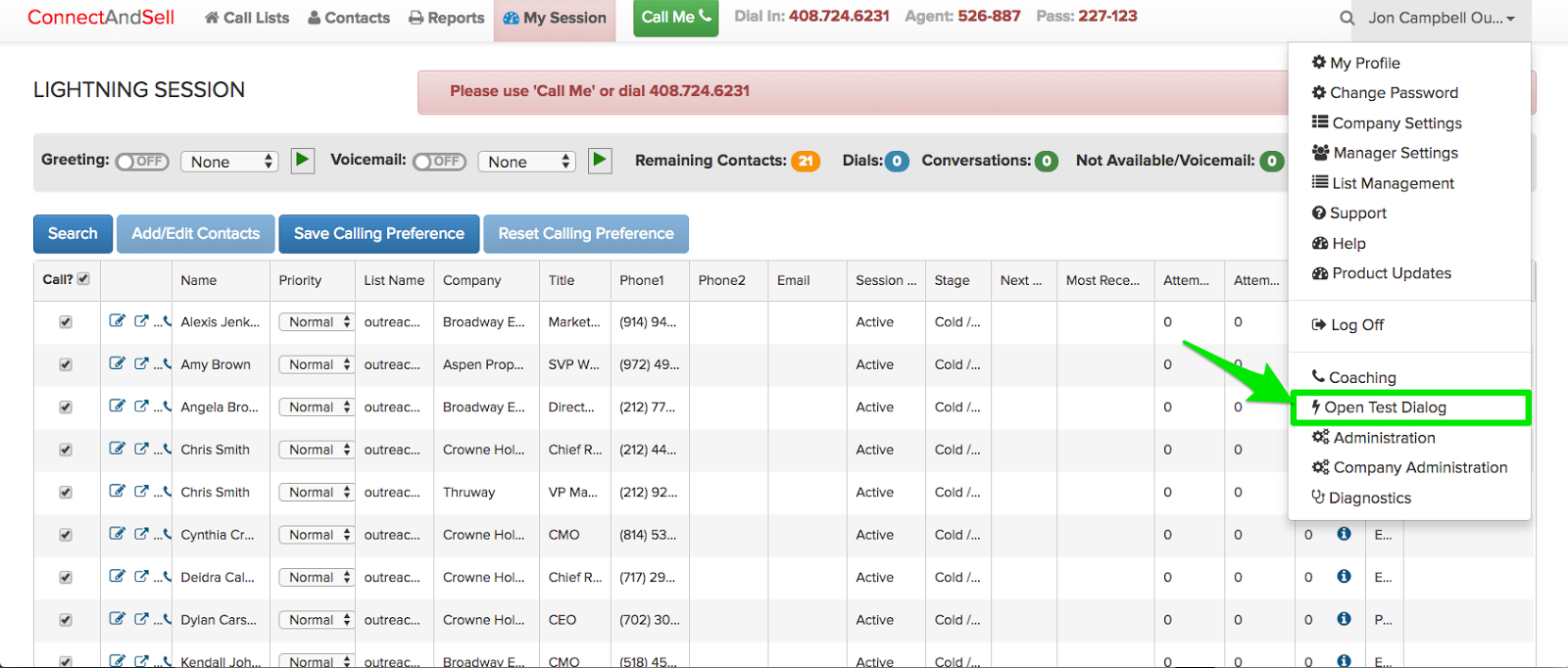
- Click your name in the top right hand corner to open the dropdown list.
- Click Open Test Dialog. This will simulate a conversation without actually calling anyone so you can test the data flow.
- In the resulting pop-up window:
- Enter Call Notes.
- Select values for the Stage, Call Purpose, and Call Disposition from the corresponding dropdown lists.
- Click the View in CRM link to open the prospect record in Outreach in a new browser tab.
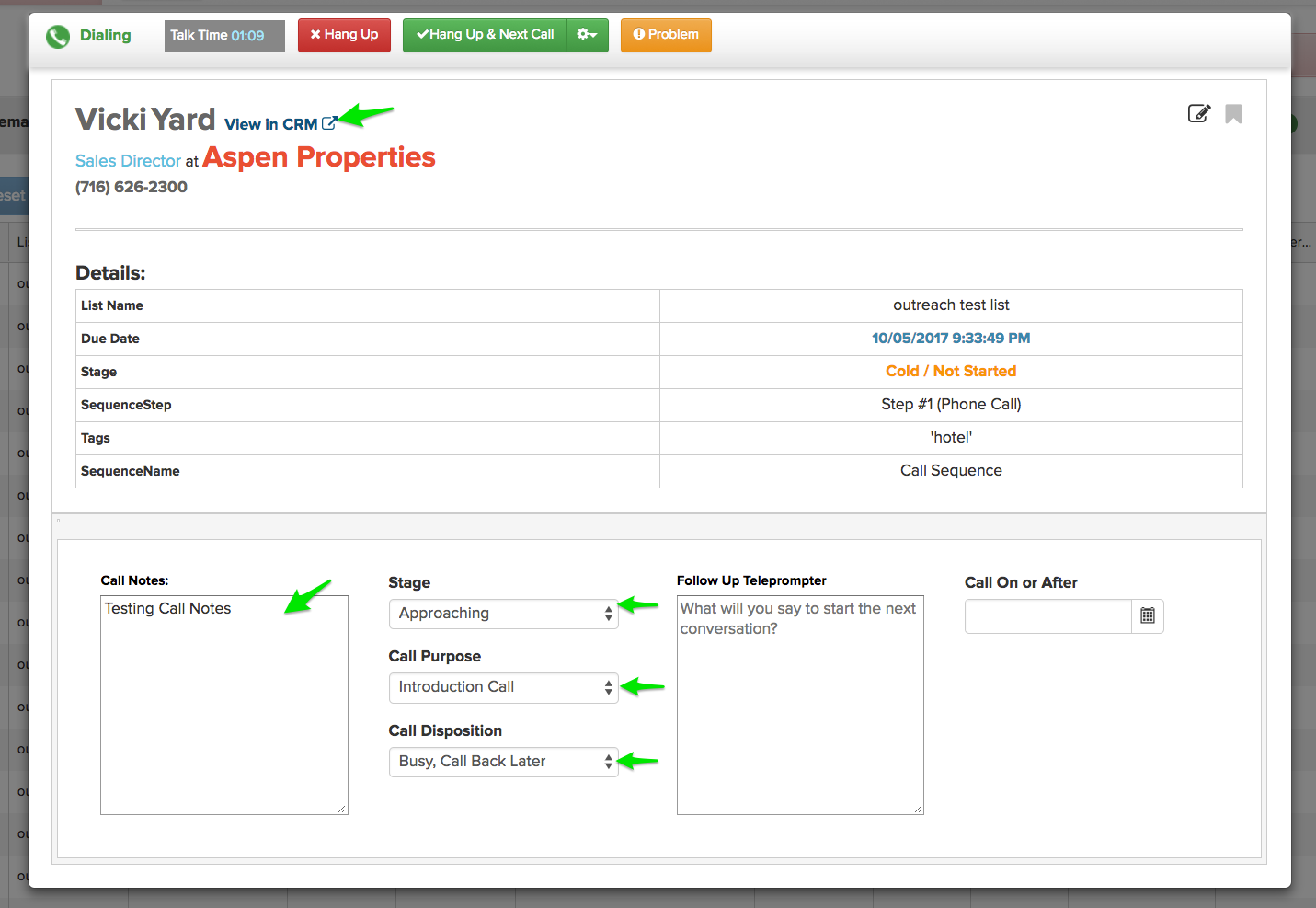
- At the top of the pop-up window, click the Hang Up and Next Call button to initiate the write-back of data to Outreach.
- Switch back to the browser tab with the Outreach prospect record.
- Refresh the browser window.
- Ensure the prospect's stage updates to the stage selected in Step 7b.
- In the Activity Record for the prospect, confirm that both:
- the Call Task was completed for the prospect.
- a call log containing the Call Notes, Call Purpose, and Call Disposition was created.
Additional Information
- Configure the API connection between ConnectAndSell and Outreach
- Mirror the Call Dispositions within ConnectAndSell and Outreach
- Build a Test Call List in ConnectAndSell
If you experience any challenges while completing this configuration please call the ConnectAndSell Support team at 1-888-297-5313 or email support@connectandsell.com.
Was this article helpful?
That’s Great!
Thank you for your feedback
Sorry! We couldn't be helpful
Thank you for your feedback
Feedback sent
We appreciate your effort and will try to fix the article