Purpose:
The purpose of this article is to provide direction to Outreach Users in configuring a reply email in sequence steps.
Reply emails are used to follow up on previously sent emails to create an email chain commonly seen when a person replies to your message. It's essentially like going into your Sent folder and replying to a message you've already sent.
Reply emails will have the normal Re: shown at the beginning of the subject line, and can be added as part of a sequence step.
Intended Audience:
- Outreach Users
Notes:
- Unless using a follow-up sequence, the first email step of a sequence cannot be a reply email, because there is no parent message for Outreach to reference and attach as a referenced email chain. Outreach will fail reply emails configured as a first step. For more information on follow up sequences, refer to the applicable articles.
- Email signature will be added to reply steps.
How To Create a Reply Email in Sequences
- Access the Outreach Platform.
- Access the Sequences landing page and click to access the steps for the applicable sequence.
- On the Sequence Overview landing page, click Add Step.
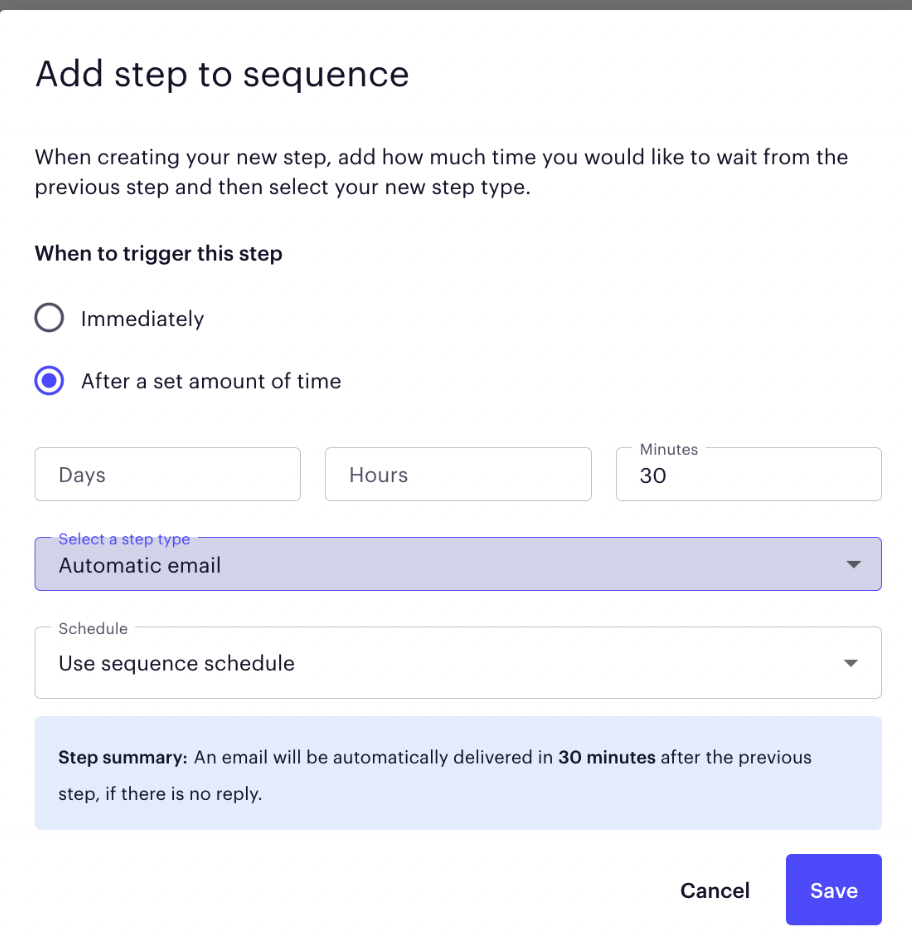
- Select Automatic Email from the Step Type dropdown menu and configure the time interval as applicable.
- Click Save.
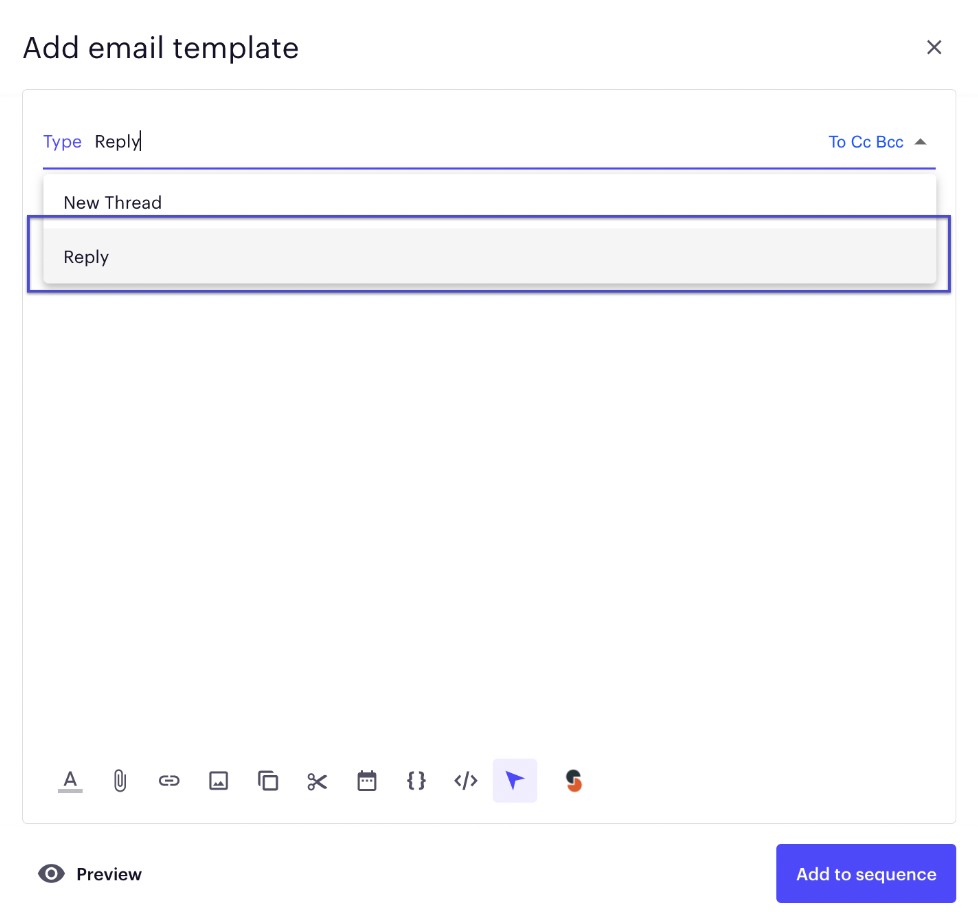
- On the New Step Template popup, select Reply from the Typedropdown menu.When the reply step of the email is delivered to the prospect, it will attach to the previously created email thread. Using multiple reply emails will continue to add to the email thread. Once a "New" email is delivered, the reply thread will start over.
Additional Resources:
Was this article helpful?
That’s Great!
Thank you for your feedback
Sorry! We couldn't be helpful
Thank you for your feedback
Feedback sent
We appreciate your effort and will try to fix the article