Applies To
- Users with Outreach voice access
-
Users with a governance profile that is configured with the setting Show two-party consent dialog turned on.
Answer
Some users are assigned a governance profile that is configured to prompt them with a Two-Party Consent Warning each time they try to make a voice call in Outreach. Even if the user has the Automatically record all outgoing calls option enabled under their user's voice settings, they must click Record on the prompt/warning to enable recording for that call.
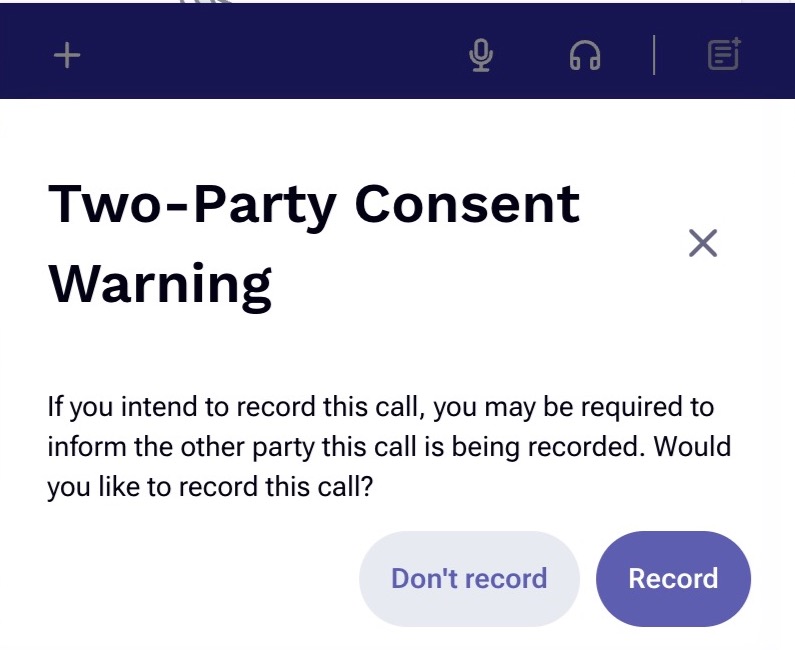
If you click the X or Don't Record instead, it will not record that call. The Two-Party Consent Warning must be acknowledged and actioned accordingly for privacy and legal reasons.
If you accidentally forget to click Record, you can still manually enable recording while on the call by clicking on the recording icon. If it is illuminated, then it is recording. If it is not illuminated, then it is not recording.
The other reason the call is not recording could be because the area code or country code you're attempting to call is on your Org's Restricted call recording list. This list can be found in your Org's Voice settings page and is managed by your admins.
Was this article helpful?
That’s Great!
Thank you for your feedback
Sorry! We couldn't be helpful
Thank you for your feedback
Feedback sent
We appreciate your effort and will try to fix the article