Objective
The purpose of this guide is to provide guidance to Outreach users on setting an Outreach sequence to Active status. Once a sequence is set to Active, prospects that have been added to the sequence will be processed through the sequence steps according to the sequence's settings.
Note: Sequence activation permissions are controlled by the governance profile settings assigned to you by your Outreach Admin. If any options in the below steps are not present in your Outreach instance, please contact an Outreach Admin at your organization to inquire about permissions adjustments.
Applies To
- Outreach Users
- Outreach Admins
Procedure
- Click Sequences from the left toolbar.
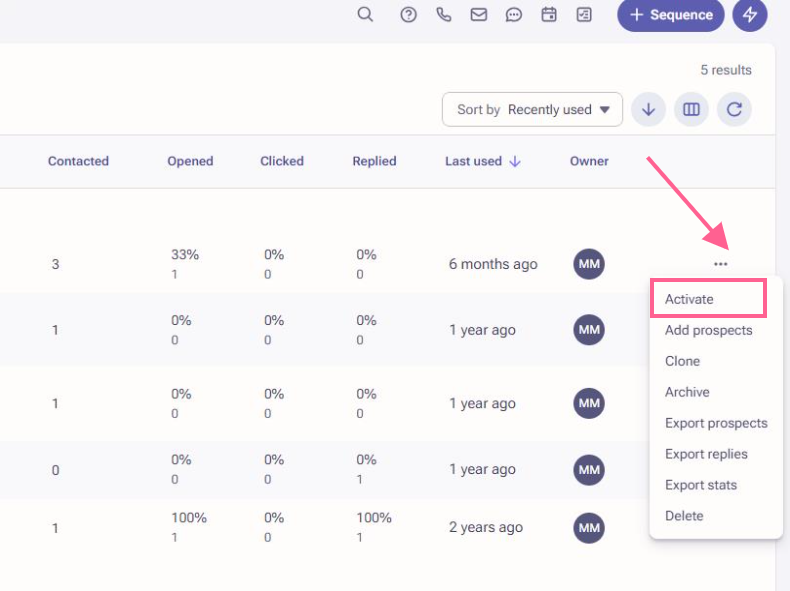
- Click the three-dots [ ... ] menu at the far right of the sequence you'd like to activate.
- Click Activate.
Additional Information
Was this article helpful?
That’s Great!
Thank you for your feedback
Sorry! We couldn't be helpful
Thank you for your feedback
Feedback sent
We appreciate your effort and will try to fix the article