Symptom
The Phone icon is missing in Outreach. Unable to access the Voice tab in User Settings.
Applies To
-
Outreach Users
Resolution
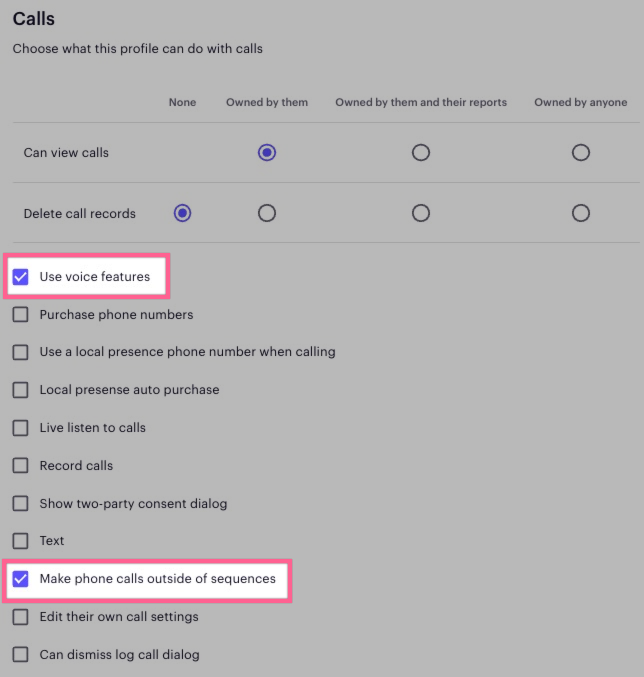
If you do not see the Phone button in the top right of Outreach, or you do not see the Voice tab on your user settings page, then you currently do not have access or permission to use Outreach Voice. This is configured in your governance profile and managed by your admins.
If you need voice access, please reach out to your Outreach admins.

Here are the governance profile permissions you'll need to make Outreach voice calls and to be able to see the phone icon:
Was this article helpful?
That’s Great!
Thank you for your feedback
Sorry! We couldn't be helpful
Thank you for your feedback
Feedback sent
We appreciate your effort and will try to fix the article