Objective
The Outreach application error message Validation failed: prospect already targeted appears when a prospect has already gone through a given sequence. Learn the options available to re-add them and avoid the error.
Applies To
- Outreach Users
Procedures
If you still want to put the target prospect in a sequence they have already completed, do one of the below.
Option 1: Remove the Prospect from the Sequence
Removing the prospect from the sequence will not affect your sequence's statistics or alter your prospect's history. This bypasses the sequence's safety settings to allow the prospect back into the sequence. To do this:
- In your Sequence, open the Prospects tab.
-
To the far right of the prospect information, click the More Menu (•••) > Remove.
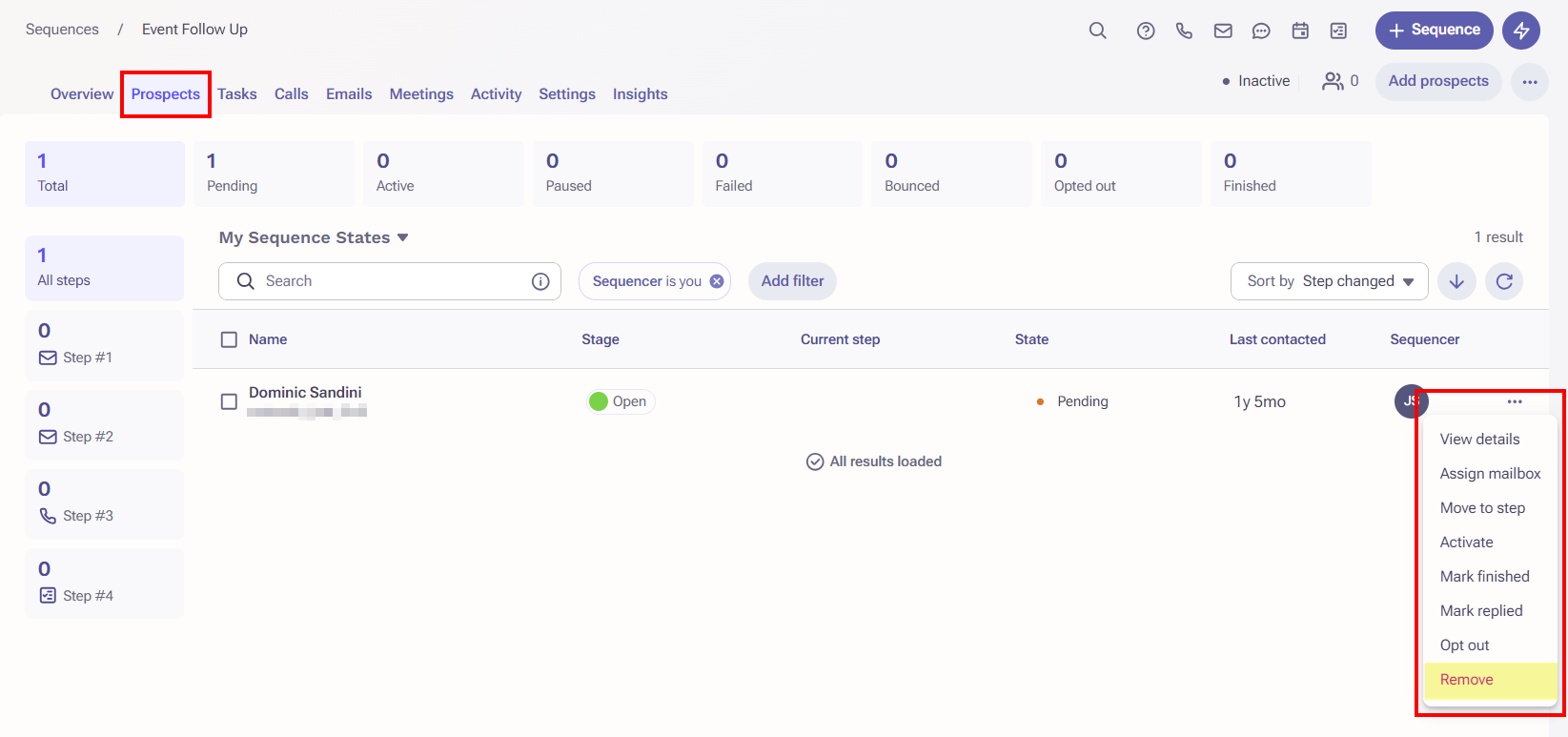
- Click Confirm.
- Re-add your Prospect to the Sequence.
Option 2: Change your sequence's Safety Settings
Be careful with this option as it will allow all prospects to be added to the sequence multiple times. To do this:
- In your Sequence, open the Settings tab.
- Under the Sequence Ruleset field, click View Ruleset.
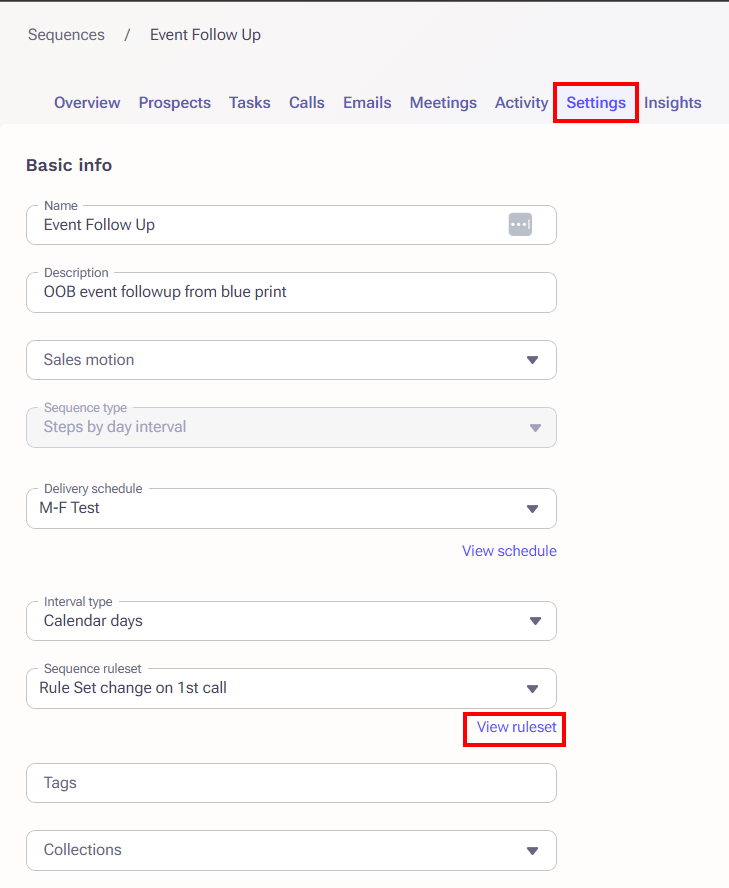 The Edit Ruleset screen will open in a new tab.
 - Under Safety Settings > Prospect can be added to this sequence... select either of the More than once options as appropriate.
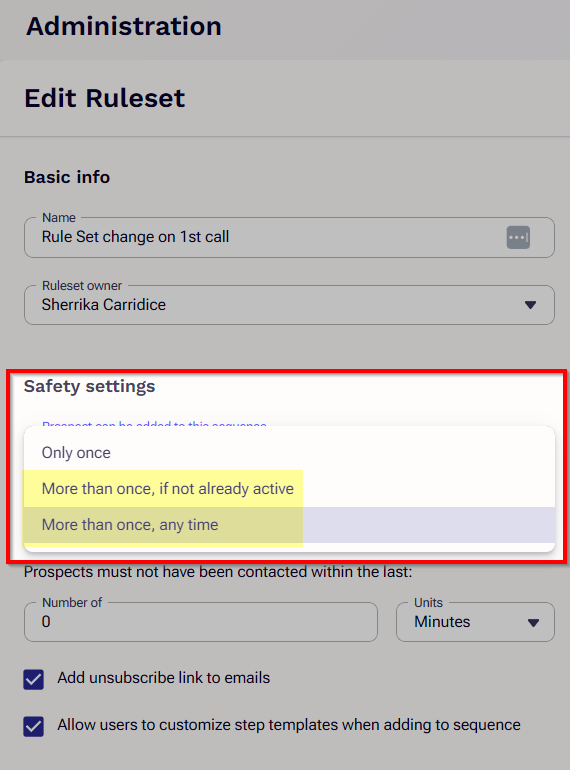
- Click Save.
- Return to the Sequence and re-add your Prospect.
Additional Information
Was this article helpful?
That’s Great!
Thank you for your feedback
Sorry! We couldn't be helpful
Thank you for your feedback
Feedback sent
We appreciate your effort and will try to fix the article