|
INTERNAL USE ONLY The contents of this page are for internal company use only. Do not distribute or share. |
Objective
A2P 10DLC is a application submitted by a customer to Twilio via Outreach's "Compliance & Trust" tab under the "Phone numbers" section. This is a very strict application that can be rejected easily if the customer does not provide proper evidence or submits incorrect information.
Applies To
- Organizations who have received a "Rejected" Status within the "Compliance & Trust" tab.
Procedure
Step 1: Review and confirm within Outreach their application was rejected.
- Impersonate the customer and go to Org Settings > Phone Numbers > Compliance & Trust Tab. Review and confirm that it shows "Rejected"
Step 2: Go to Twilio Console to get granular details
- Log into the Twilio Console portal
- Access their sub-account first or the below link will not work. Ensure you are accessing the right sub-account.
- Go directly to this link: https://console.twilio.com/us1/develop/sms/regulatory-compliance/campaigns
- Click on the Campaign ID
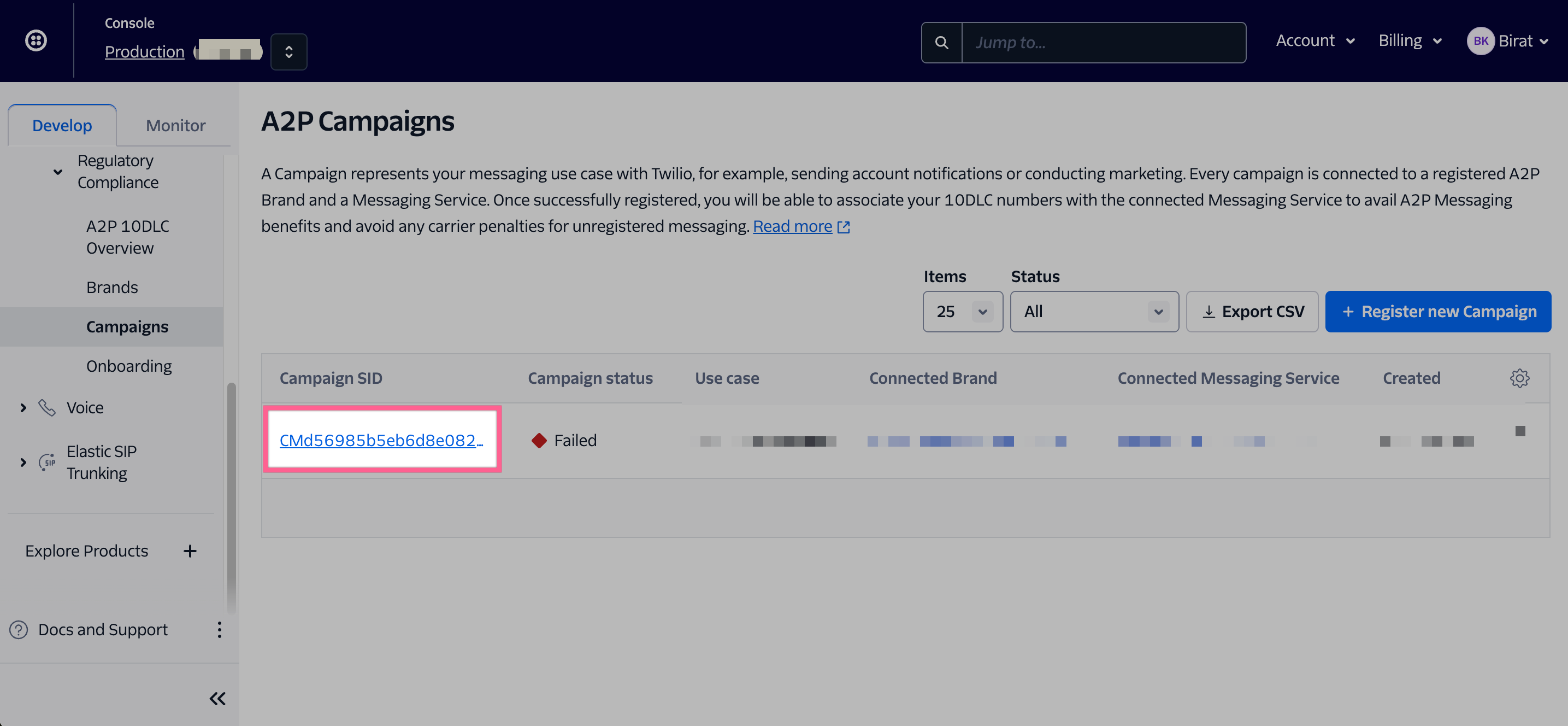
- Review where the error lies. In this example, the customer did not provide opt-in evidence. In the below example, they did not provide a publicly facing website where a reviewer can check that opt-in is shown. As an example see here. Further, we can compare what they have provided, versus what we note as a "GOOD" example in our public article Application-to-Person (A2P) SMS Registration Requirement
- If you are confused and if the error is vague, you are able to submit a Twilio support ticket and ask for the granular reason.
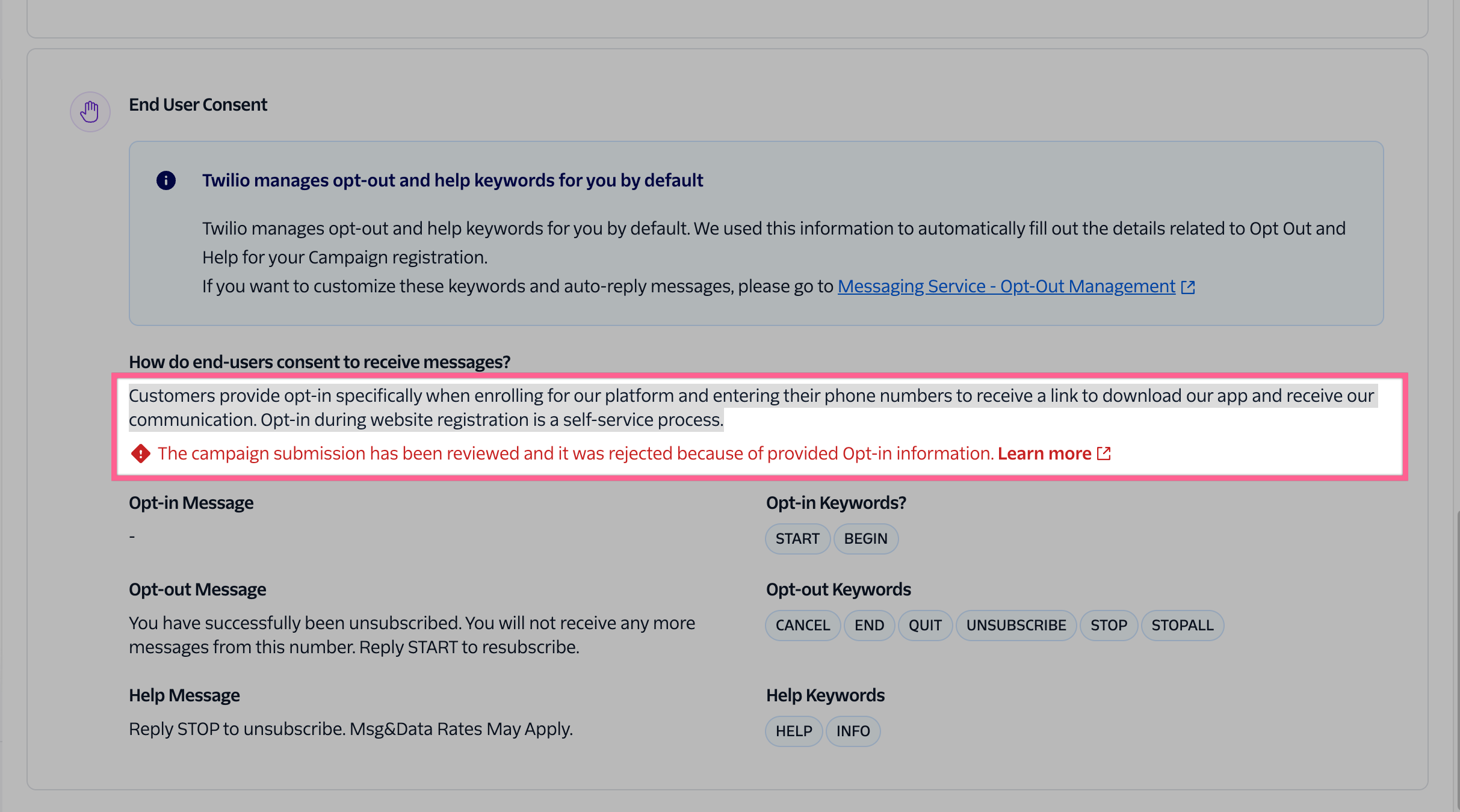
- If you are confused and if the error is vague, you are able to submit a Twilio support ticket and ask for the granular reason.
- Inform the customer why the campaign was rejected and that in order to submit a new campaign, the old one has to be deleted. Once they acknowledge both, then you can delete the campaign specific to the sub-account. Ensure the shortname is the correct one.
- Once deleted, they are able to submit a campaign again by going here: https://web.outreach.io/admin-exp/phones/compliance-and-trust
Was this article helpful?
That’s Great!
Thank you for your feedback
Sorry! We couldn't be helpful
Thank you for your feedback
Feedback sent
We appreciate your effort and will try to fix the article