Objective
The purpose of this article is to provide Slack users the ability to directly use Outreach Revenue Intelligence inside their daily sales workflows.
Applies To
- Outreach customers who want to access Outreach MCP Connector inside Slack
- Admins who want to enable Outreach MCP Connector via a Slack app for their organization
Before You Begin
This article expects basic familiarity with Slack apps. For Outreach via MCP:
- Please read Outreach MCP Server overview to understand what functionalities are available from Outreach.
- Outreach MCP Server must be enabled on the instance you are trying to connect.
- Slack must be fully set up to work with MCP Servers, including any licensing and environmental requirements required by Slack to enable MCP
Create a Outreach MCP Connector Slack App
Creating the Slack App
Slack only allows MCP through a Slack app. You are welcome to use an existing Slack App or create a new one dedicated to Outreach MCP Server. This article doesn't cover every step of creating a standard Slack app. Please follow Slack's documentation for that. Instead, this article focuses on getting the Slack App ready for Outreach MCP Server
Configuring MCP
To create a new app, go to https://api.slack.com/apps > Create an app or pick an existing App > App Settings > Agents & AI Apps > Model Context Protocol and enable the setting:
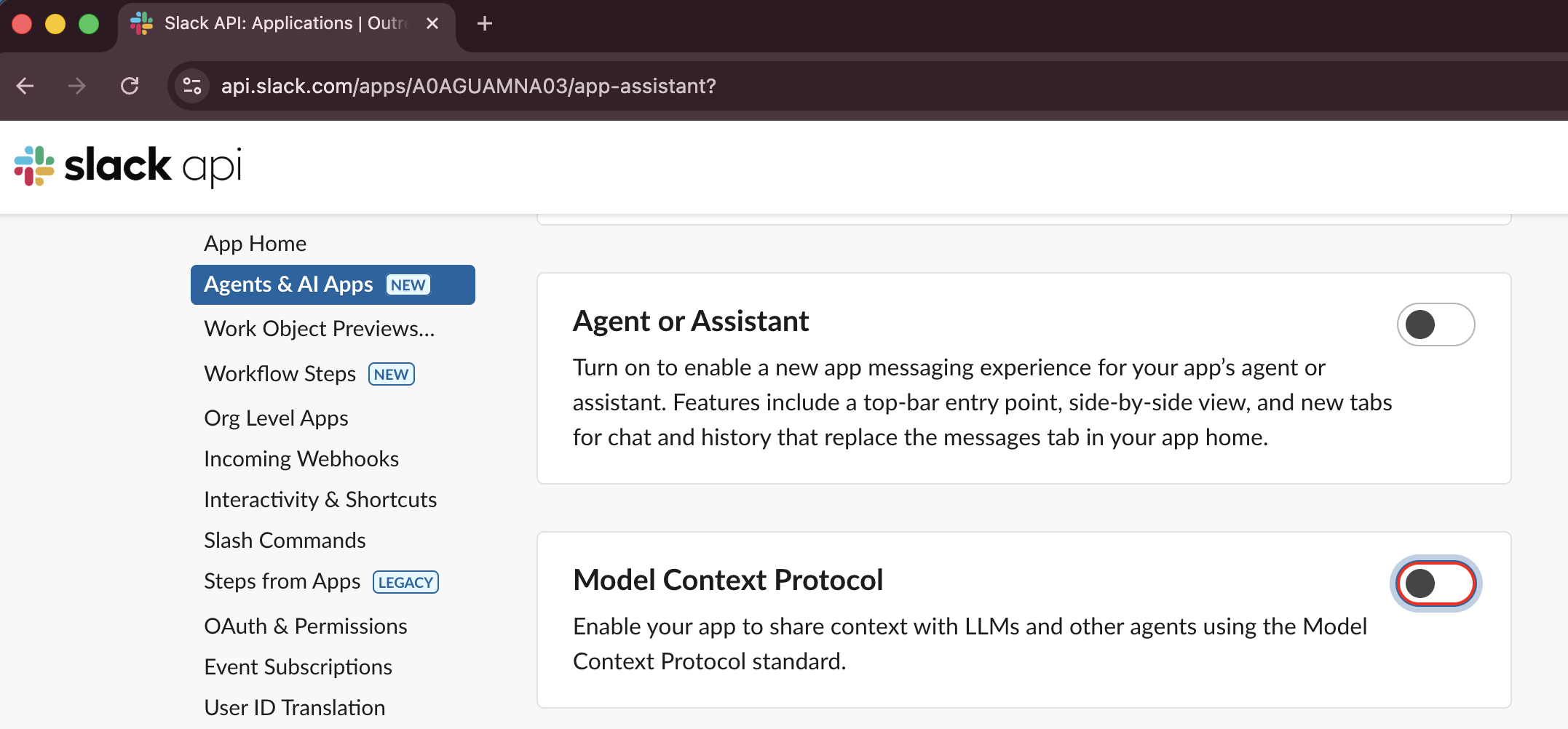
And complete setting up the app fully.
Was this article helpful?
That’s Great!
Thank you for your feedback
Sorry! We couldn't be helpful
Thank you for your feedback
Feedback sent
We appreciate your effort and will try to fix the article