Objective
This article explains how Outreach Admins can set up Deal Agent to get AI-generated insights for sales methodology and opportunity fields, reducing manual data entry work for Account Executives so they can focus more on selling-related activities.
Applies To
- Outreach Admins
Overview
Deal Agent is built for Account Executives who manage opportunities daily in CRM and Outreach. It transforms meeting conversations into accurate, reviewable deal insights and opportunity field recommendations which you can manually or automatically accept, ensuring critical deal context is never lost. This helps teams maintain trusted, high-quality CRM data while staying focused on progressing deals and closing revenue.
Procedure
Enabling AI Suggested Deal Updates
Sales Methodology
Suggested Deal Updates provide AI-generated insights for Sales Methodology fields, helping sellers reduce manual input and stay aligned with the sales process.
How to Enable
- Navigate to Side panel > AI agents > Deal agent > Sales methodology tab.
- Select a sales methodology relevant to your organization. Outreach supports MEDDPICC, MEDDIC, and Identify pain & champion as standard methodologies, and also gives you the flexibility to configure a custom sales methodology.
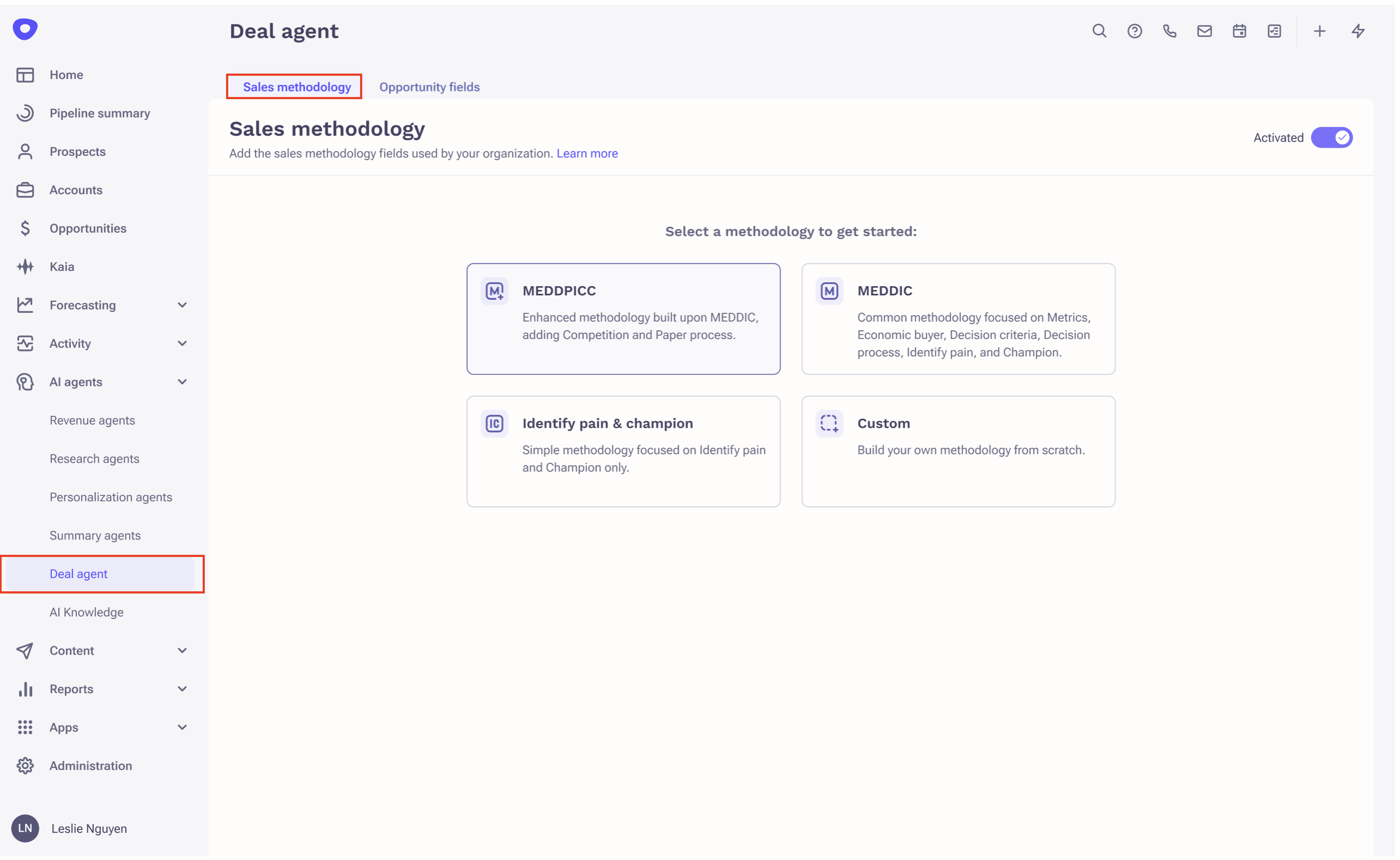
For example, if you choose MEDDPICC, you will land on pre-defined fields and prompts.
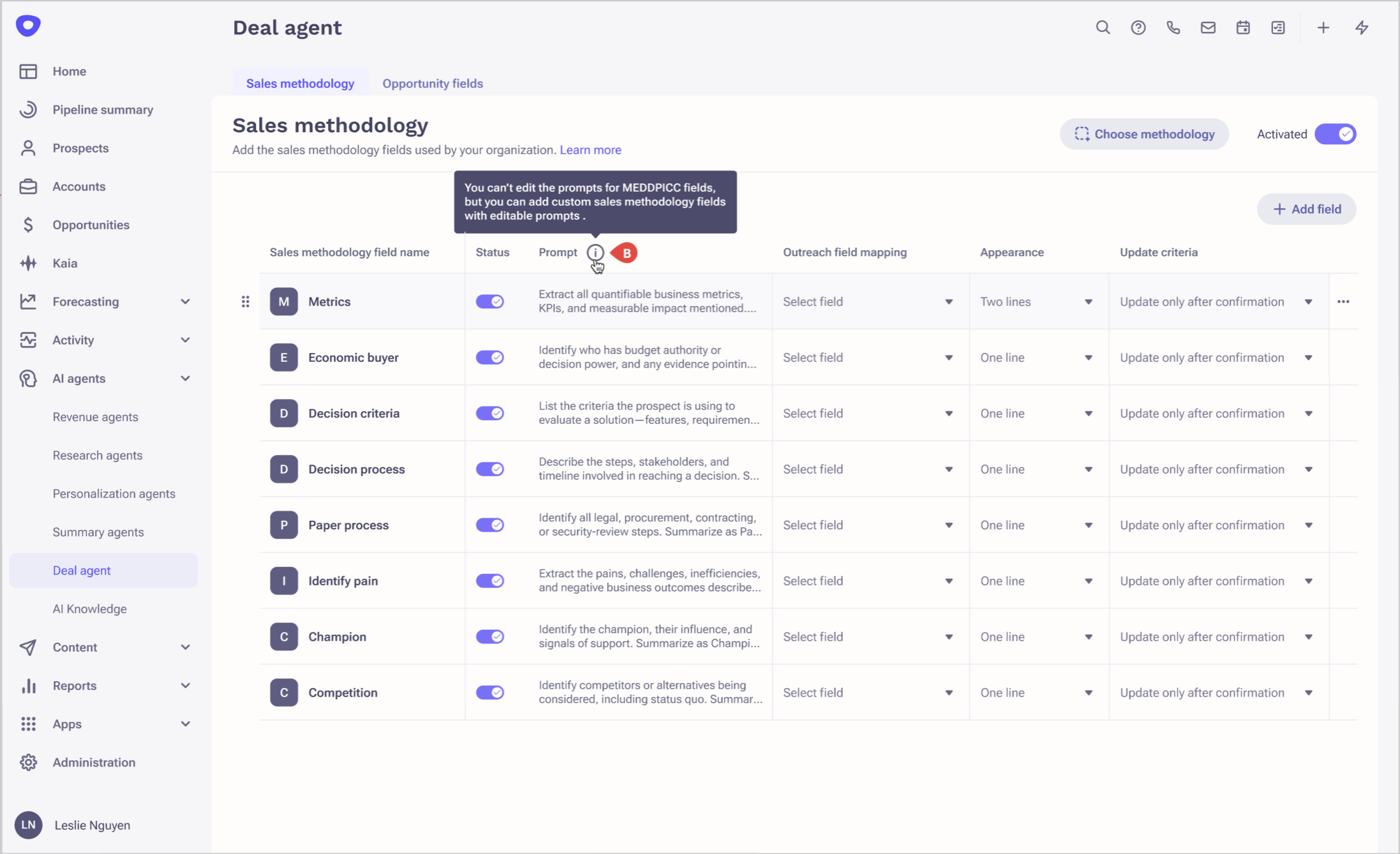
Map the relevant Outreach fields to the respective methodology fields to complete the setup. You can also set the order of MEDDPICC fields by dragging.
Note: You can't edit the prompt for standard sales methodology fields like MEDDPICC. However, you can add custom fields with editable prompts.
Adding Custom Fields
You can add custom fields by clicking the Add field button.
Define the following for each custom field:
- Name of the field
- A custom prompt to generate the relevant insight
- Appearance: One line, two line, bullet points, short paragraph, or prospect name
- Opportunity field mapping
- Update criteria: Auto update, Auto update if only vacant, or Update only after confirmation
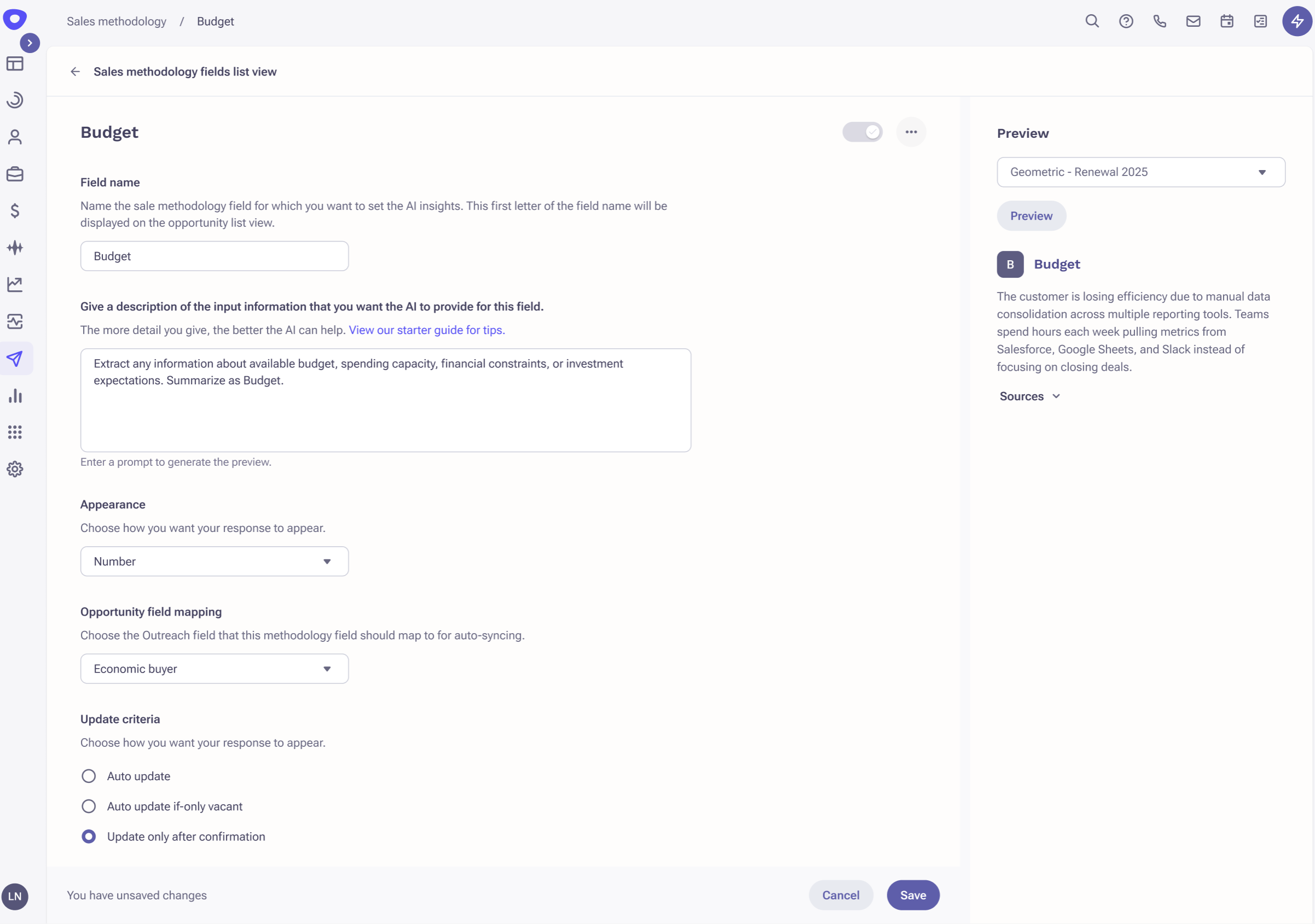
You can also preview the results before enabling insights for a field.
For a custom methodology, choose Custom methodology and follow the same process described above for adding custom fields.
Opportunity Fields
How to Enable
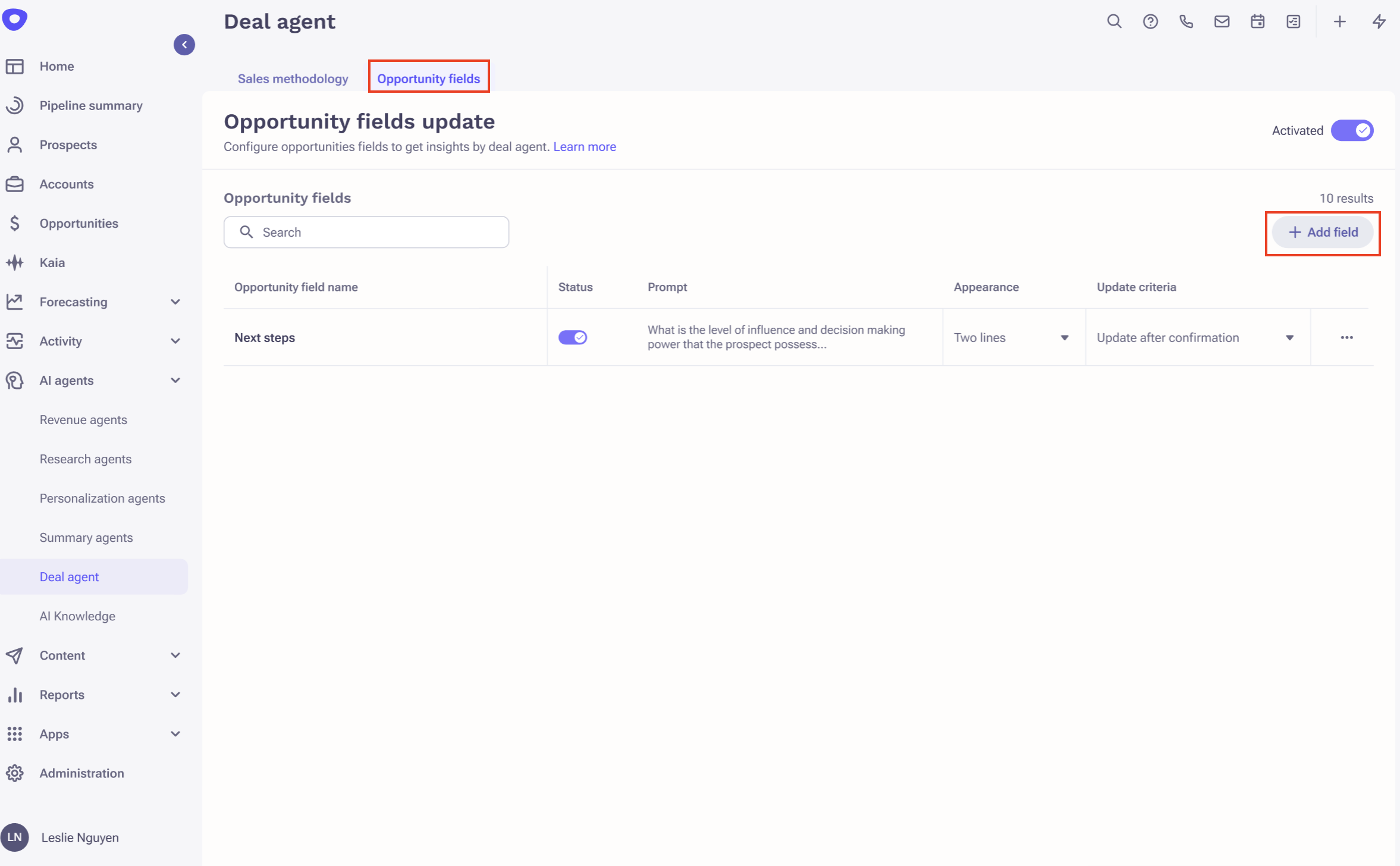
- Navigate to Side panel > AI agents > Deal agent > Opportunity fields tab.
- The Next steps field is active by default for Deal Agent insights.
- Follow the same process described above to enable insights for custom opportunity fields.
Was this article helpful?
That’s Great!
Thank you for your feedback
Sorry! We couldn't be helpful
Thank you for your feedback
Feedback sent
We appreciate your effort and will try to fix the article