Objective
Enable sales teams to stay on top of deal updates without leaving their workflow by surfacing AI-generated opportunity insights directly in Slack.
Applies To
- Outreach Admins
- Account Executives
Overview
Deal Agent converts meeting conversations into accurate opportunity insights and field update recommendations that can be auto-applied or reviewed. With Slack and in-app notifications, these updates are delivered instantly when detected from Kaia calls. You can review, accept, reject, or edit updates directly — without logging into Outreach or Salesforce.
Before You Begin
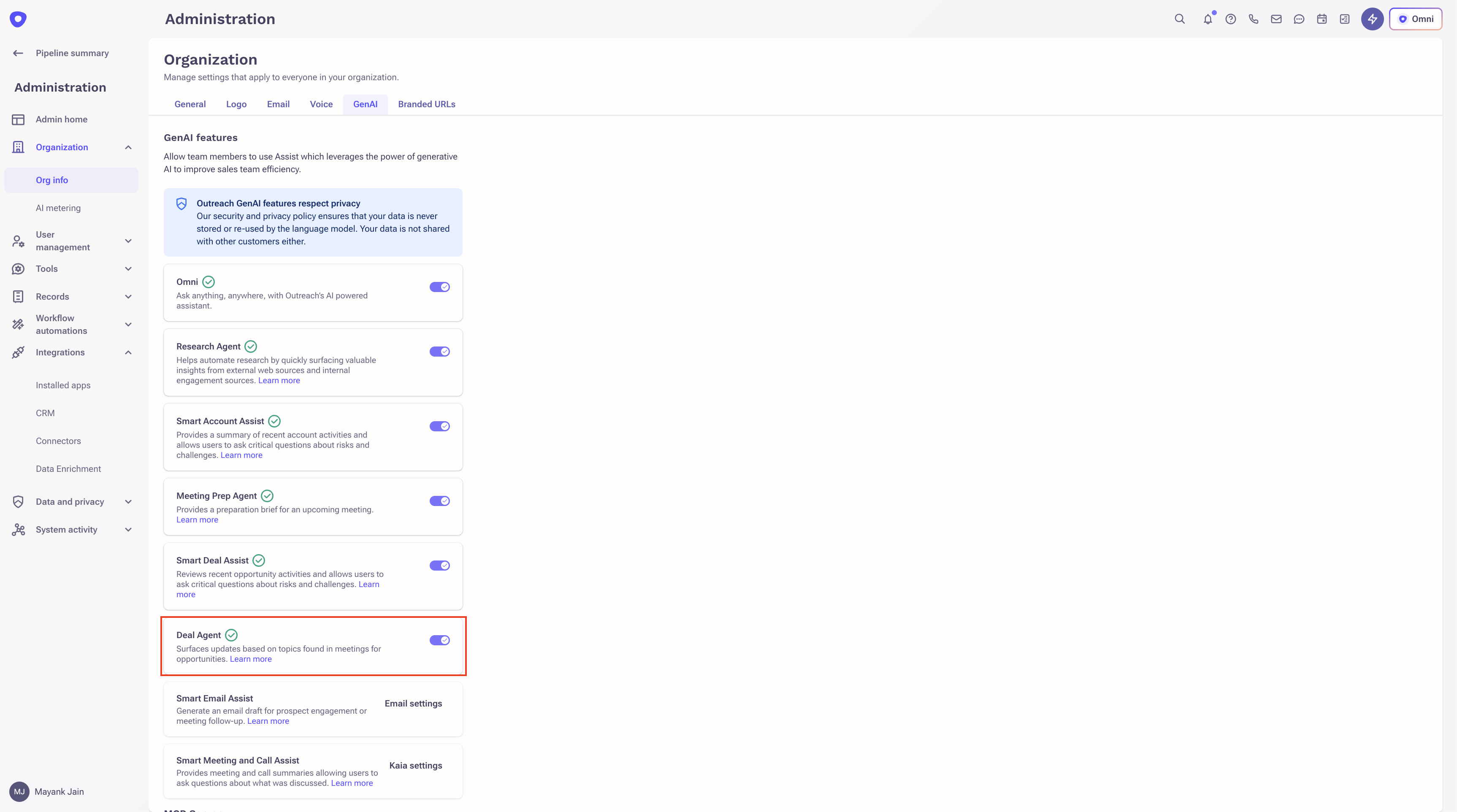
- Deal Agent must be enabled in your admin settings.
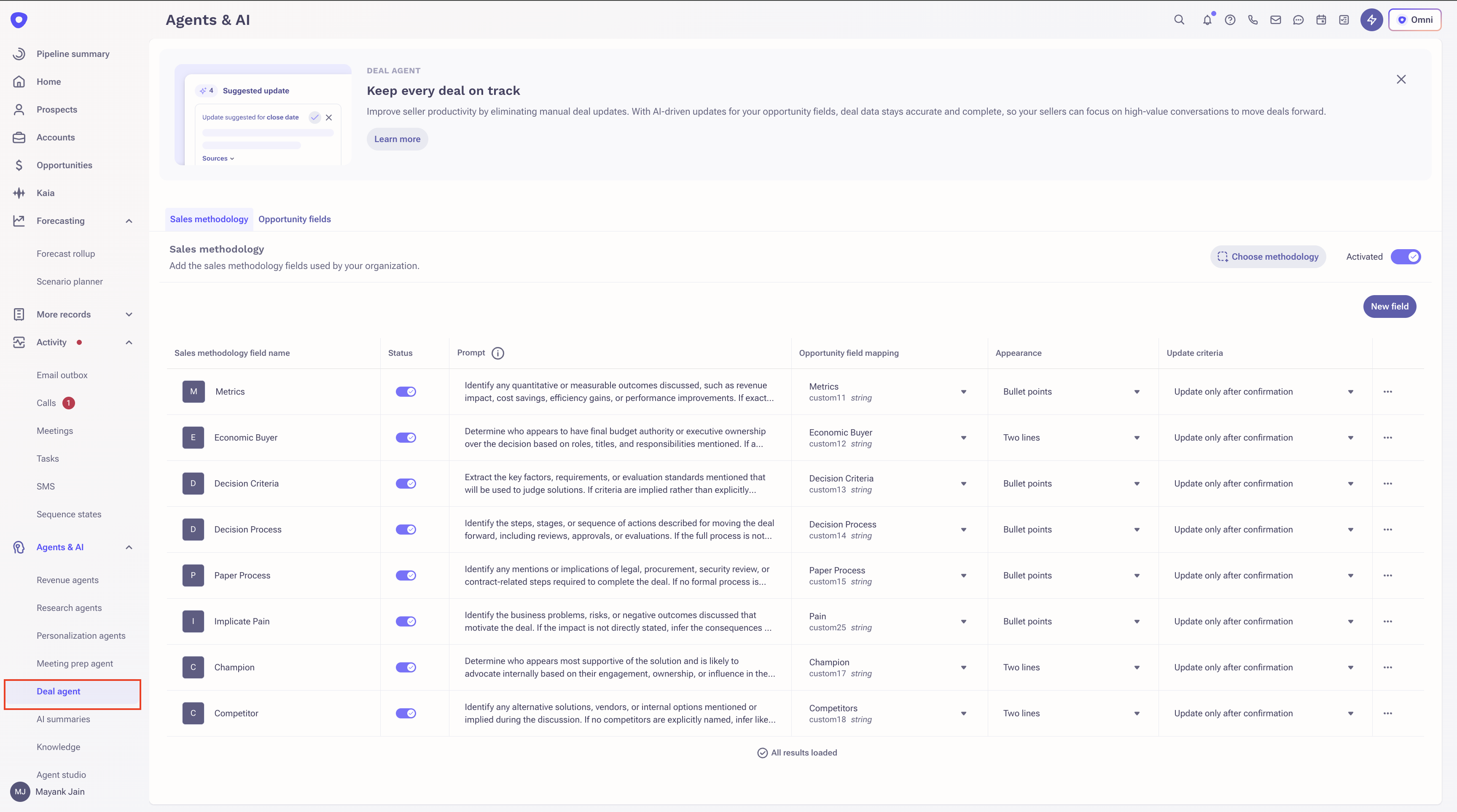
- Fields must be configured for suggested updates.
- Notifications must be turned on for suggested updates.
Procedure
- Log in to Outreach as an Admin.
Slack Notifications
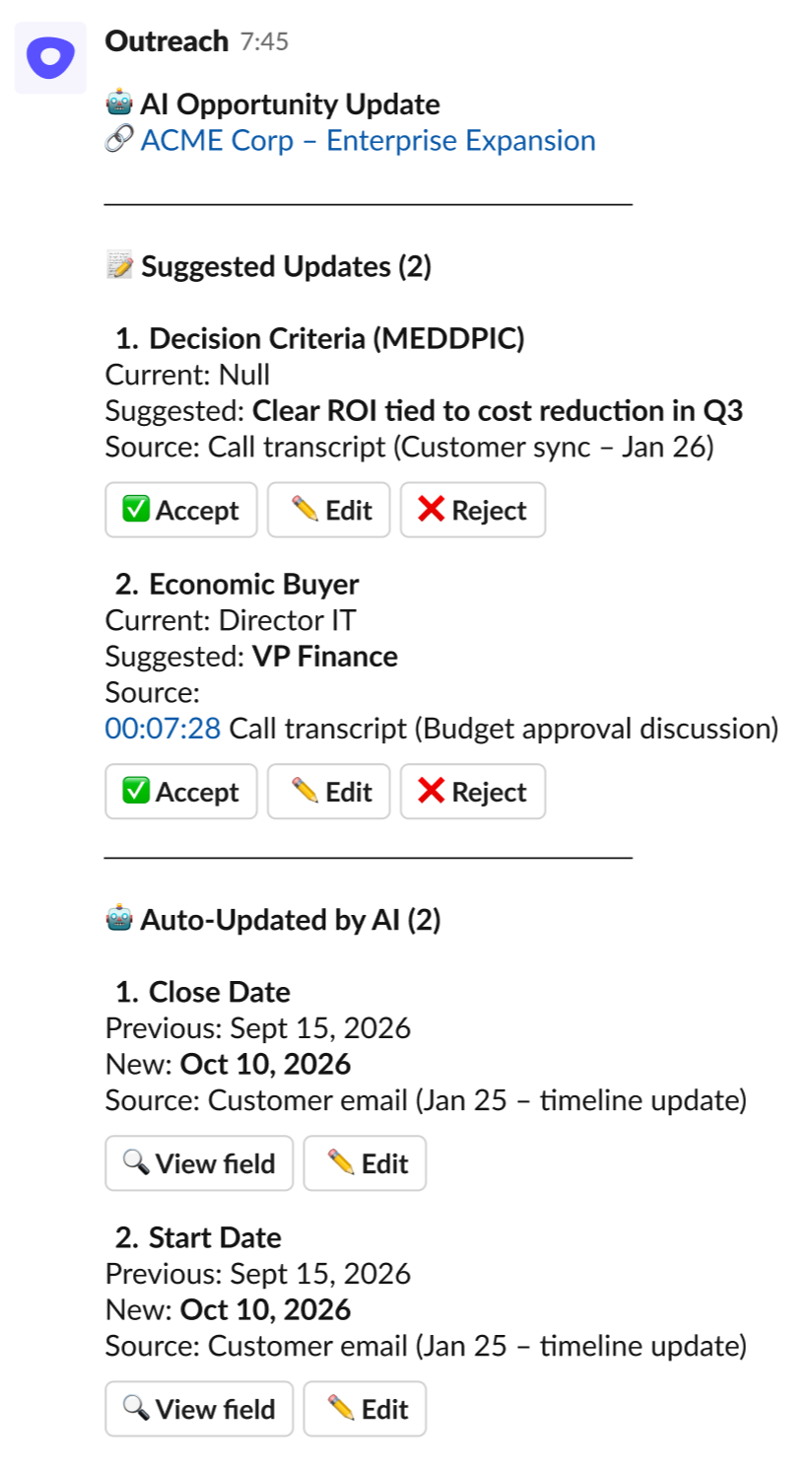
For Suggested Updates
From Slack, you can:
- Accept the suggested update
- Reject the suggestion
- Edit before accepting
This allows you to update deal fields in seconds, without switching tools.
Note: Action buttons are supported only for free-text fields.
For Auto-Updates
For fields configured for automatic updates:
- AI directly updates the opportunity field.
- You receive a notification informing you of the change.
- You can edit the field from Slack (available only for free-text fields).
This ensures full visibility into automated updates while reducing manual work.
In-App Notifications
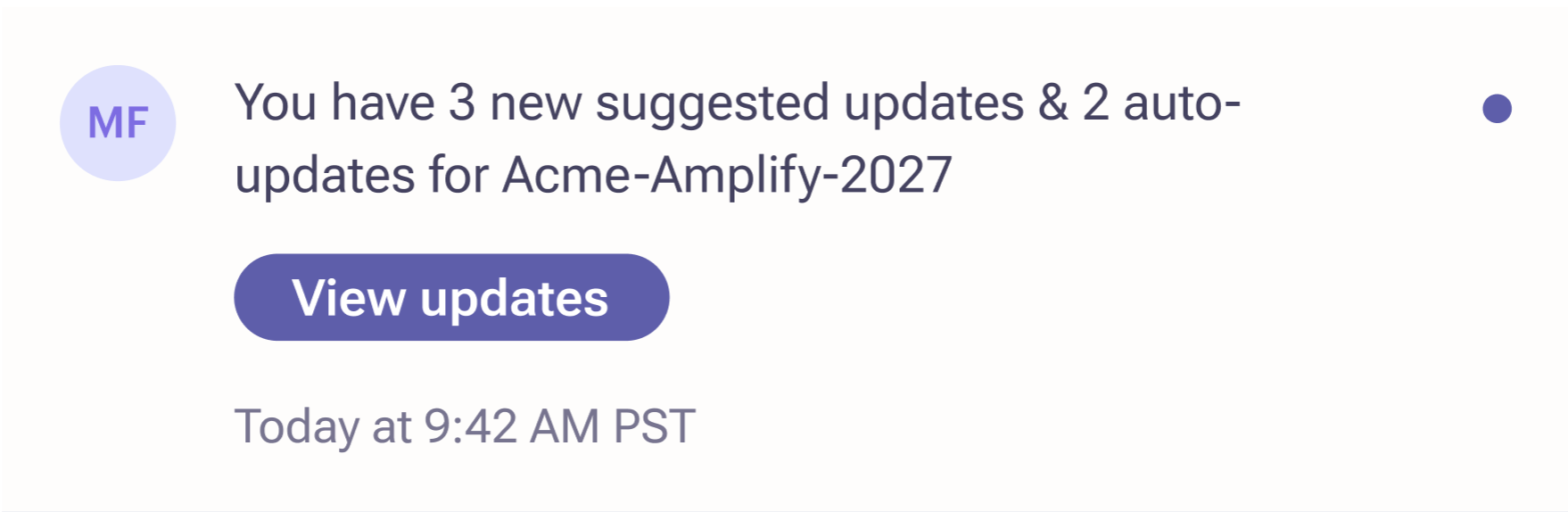
Users will be notified about new AI updates after a Kaia call. Click View updates to open the opportunity and take the required action.
Frequently Asked Questions
Q. When are Slack notifications sent?
Notifications are triggered when AI detects new insights from a Kaia call recording that lead to a suggested update or an auto-update for an opportunity field.
Q. Who receives the notification?
The opportunity owner receives the notification via Slack or through an in-app notification.
Q. Do users need to log into Outreach or Salesforce to review the update?
No. Users can review and take action on the update directly from Slack or the in-app notification, without needing to open Outreach or Salesforce.
Q. Are accept, reject, and edit actions supported for all fields in Slack?
No. Only free-text fields support accept, edit, and reject workflows from Slack.
Q. What happens when a user accepts a suggested update?
Once the user accepts the suggestion:
- The opportunity field is updated with the suggested value.
- The action buttons are removed from the Slack notification.
- The action is recorded in the system.
Q.Can users modify the suggested value before accepting it?
Yes. For free-text fields, users can edit the suggested value directly from Slack before accepting and applying it to the opportunity field.
Q. What happens when a user rejects a suggestion?
If a user rejects a suggestion:
- The opportunity field remains unchanged.
- The action buttons are removed from the Slack notification.
- The system records that the suggestion was rejected.
Q. Will users receive multiple notifications for the same update?
No. Notifications are sent only for newly detected updates from Kaia calls and do not accumulate previously surfaced suggestions.
Q. What happens if a user accepts an update but the write-back to Salesforce fails?
The insight will not be accepted and the user will see a relevant error message in Slack.
Was this article helpful?
That’s Great!
Thank you for your feedback
Sorry! We couldn't be helpful
Thank you for your feedback
Feedback sent
We appreciate your effort and will try to fix the article