Objective
Enable sales teams to quickly understand deal context and outcomes through AI-generated summaries that are tailored to each stage of an opportunity and aligned with company-specific needs.
Applies To
- Outreach Admins
- Account Executives, Sales Managers, Customer Success, RevOps
Before You Begin
- Three pre-configured summary agents are provided out of the box
- New custom summary agents cannot be created
- Existing summary agents cannot be deleted
- Summaries are generated using:
- Up to 80 emails
- Up to 10 Kaia calls
- Summaries automatically refresh every 24 hours
- Users can also manually regenerate summaries on demand
Overview
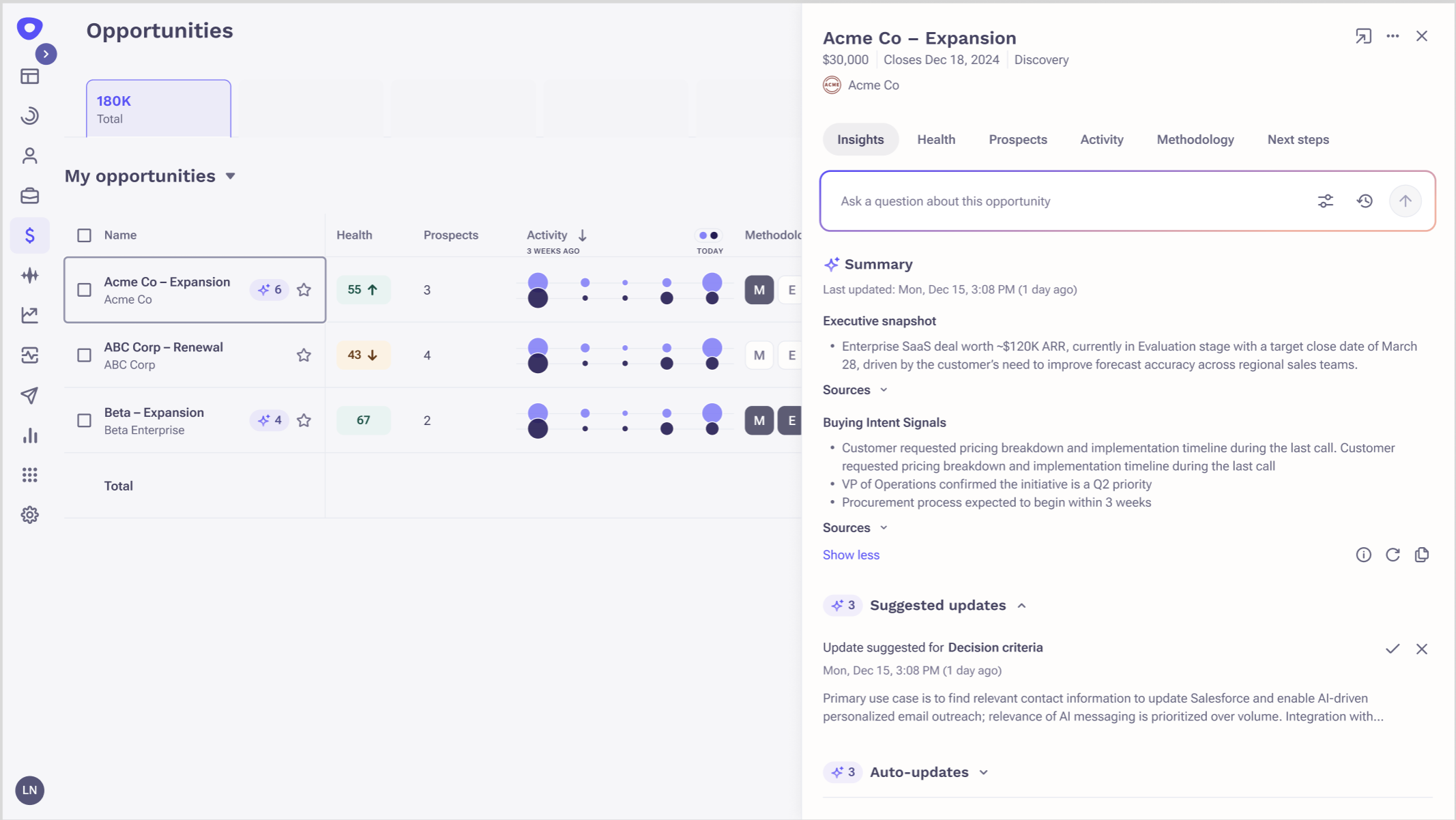
Custom Deal Summaries provide AI-generated, structured summaries of opportunities that adapt based on deal stage — open, closed-won, or closed-lost.
Instead of a one-size-fits-all summary, Outreach automatically displays the most relevant summary for each opportunity, helping teams focus on what matters most at every stage.
The feature includes three built-in summary types:
- Open Opportunities — Deal Health & Next Steps
- Closed-Won Opportunities — Customer Handoff Summary
- Closed-Lost Opportunities — Loss Analysis & Learnings
Admins can customize these summaries to match their organization's sales process, ensuring outputs are consistent, relevant, and actionable.
Procedure
- Log in to Outreach as an Admin.
- Navigate to Agents & AI > AI Summaries.
- Select Opportunities as the summary type.
- Customize the available summary agents
- Editing AI prompts
- Adding or removing sections
- Questions to to answered in a section
- Choosing output format:
- One-line
- Bullet points
- Paragraph
- This ensures summaries align with internal playbooks, terminology, and reporting needs.
Additional Information
Can I customize Deal Summaries?
Yes. Admins can customize built-in deal summary agents by editing prompts, modifying sections, and changing the output format (one-line, bullets, or paragraph).
Can I create my own Deal Summary agents?
No. Creating new custom summary agents is not currently supported.
Can I delete existing Deal Summary agents?
No. Built-in summary agents cannot be deleted to ensure coverage across all opportunity stages.
How much data is used to generate the summary?
Summaries are generated using up to 80 emails and 10 Kaia calls, along with CRM data.
How often are summaries refreshed?
Summaries are automatically regenerated every 24 hours. Users can also manually regenerate a fresh summary from the UI.
Was this article helpful?
That’s Great!
Thank you for your feedback
Sorry! We couldn't be helpful
Thank you for your feedback
Feedback sent
We appreciate your effort and will try to fix the article