Objective
- Protect your deliverability and long-term domain health by setting up a process in Outreach that flags prospects when their email bounces and prevents them from being re-sequenced
- Triggers automate actions in Outreach. Bounced Email Triggers work in two parts:
- Sets a custom field on the prospect record when their email bounces
- Reads that field to stop new sequences
Applies To
- Outreach Admins
Before You Begin
Before building your triggers, you'll need a custom field on the prospect record for Trigger 1 to set and Trigger 2 to act on
- Administration>Records>Prospects>Fields Configuration
- Identify an unused prospect-level custom field to label, and set its field type to Boolean
- Before labeling a custom field, confirm it hasn't been used historically. The existing data must match the new Boolean field type, so a field with old values in a different format can cause downstream issues. To check, go to the Prospect list view, filter on Custom Field # is not empty, and review the results. If any records come back, the field may have been used in the past. You can determine to either clear those values in bulk or pick a different unused field.
- Click Add Configuration
- Select the Custom Field
- Label the field (example: Bounced Email)
- Set the field type to Boolean
- Highly Recommended - Not Required
- Map the custom field with your corresponding custom field in the CRM
- Map the custom field on your Lead & Contact object and set the field to bi-directionally sync
Procedure
How to Set up Bounced Email Triggers:
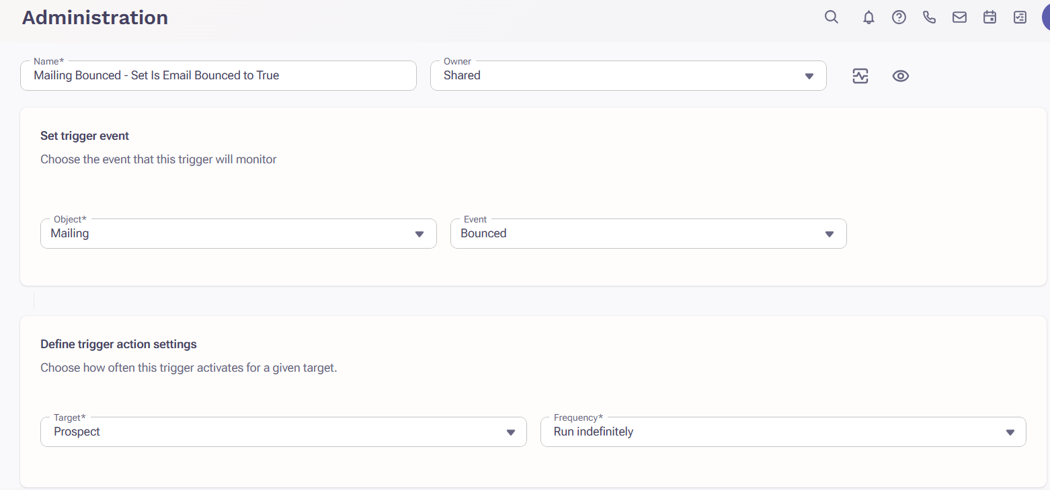
Trigger 1: Set Custom field (e.g. Bounced Email) field to True when the Prospect’s Email Bounces
Suggested Naming Convention: Mailing Bounced – Set Bounced Email field to True
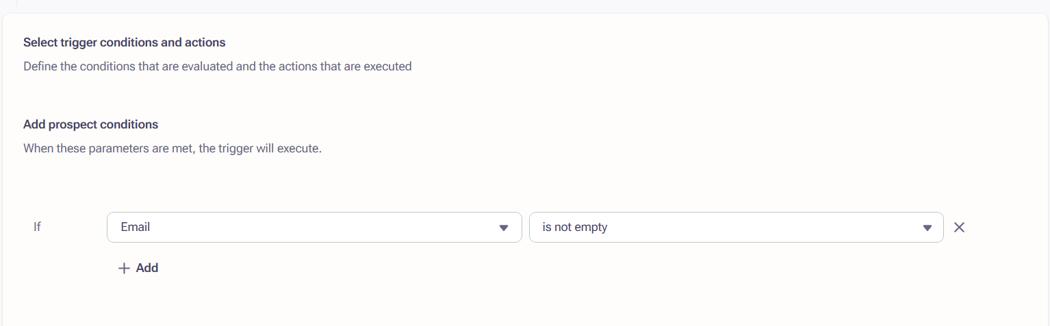
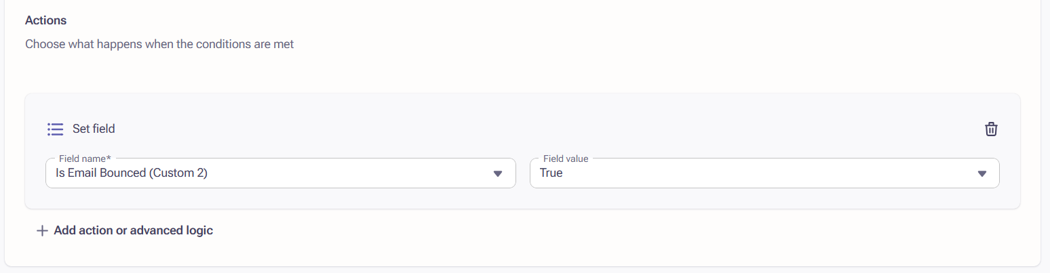
Build first trigger per example below (the custom field name is an example):
Trigger configuration
- Object / Event: Mailing → Bounced
- Target / Frequency: Prospect / Run indefinitely
- Prospect Condition:
- Outreach ID is not empty
Triggers require at least one condition and every Prospect record has an Outreach ID, so this condition applies to 100% of bounced prospects
- Outreach ID is not empty
- Action: Set field — Email Bounced (custom field) = True
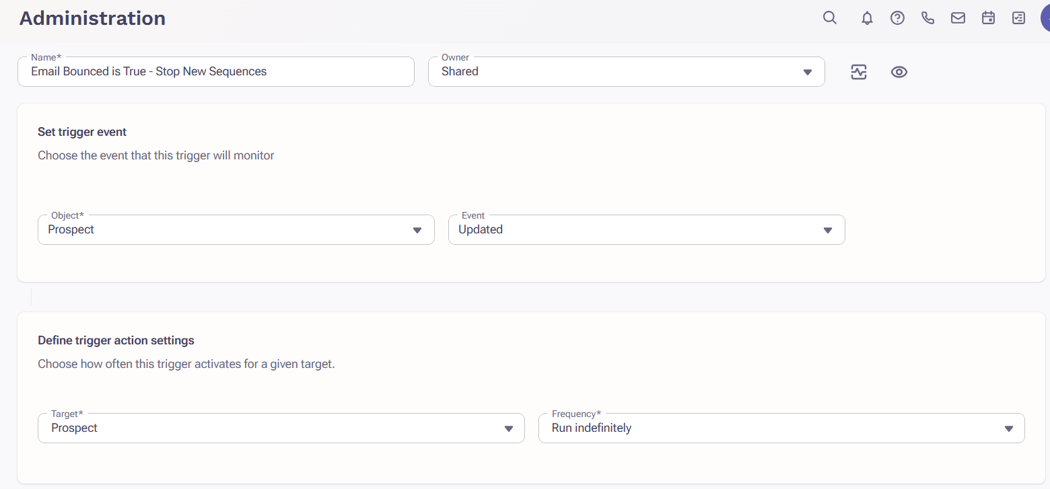
Trigger 2: The prospect’s email has bounced in the past and are attempting to be added to another sequence that Outreach will end immediately
Suggested Naming Convention: Mailing Bounced is True – Stop New Sequence
Trigger configuration
- Object / Event: Prospect → Updated
- Target / Frequency: Prospect / Run indefinitely
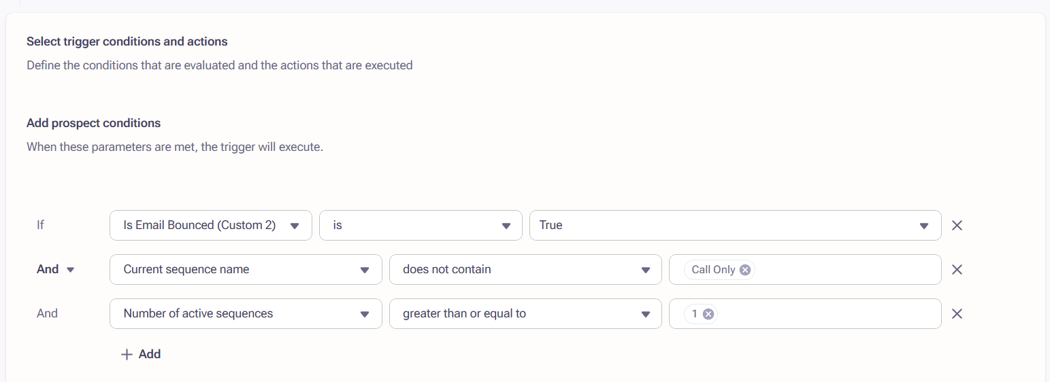
- Prospect Conditions:
- Email Bounced is True
- Current sequence name does not contain Call Only
- Number of active sequences greater than or equal to 1
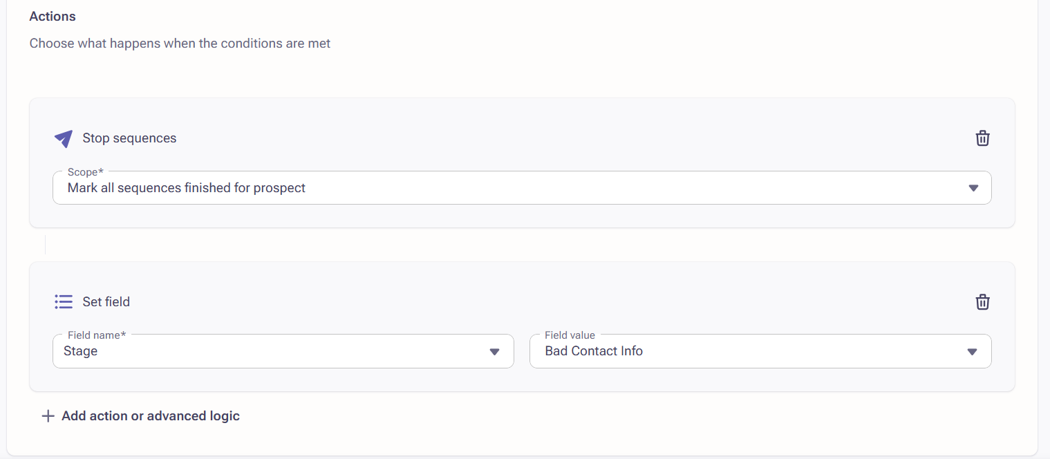
- Actions:
- Mark all sequences as finished for prospect
- Set Field – Stage – Bad Contact Info
Sequence Rulesets, there is often a stage update set for when a Prospect is Marked as Finished with no reply which is the same action that the trigger is technically taking
Activate the Triggers:
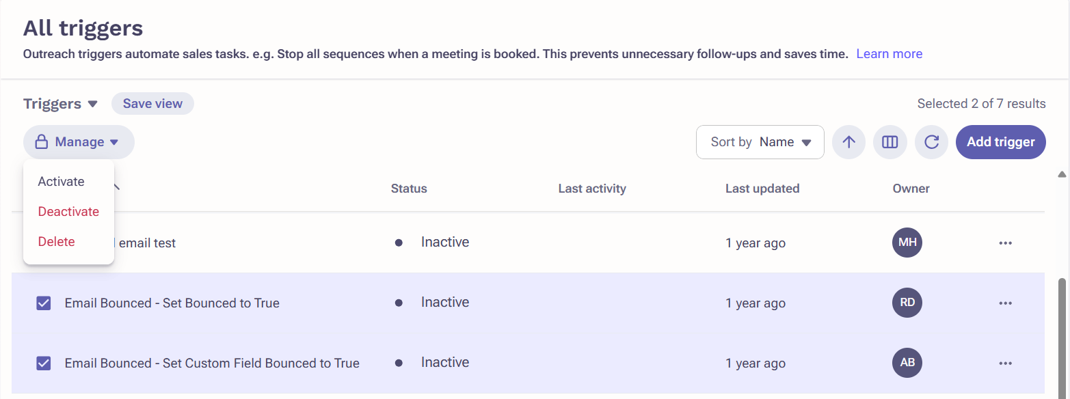
- Access the Trigger List View page and Search/Filter for the recently created triggers
- Select the checkbox to the left of both of your Triggers
- Click Manage on the top Left and Activate
Additional Information
How To Create an Outreach Trigger
Best Practices for Outreach Triggers
Was this article helpful?
That’s Great!
Thank you for your feedback
Sorry! We couldn't be helpful
Thank you for your feedback
Feedback sent
We appreciate your effort and will try to fix the article