Objective
This article describes the Account page in the Outreach Platform, including the Account Overview and Account Plan tabs.
Applies To
- Outreach Users
Before You Begin
- An Account's profile can be accessed within the Outreach Platform wherever the Account is listed, such as from the Accounts List View by clicking an Account name.
Account Overview
Account Overview is the default tab when you open an Account. The page header surfaces Slack, website, LinkedIn, and CRM links directly. The following tiles are visible in the main layout:
- Details
- Meetings
- Opportunities
- Account Assist / Omni
- Engagement
- Account Fields
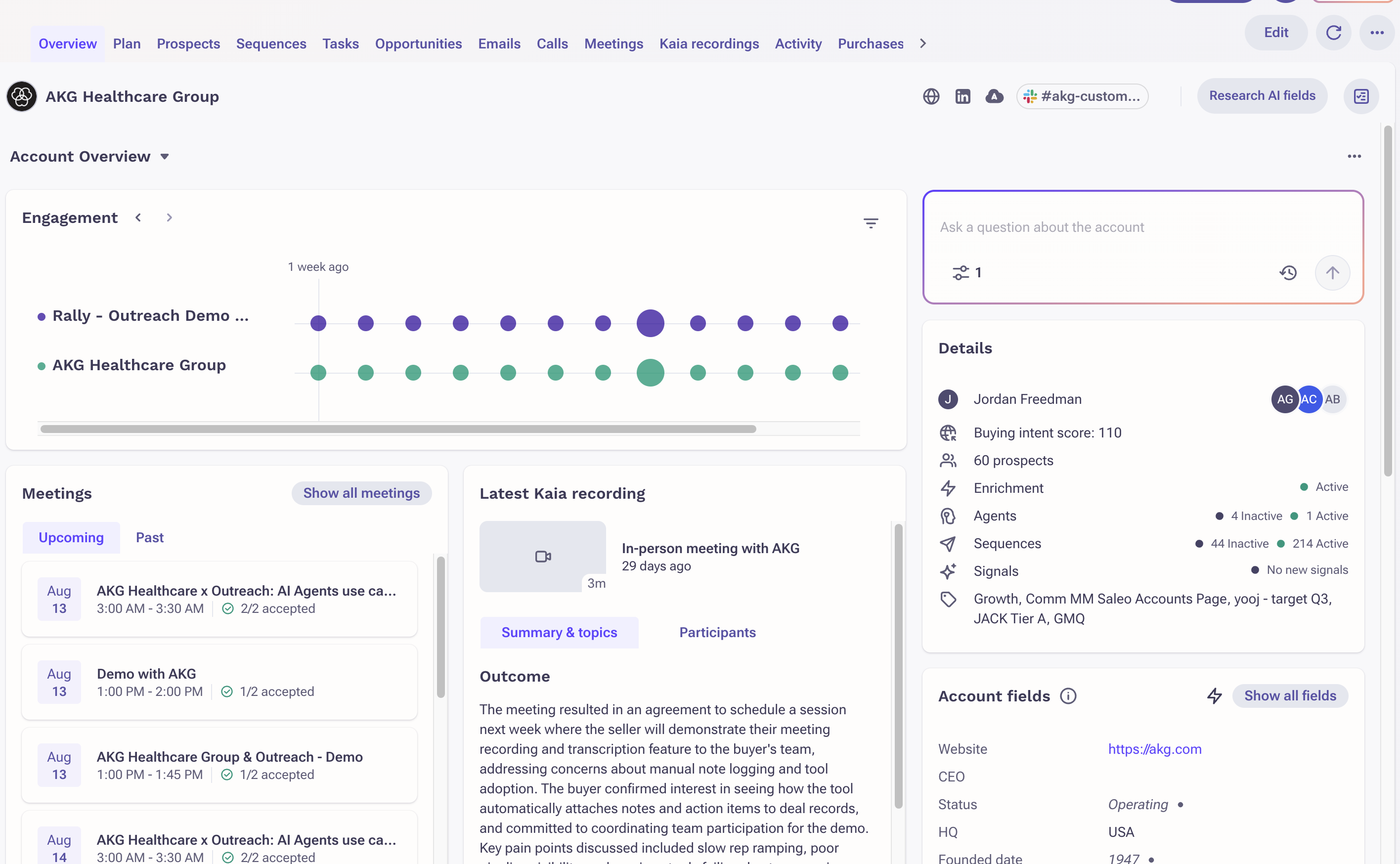
Account Assist / Omni
Users can access Account Assist / Omni to ask questions about the account, using reference from previous conversations (up to the most recent 80 emails and 10 calls/meetings).
Account Plan
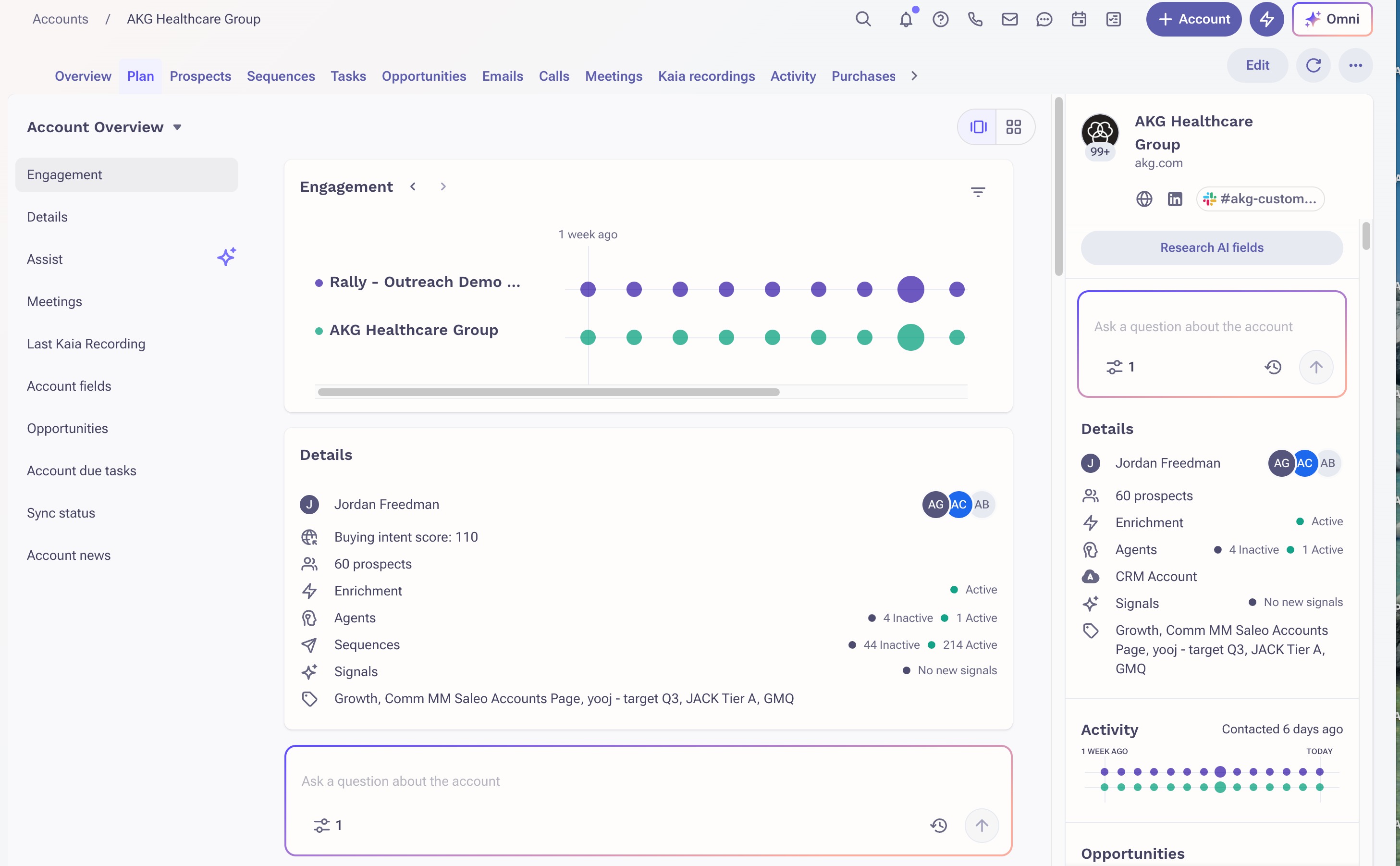
The Account Plan tab is used for strategic planning work.
- A left-hand navigation panel lists every tile as a section entry, including Research Agent output tiles. Clicking a section header scrolls to the corresponding tile.
- Users can toggle between single-column view, optimized for long-form readability including Research Agent briefs, and grid view, using the layout switcher.
- Tile ordering is configurable independently per view.
Additional Information
Was this article helpful?
That’s Great!
Thank you for your feedback
Sorry! We couldn't be helpful
Thank you for your feedback
Feedback sent
We appreciate your effort and will try to fix the article