Overview
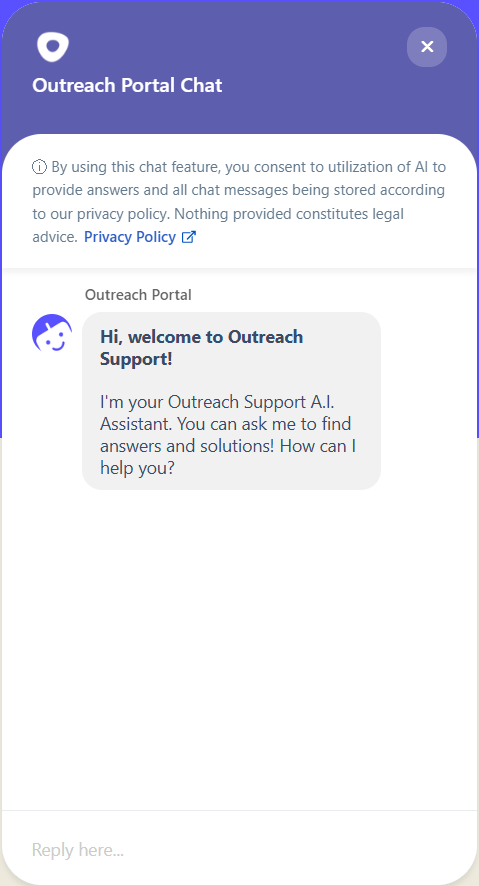
 The Outreach Support AI Assistant is our helpful and powerful chatbot. This LLM-powered tool has access to our vast Outreach knowledge library and is able to succinctly answer Outreach customer questions while directing users to applicable resources for more detail. We are excited to offer this intuitive and easy-to-access resource to our customers and deliver quick, efficient, and accurate answers and solutions that help make your Outreach-related operations productive and successful!
Applies To
- Outreach Customers
FAQ
What can the Outreach Support chatbot do for me?
In its current iteration, our AI Assistant can:
- Provide direct or summary answers to questions based on publicly available Outreach content, including the ability to coherently draw from multiple sources
- Auto-recognize most languages and understand, perform content search, and reply in the language you use
- Get help from our Technical Support Engineers on demand or when unable to find a satisfactory answer*
*Currently only available from within the Outreach web application for enabled user profiles.
What kind of content sources does the bot use to answer questions?
Our AI Assistant leverages knowledge across the Outreach public content ecosystem, including help articles, best practice guides, blog posts, recent incident updates, product and feature descriptions, developers/API documentation, and descriptions of our available webinar recordings.
Do I need to log in to use the AI Assistant?
For effortless access, the bot is available here on our public Outreach Support Portal website (login not required) and in your Outreach web application (if enabled for your organization; login required).
What's the best way to make sure I get a helpful answer from the bot?
Try to be as specific about what you need help with as possible, while avoiding referring to account-specific details.
Keep each message focused on one particular question or item rather than entering a very detailed description that covers multiple areas of concern.
While the bot is great at answering knowledge-based questions, we strongly recommend against attempting to have it generate content you can apply in your Outreach experience. Note that Outreach itself comes with a multitude of built-in AI-powered Smart features to help you accomplish tasks like this.
If one way of asking a question elicits an unsatisfactory response, try rephrasing or consider adding additional language that may clarify what you are looking for.
Note that, to avoid giving altogether bad information as much as possible, our Assistant is specifically designed to only provide answers when it calculates a certain confidence threshold based on the information it finds relative to your query. This confidence threshold may not be reached in the event of any combination of issues with:
- the specific phrasing of a user query
- the specific terminology used in published documentation
- the composition of published documentation
How does the bot get better at answering questions?
The bot improves over time with a combination of:
- user feedback
- Outreach team manual review, tuning, and configuration
- continuous updates to our documentation
- AI training model upgrades
Some improvements may be more rapid than others, but the AI Assistant particularly benefits from the fact that our Support team reviews and updates our help articles with every customer interaction, ensuring the information the bot relies on is as fresh and relevant as possible.
The bot said, Sorry, I'm unable to respond at the moment. Please try again later! What do I do?
This is a generic error response that typically indicates a connection interruption somewhere between the underlying service, the location the bot is being accessed from, and you, the User. Generally, you should be able to wait a moment or two and simply try again.
How can I leave feedback on my bot experience?
Feedback on your experience is essential to helping us tune and train our Assistant to be as accurate and helpful as possible.
When the bot has provided a response, it will ask if the answer was helpful. Simply select Yes or No. The model will learn from your response, and we will also use your feedback to improve our documentation and systems to serve you better.
I tried the bot, but I need someone to help me now.
We totally understand that sometimes you just need to engage with our team, and we are ready to help!
At this time, the Support AI Assistant on our Support Portal website is not quite ready to directly connect you with our team, but this capability is coming soon!
However (for organizations that allow users to contact Outreach Support), the Assistant available inside the Outreach web application is able to start a live agent chat when you need.
You can also feel free to engage our team via any other channels available on your Support Plan. Learn more about contacting Outreach Support here.
Was this article helpful?
That’s Great!
Thank you for your feedback
Sorry! We couldn't be helpful
Thank you for your feedback
Feedback sent
We appreciate your effort and will try to fix the article