Objective
The purpose of this article is to use an Outreach variable to convert raw numeric field values into comma separated numbers.
Applies To
- Outreach users
- Templates
- Snippets
- Emails
Procedure
This variable will convert the numeric value in the named field into standard number notation.
If the filed is a custom, it can be expressed as 'custom#' where # represents the number of the field e.g 'custom7' Here's an example:
{{format_number custom7}}
Example
Here's how the variable would look like in an email draft: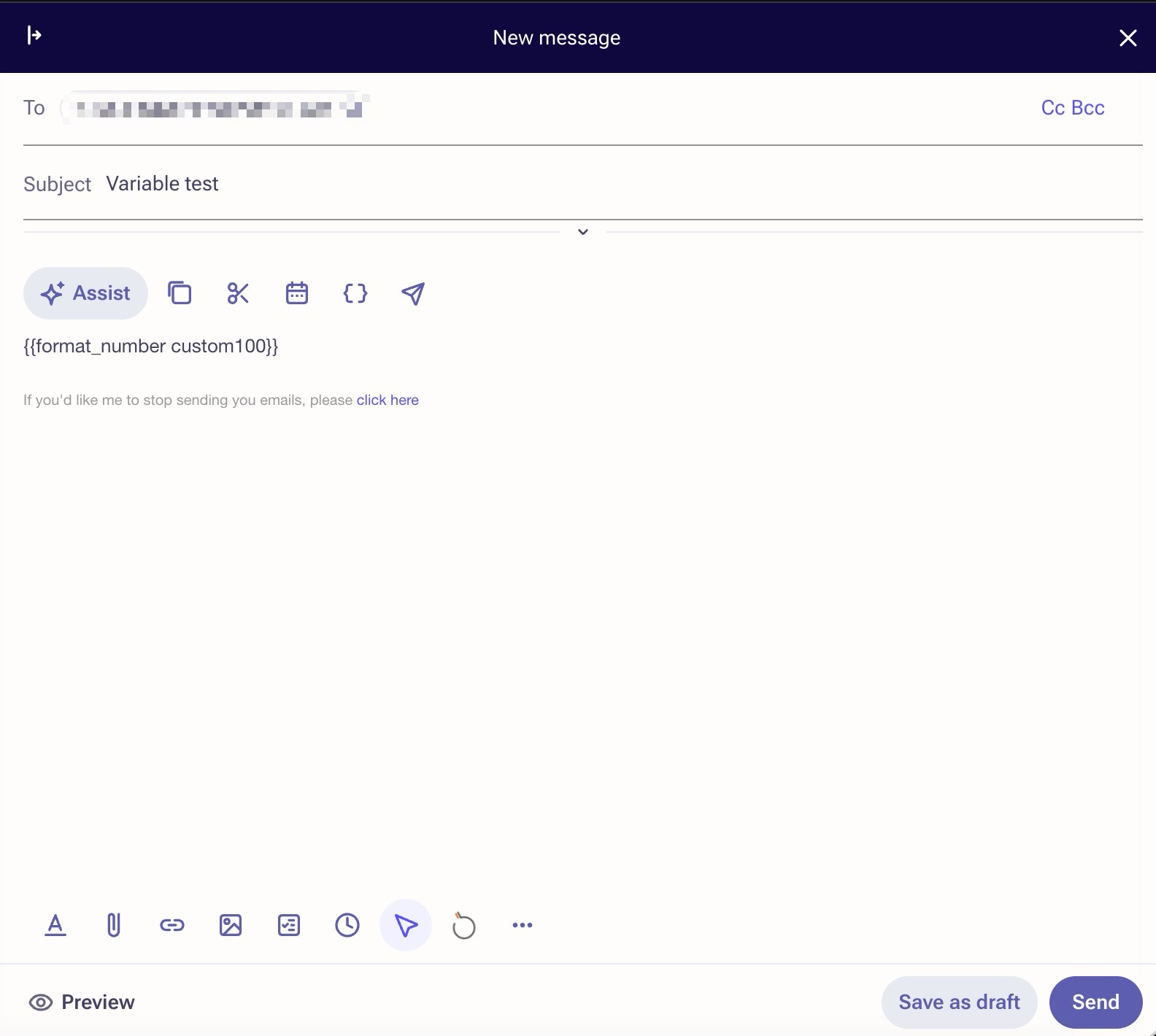
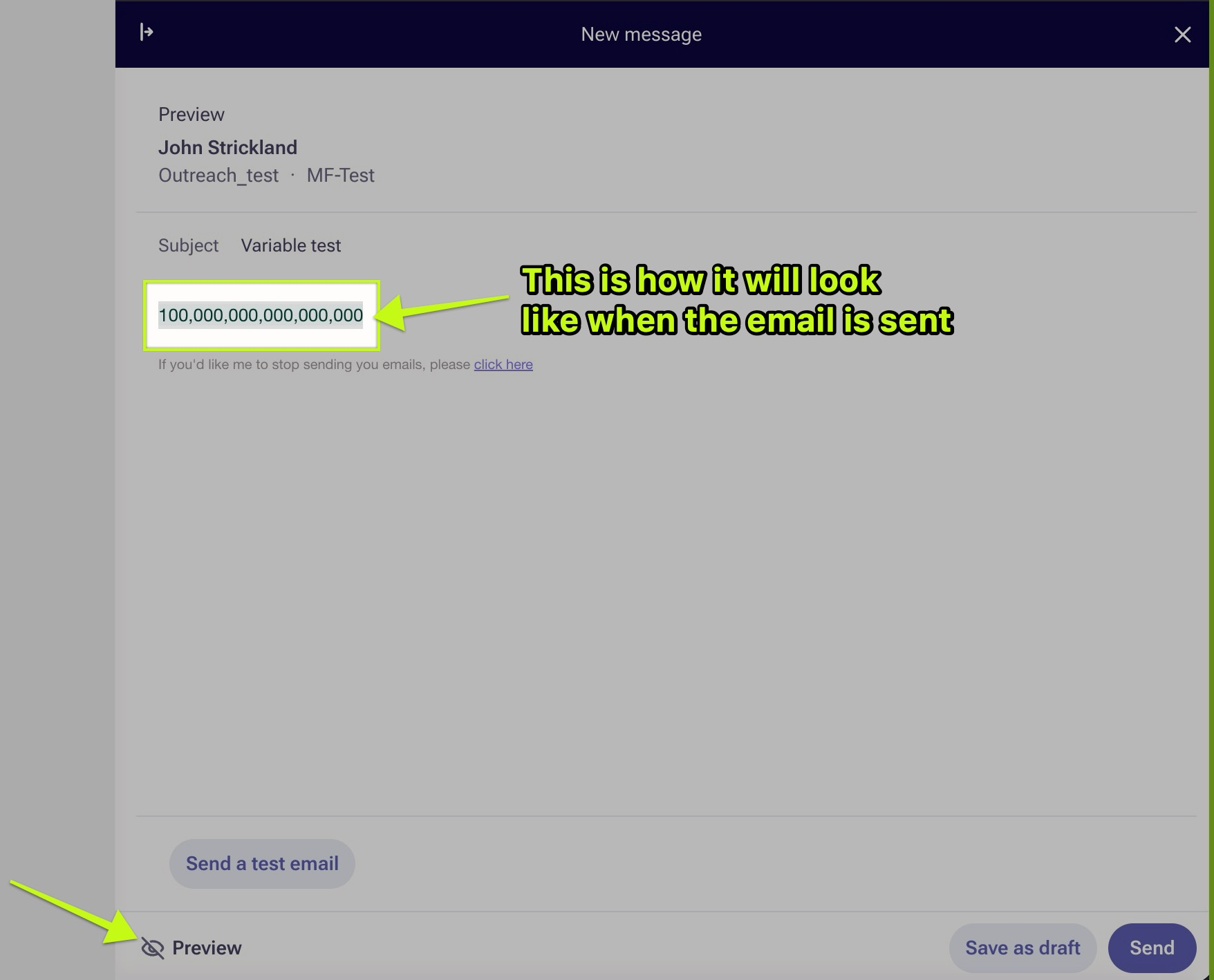
The preview button can be used to see how the value looks like after it's been converted by the variable:
Was this article helpful?
That’s Great!
Thank you for your feedback
Sorry! We couldn't be helpful
Thank you for your feedback
Feedback sent
We appreciate your effort and will try to fix the article