Symptom
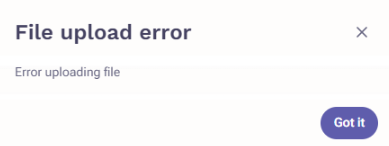
When trying to add an attachment to an email template, you encounter the message Error uploading file.
Applies To
- Outreach Users
- Outreach templates
Resolution
Make sure the attachment is under the 5MB size limit.
If that does not resolve the issue, troubleshoot your Chrome browser:
- Please ensure your Chrome browser is up to date. Should an update be required, please perform the update, restart your browser, and test whether this resolves the issue.
- In order to exclude the possibility of a Chrome extension causing the issue, try using an incognito window and check if the problem persists.
- If the problem persisted during the incognito test, please try clearing your browser cache and testing again. Otherwise, continue below.
- If the problem does notoccur in an incognito window, troubleshoot your browser extensions:
- Revert to normal mode in Chrome.
- Deactivate all of your browser extensions except Outreach Everywhere.
- Try again, turning each extension on one at a time and test after each to determine which are causing the problem.
Cause
The maximum size allowed for a single file attachment in Outreach templates is 5MB. However, if the attachment is within the limit, the error can be the result of a Chrome environment issue.
Additional Information
Was this article helpful?
That’s Great!
Thank you for your feedback
Sorry! We couldn't be helpful
Thank you for your feedback
Feedback sent
We appreciate your effort and will try to fix the article