Applies To
Prospects that do not have a phone number
Sequences with call task steps
Answer
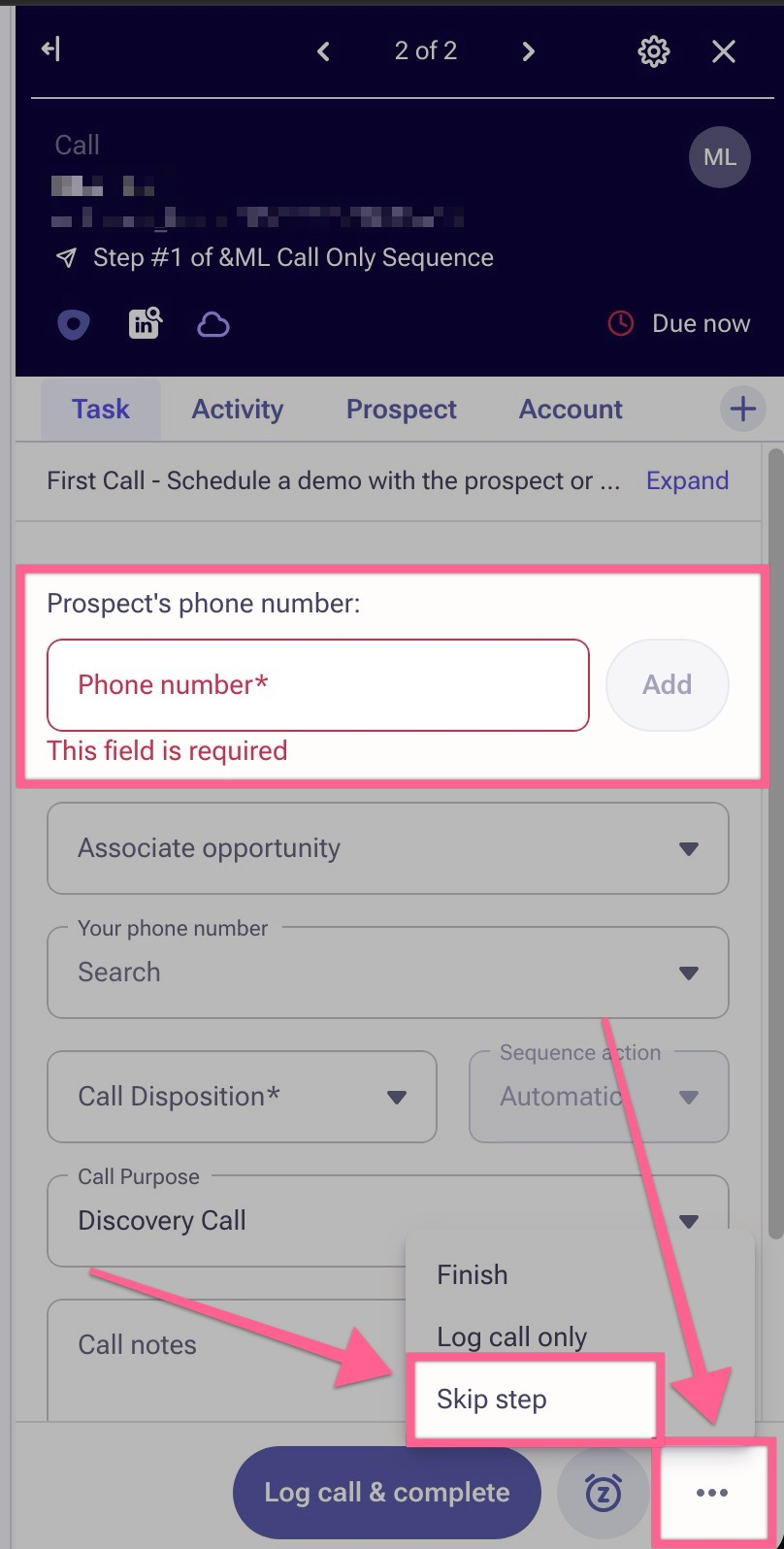
Manual: If a prospect is in a sequence that includes multiple steps and one of those steps is a call step, the prospect will remain in that step until the user takes manual action on the call task. If a prospect doesn't have a phone number, the user should simply skip that call task since they cannot attempt to call them. To skip a call task, when your users are in the call task panel, in the bottom right they'll see 3-dots. Click those 3-dots and they'll see the option to 'Skip step'. The phone number field is now required to log a call task to keep data hygiene clean and accurate. If the call task is a manual one-off call task, outside of a sequence, then the user can simply delete the call task
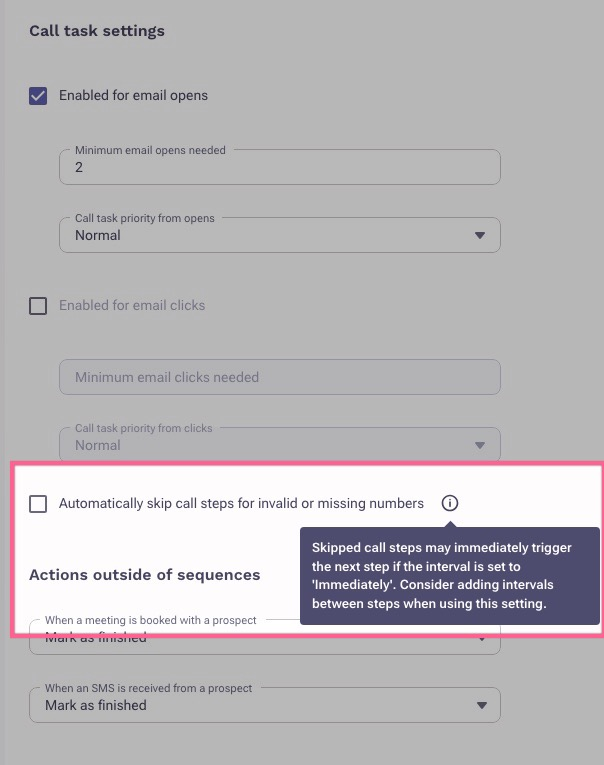
Automated: There is a sequence ruleset setting your admin can enable to automate this. If your admin has configured and setup the 'Automatically skip call steps for invalid or missing numbers' setting in the sequence ruleset, Outreach will automatically skip the call step if the prospect does not have a phone number. In this case, the prospect will move directly to the next step in the sequence without requiring any manual action from the user. The article below will provide more details and instructions on how an admin can configure this setting.
Additional info
How to Automatically Skip Call for Invalid or Missing Numbers
Was this article helpful?
That’s Great!
Thank you for your feedback
Sorry! We couldn't be helpful
Thank you for your feedback
Feedback sent
We appreciate your effort and will try to fix the article