Symptom
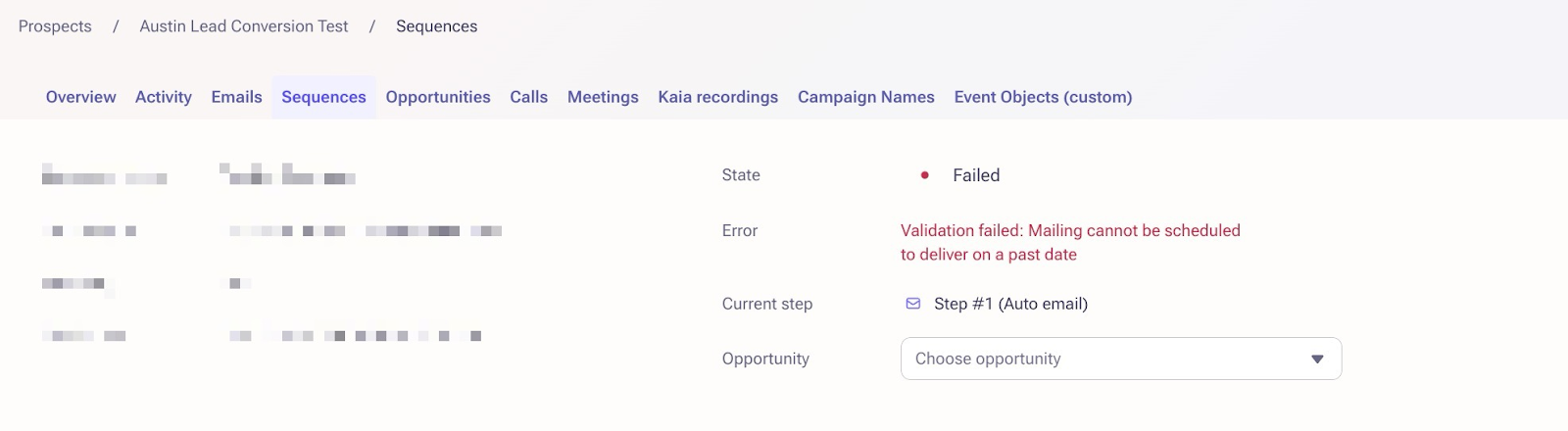
Prospect fails in an exact date/time sequence with the error message, "Validation failed: Mailing cannot be scheduled to deliver on a past date."
Applies To
- All users
- Sequences
- Prospects
Resolution
1. Navigate to the Sequence that the failed error was for.
2. Go to the Step tab in the Sequence and edit the step the error is on by clicking the “...” to the right of the step
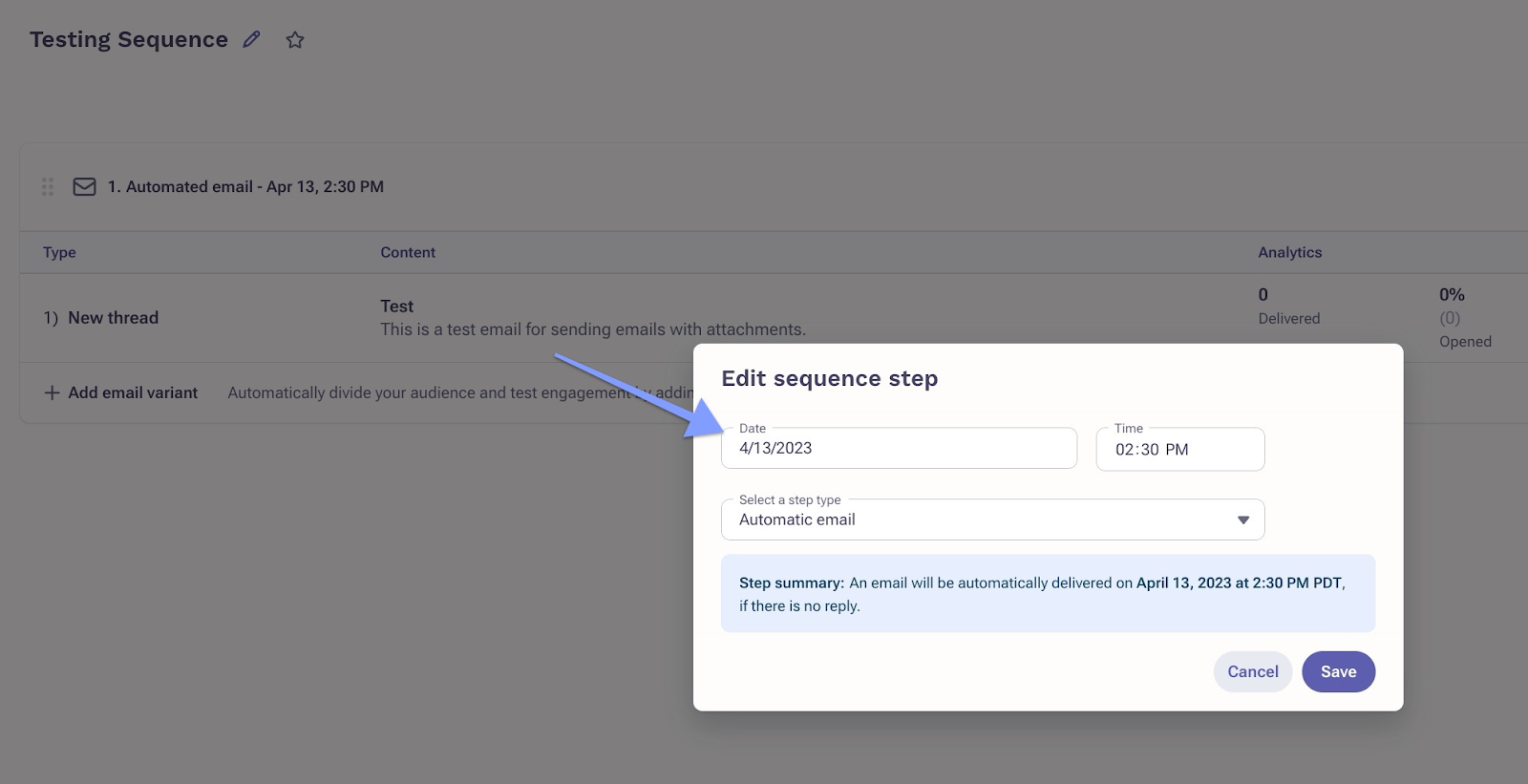
2. Once saved, click on Prospects in the menu tabs.
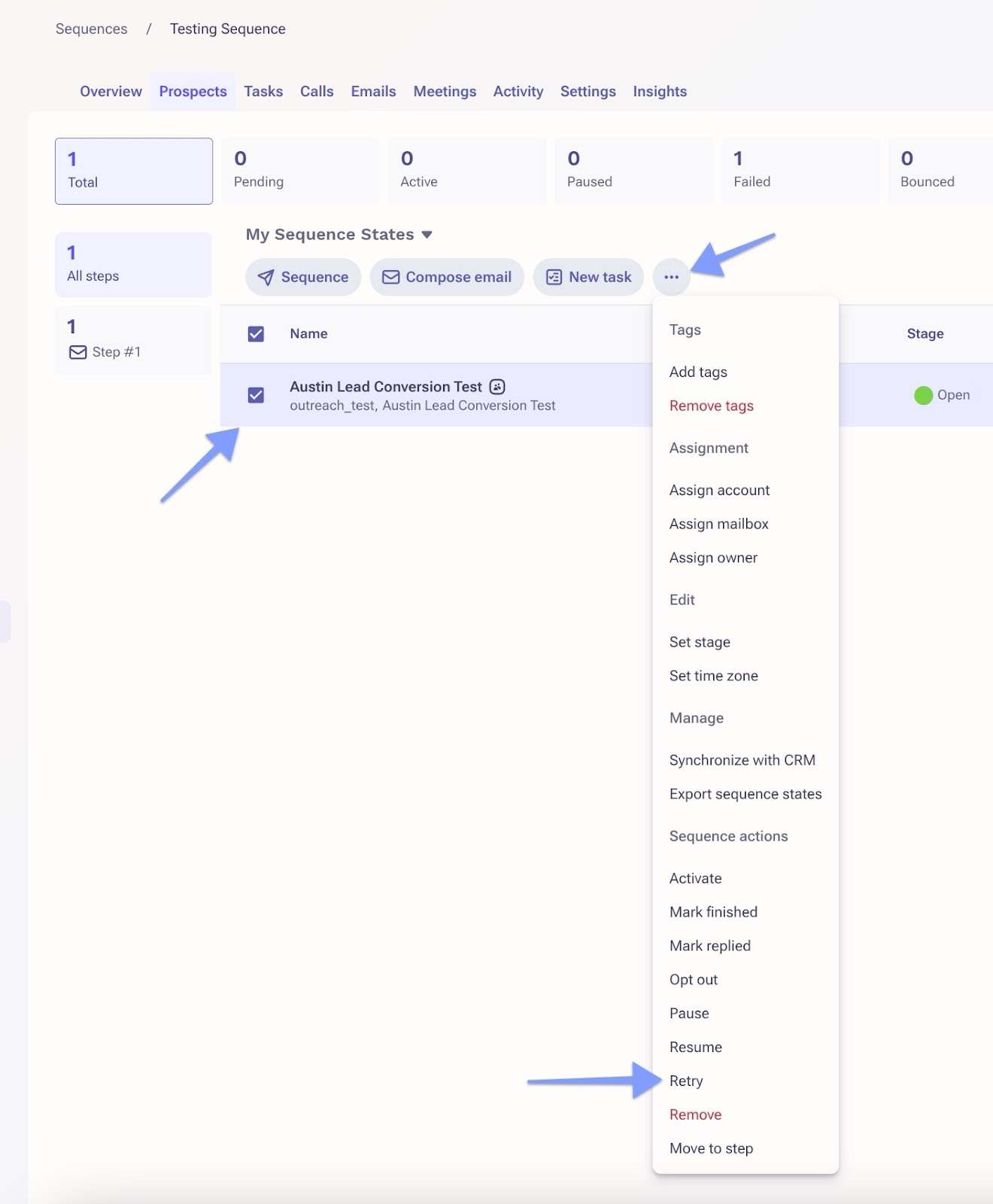
3. Select the applicable Prospects.
4. Click the "..." and select Retry.
Cause
If you run prospects through an exact date/time sequence step set in the past, this validation error will pop up, marking prospects as failed and prevent them from moving forward in the sequence.
Was this article helpful?
That’s Great!
Thank you for your feedback
Sorry! We couldn't be helpful
Thank you for your feedback
Feedback sent
We appreciate your effort and will try to fix the article