Purpose:
The purpose of this article is to provide information to Outreach Users in skipping a step in a sequence.
Intended Audience:
- Outreach Users
Skip a Sequence Step:
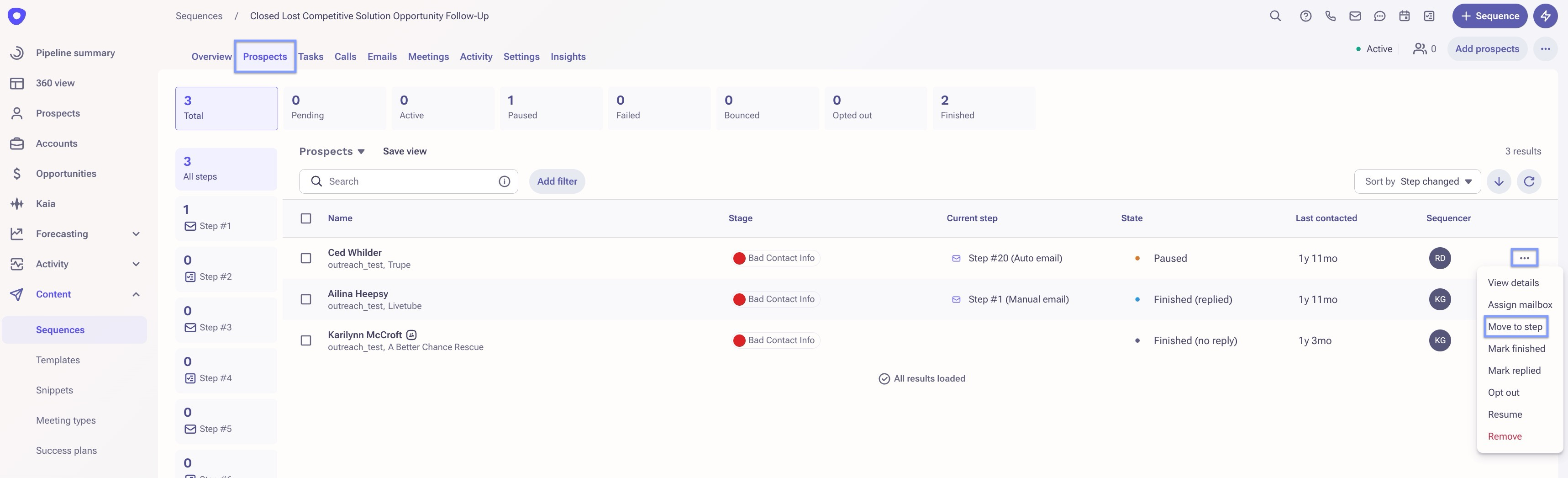
- Find the sequence that the intended prospect is active in.
- At the top of the sequence overview page, click Prospects.
- Click the more menu (•••).
- Select Move to Step.
Additional Resources:
Was this article helpful?
That’s Great!
Thank you for your feedback
Sorry! We couldn't be helpful
Thank you for your feedback
Feedback sent
We appreciate your effort and will try to fix the article