*** IMPORTANT *** Due to changes Zoom is making to their service, if your org installed the Outreach Kaia for Zoom Admins app before February 23, 2026, it must be reinstalled before Weds, April 1, 2026. If not reinstalled before Weds, April 1, 2026, Kaia will no longer be able to join Zoom meetings. |
Objective
Remove and then reinstall the Outreach Kaia for Zoom Admins app as a Zoom admin.
Applies To
- Kaia
- Zoom admins/owners
Before You Begin
Because Zoom links apps to the user account that installs them, we recommend using a Shared User Account to manage apps. This avoids risk of an app no longer working due to a user account becoming invalid (e.g., an individual Admin user leaves the company).
Procedures
First, remove the Kaia for Zoom Admins App
- Open and sign in to the Zoom App Marketplace as an account admin or owner.
- In the top-right corner, click Manage.
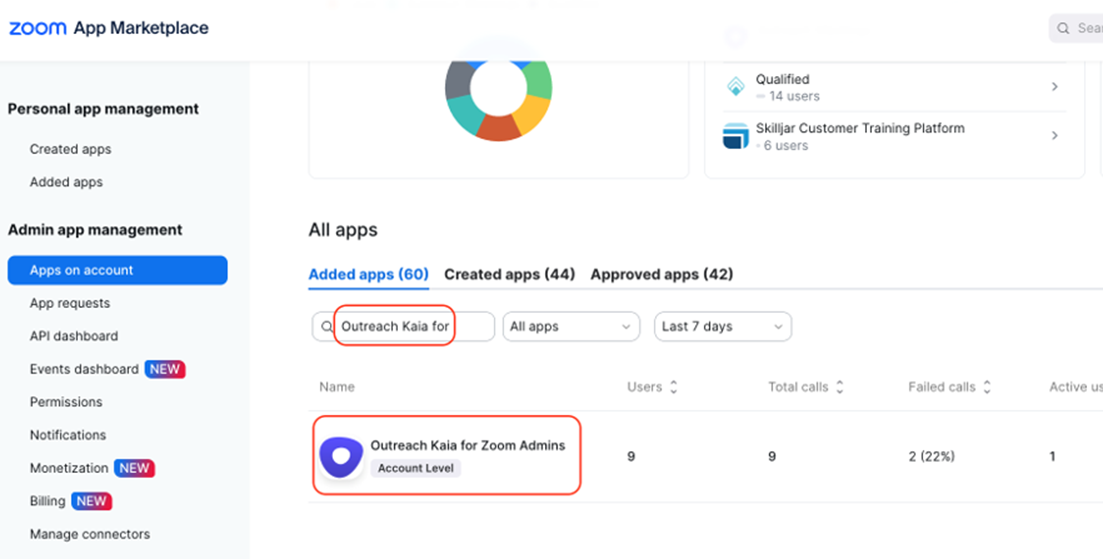
- In the Admin App Management section, click Apps on Account.
- On the Added Apps tab, find and click on the Outreach Kaia for Zoom Admins app.
Note:- If there is more than one instance of the Outreach Kaia for Zoom Admins app installed, then all of them need to be removed.
- No other Outreach-related apps in your Zoom instance need to be reinstalled in relation to the April 1, 2026, requirement—only Outreach Kaia for Zoom Admins.
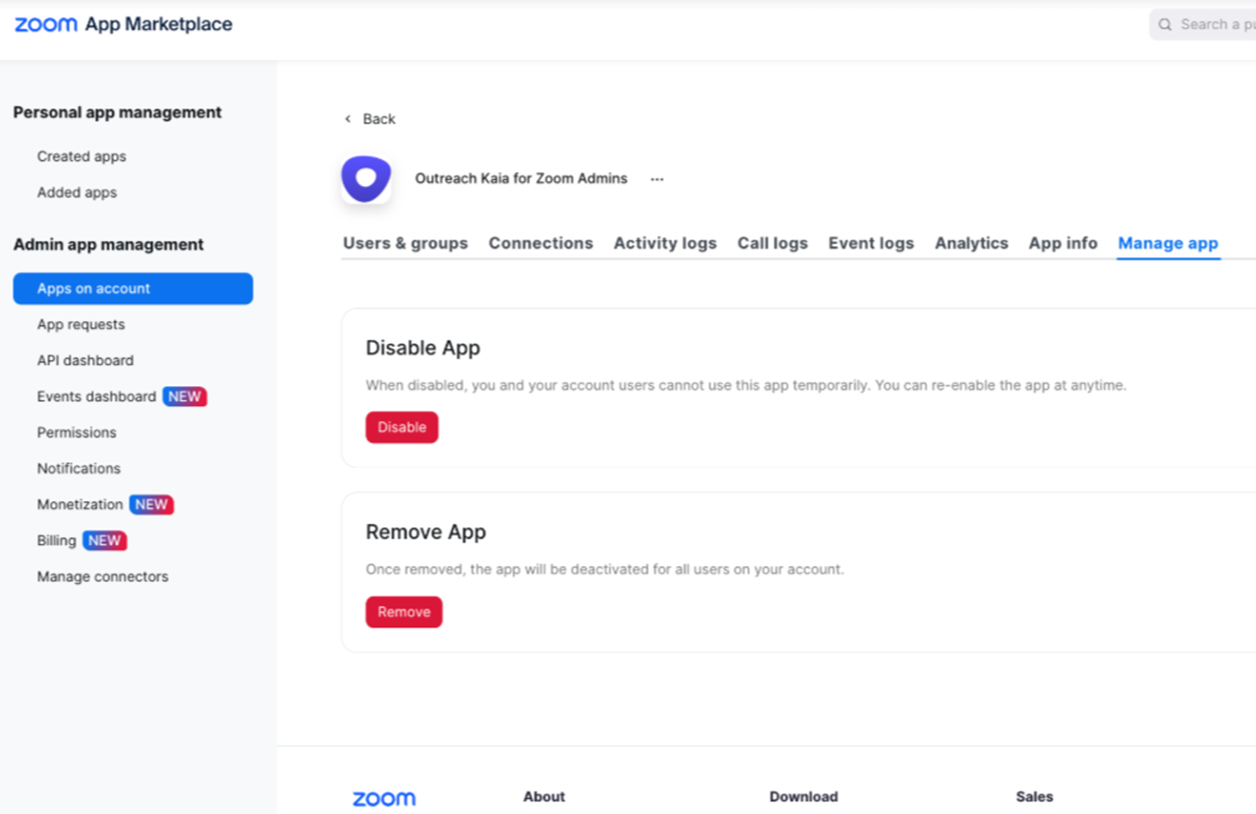
- Click to open the Manage app tab.
- In the Remove App section, click Remove.
- When prompted to confirm the change, click Remove to proceed.
- Now that the app is removed for all users on the account, continue below.
Next, re-install the Kaia for Zoom Admins App
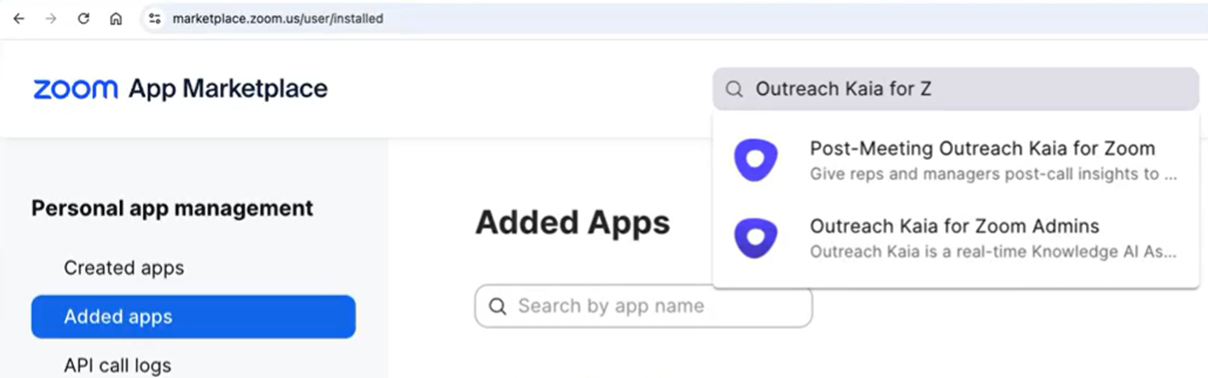
- While signed in to the Zoom App Marketplace as admin or owner, search at the top of the page for the Outreach Kaia for Zoom Admins app.
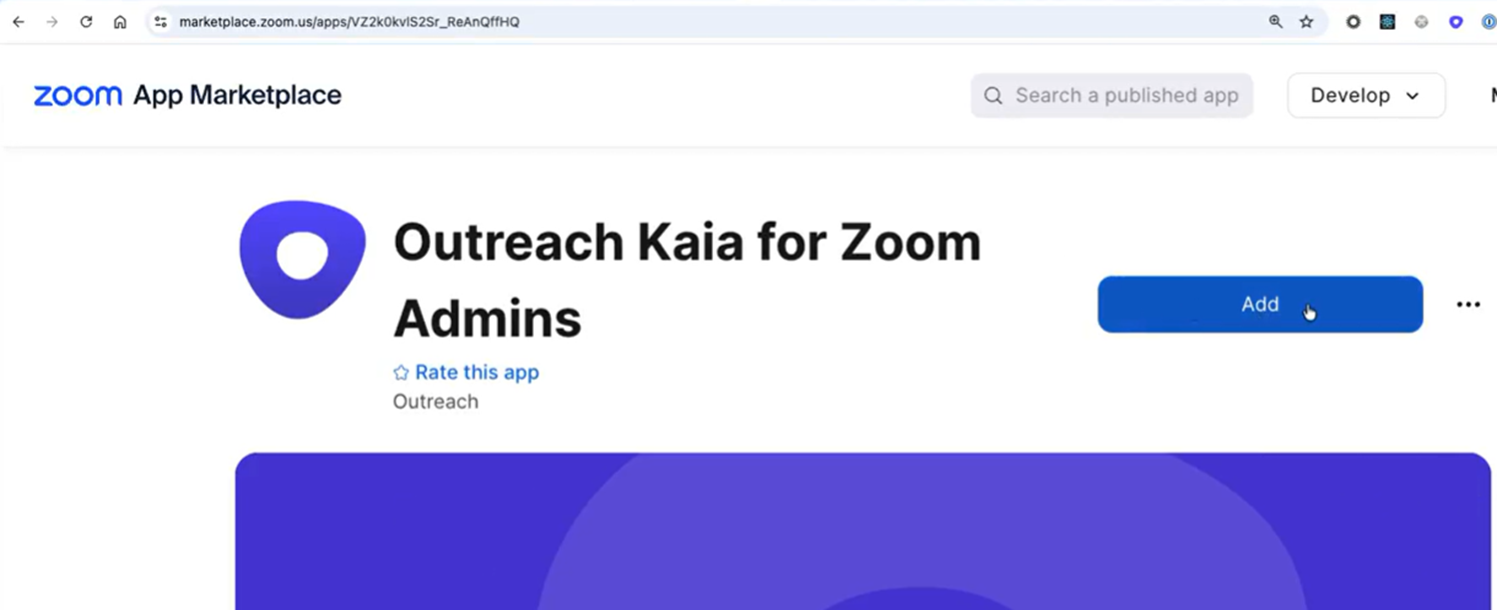
- On the marketplace listing page for the Outreach Kaia for Zoom Admins app, click Add.
- On the page notifying you are about to add Outreach Kaia for Zoom Admins, click Allow to complete the reinstallation.
Additional Notes
After making this change, Kaia will be able to continue to join meetings. However, Zoom are changing what apps like Kaia are allowed to do as of April 1, 2026. This means the user experience with Kaia joining meetings will change.
- Kaia can only be in a meeting while the user that added Kaia is present.
- If the user that added Kaia leaves, then Kaia is also removed. Previously, Kaia could join, and remain in meetings without the user that added Kaia being present. This applies to both Zoom meetings hosted by your company and Zoom meetings Kaia is added to that are hosted by other companies.
- Organizations need Zoom setup to allow participants to join meetings without being signed in to Zoom for Kaia to be able to join.
- Most organizations allow people from outside their organization to join their Zoom meetings without creating or signing in to a Zoom account. Previously, if meetings did require participants to sign into Zoom to join then Kaia could join them.
Was this article helpful?
That’s Great!
Thank you for your feedback
Sorry! We couldn't be helpful
Thank you for your feedback
Feedback sent
We appreciate your effort and will try to fix the article