Applies To
Outreach Admins
MS Teams Admin Center
MS Teams Global Admin
Answer
If you're seeing this error: Kaia app needs approval:
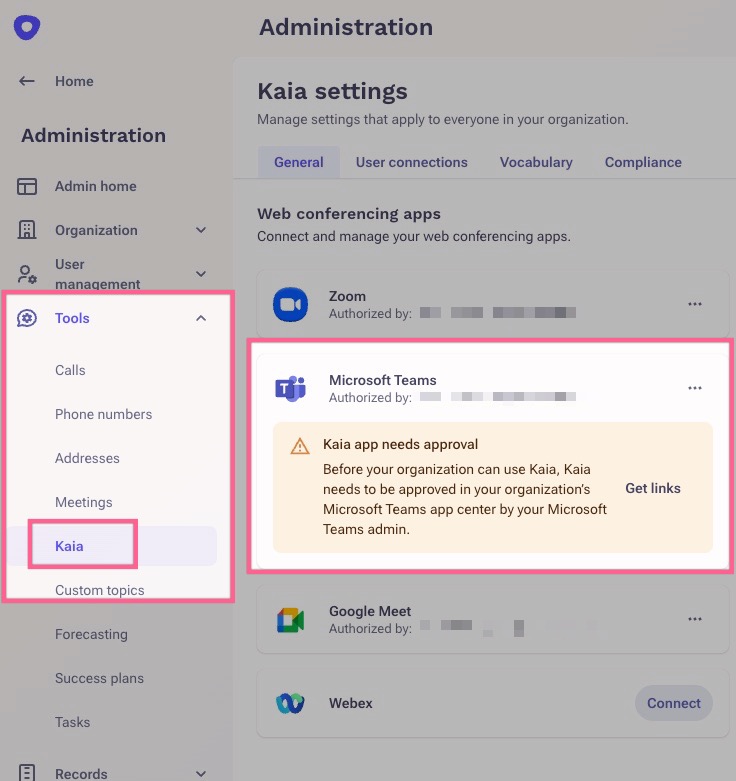
1.) It means you (or your Microsoft Teams Global Admin) still need to approve and make Kaia available in your Microsoft Teams Admin Center. This article will guide you on how to approve the Outreach Kaia App for Teams.
AND/OR
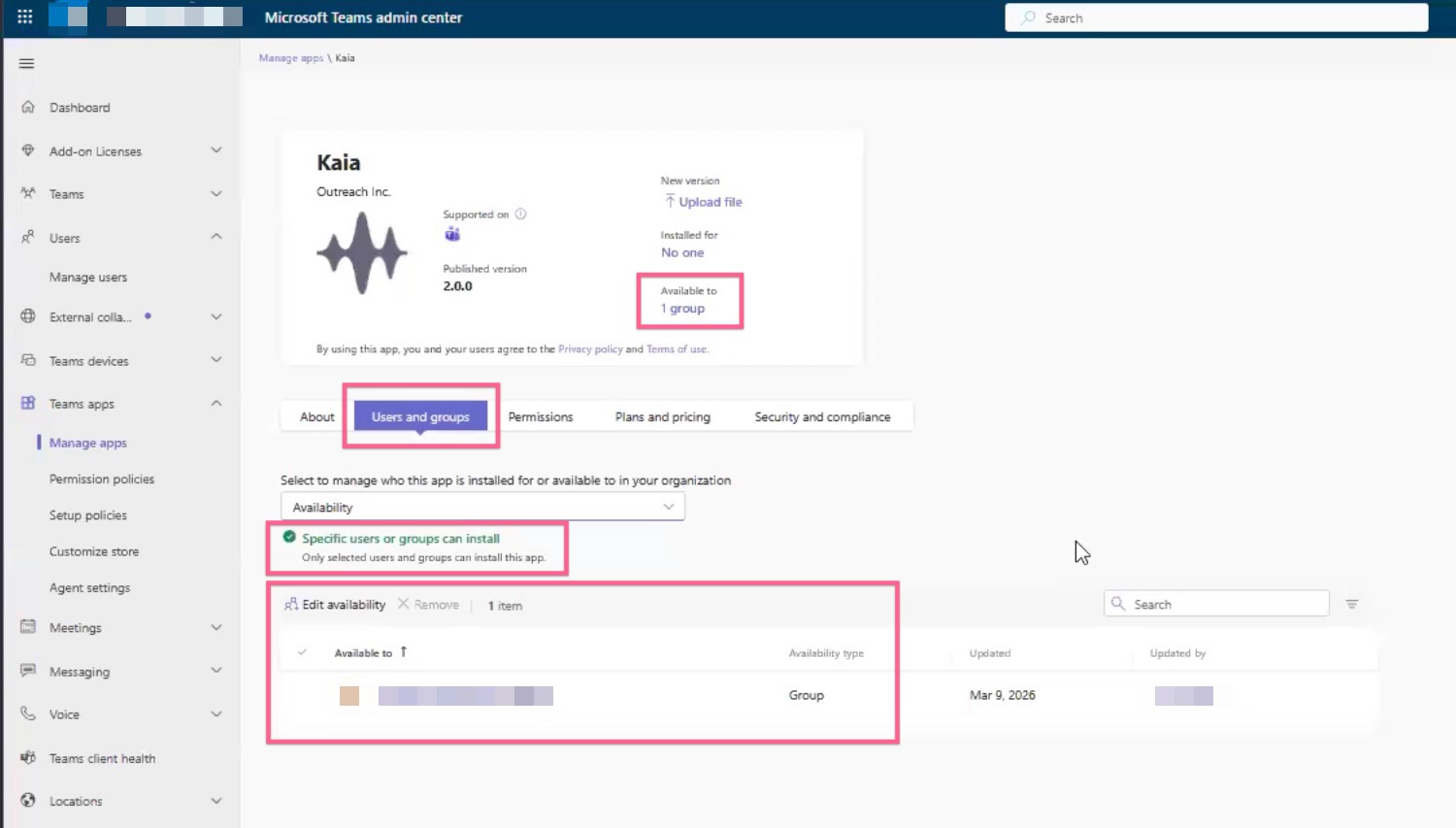
2.) If you are the one connecting Microsoft Teams in Outreach, you need to be added to the MS group that is associated to that app in your MS Teams Admin Center, or someone who is already part of the MS group needs to do the connection in Outreach instead. Your Microsoft Teams Admin will manage and update this under the app's Users and groups tab. This MS Teams group setting permits who can install the app in Outreach. Please note that once you've been added to the group, sometimes it can take up to 24-hours
Additional Information
Was this article helpful?
That’s Great!
Thank you for your feedback
Sorry! We couldn't be helpful
Thank you for your feedback
Feedback sent
We appreciate your effort and will try to fix the article