Symptom
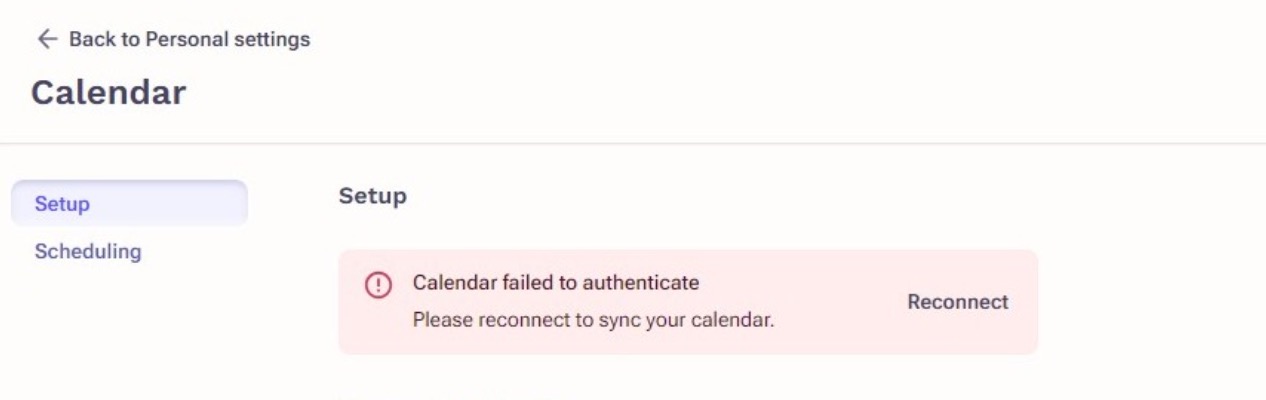
Calendar shows that it is connected, but with an error message "Calendar failed to authenticate. Please reconnect to sync your calendar"
Applies To
-
Outreach Users
Resolution
- Open an incognito window in chrome (click the three vertical dots in the upper right corner of your browser > new incognito window)
- Navigate to Outreach
- Go to your calendar settings
- Click reconnect on your calendar
- Manually enter in your login information to connect your calendar
Doing this action in an incognito window will prevent any pre-saved, possibly old, passwords from autofilling when attempting to reconnect.
Cause
This typically occurs when there has been a password change for the external calendar.
Additional Information
If this error message persists after completing these steps, please reach out to your internal IT team to confirm the most up to date login information for the calendar.
Was this article helpful?
That’s Great!
Thank you for your feedback
Sorry! We couldn't be helpful
Thank you for your feedback
Feedback sent
We appreciate your effort and will try to fix the article