Applies To
-
Proposing meeting times/blocks to prospects
-
Outreach Everywhere Chrome extension
- Outreach site
Answer
After you propose meeting times to a prospect and send it to them...
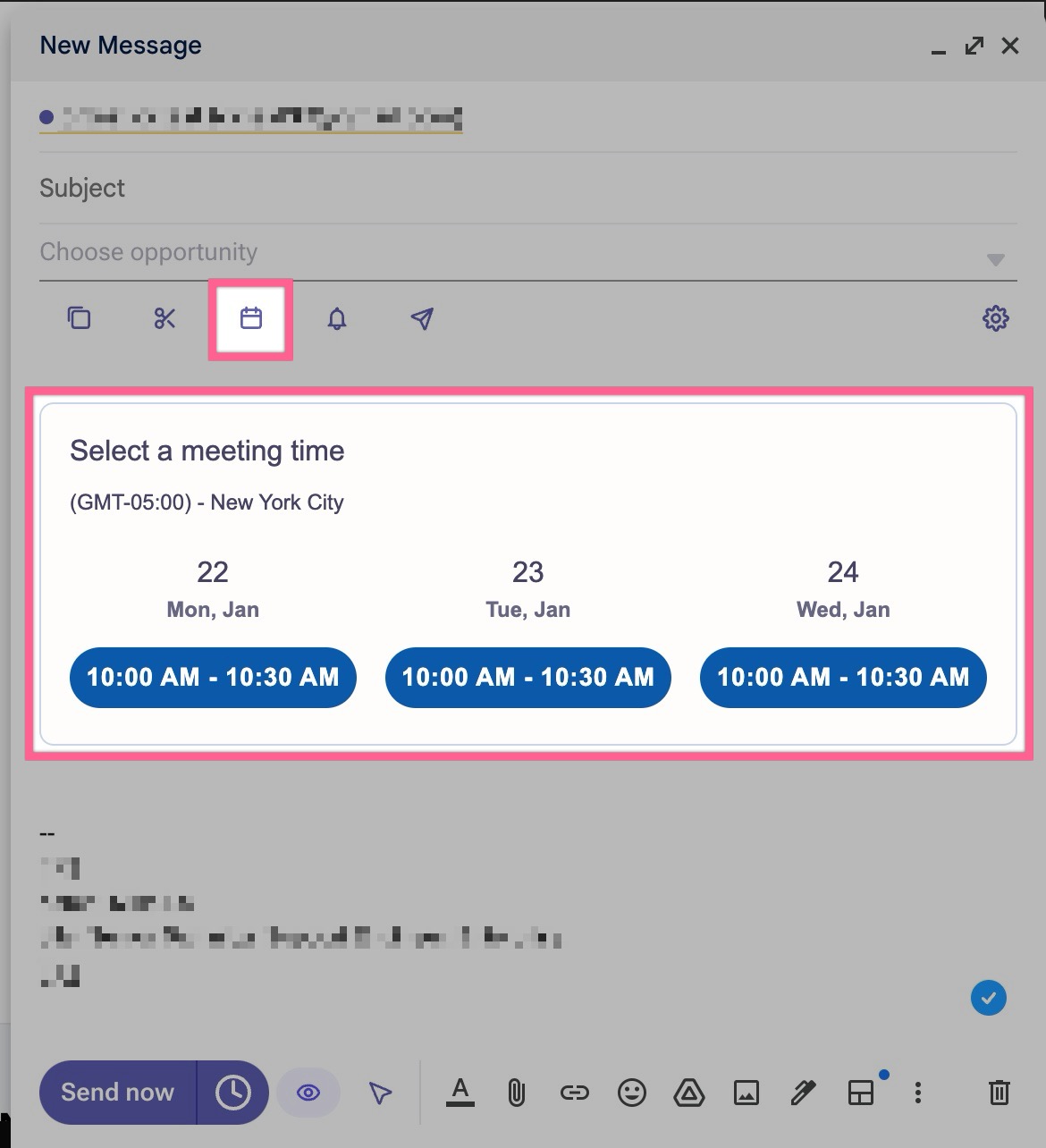
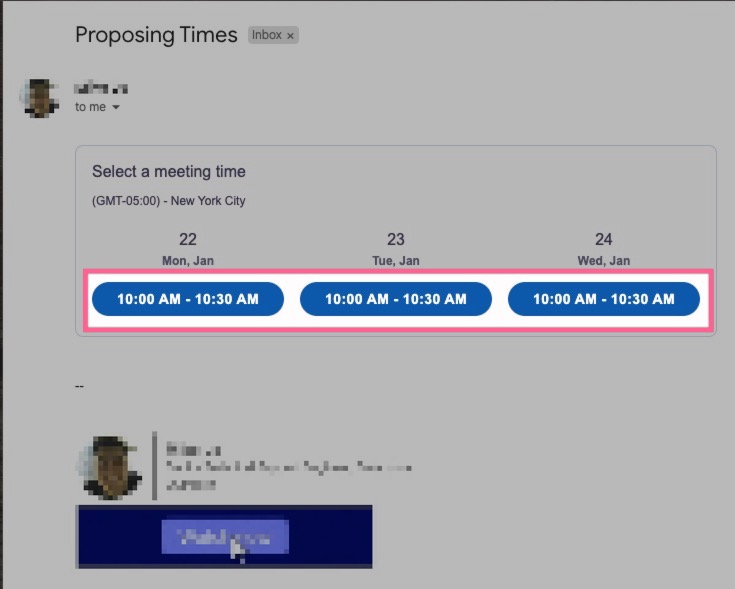
... when they click on one of those proposed times you sent them...
... it will take them to a confirmation page like this (screenshot below). The prospect can do three things on this page:
- edit the text in the fields
- click the Back button to go back to the full public calendar URL page
- click the Book meeting button to confirm and book the meeting
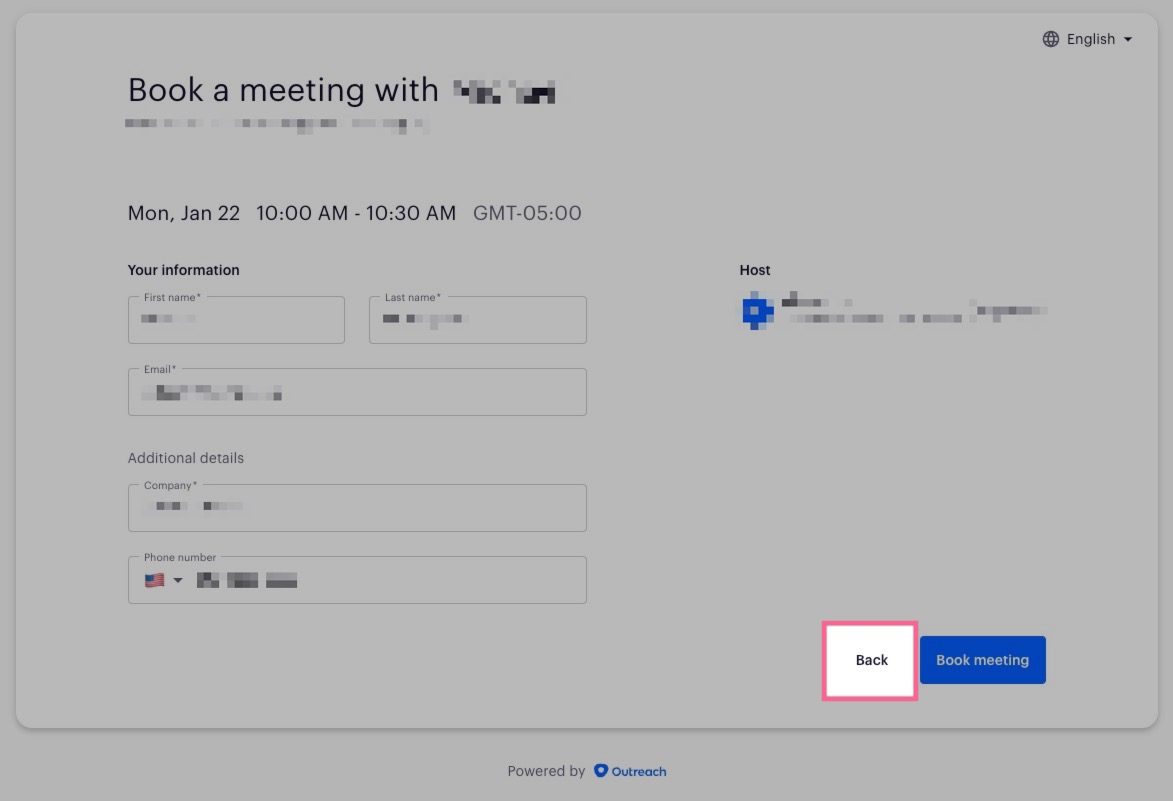
If the prospect clicks the Back button, it will take them back to your full public calendar page, showing them all of your availability. There is no way to prevent this or hide the Back button.
If this creates an issue for you and you want to prevent this, please reach out to the Support team and submit a feature enhancement request.
Was this article helpful?
That’s Great!
Thank you for your feedback
Sorry! We couldn't be helpful
Thank you for your feedback
Feedback sent
We appreciate your effort and will try to fix the article