Applies To
-
Users that want to either manually sync a specific mailing, or bulk sync multiple mailings.
- Some users may not have permission to perform a manual sync. In this case, please reach out to your Outreach admins.
Answer
Users can perform a manual sync from the Outbox page in Outreach. Note: If you're performing a large bulk sync, we recommend breaking them up into batches, and performing that bulk sync at the end of the day.
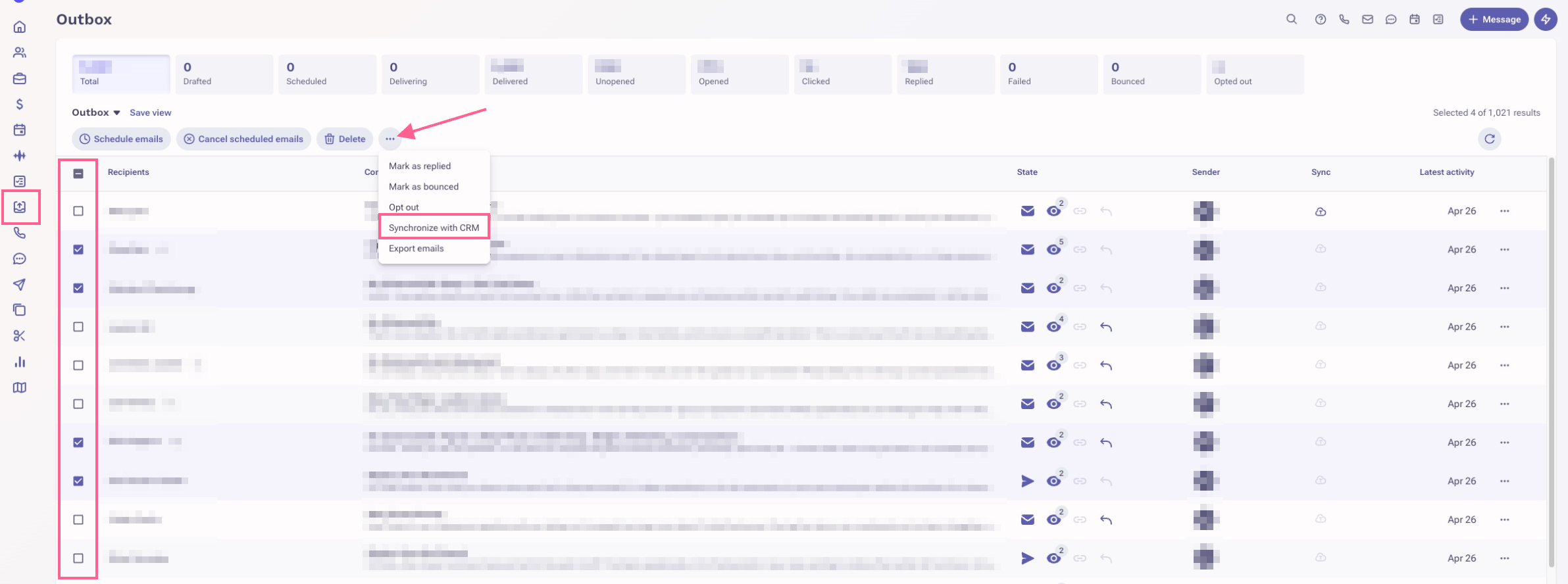
- On the left navigation bar, click on the Outbox button.
- Add/remove any applicable Filters.
- Single select, multi select, or select all mailings.
- Click on the Ellipsis (3-dots) at the top.
- Click Synchronize with CRM.
- For the Action dropdown, choose Push data up to CRM.
- Click Sync.
Was this article helpful?
That’s Great!
Thank you for your feedback
Sorry! We couldn't be helpful
Thank you for your feedback
Feedback sent
We appreciate your effort and will try to fix the article