Symptom
Upon attempting to import a prospect from Salesforce you come across an error message: "PluginUnmappedError: A user with this email address already exists in Outreach"
Applies To
-
Salesforce Plugin
- Outreach Admins
Resolution
The following steps require access to the Outreach Plugin settings. If you don't have access to this section refer to one of your Outreach Admins for assistance.
- Locate in the CRM the owner of the record that is failing to import into Outreach and copy the user's associated email address.
- In Outreach open the "Users" list page - and paste the copied email address into the search field and hit enter. (If you're not finding an associated user - make sure to remove the "User status is Active" filter).
- Select the checkbox to the left of the user belonging to this email address. At the top select the horizontal dots and select "Export".
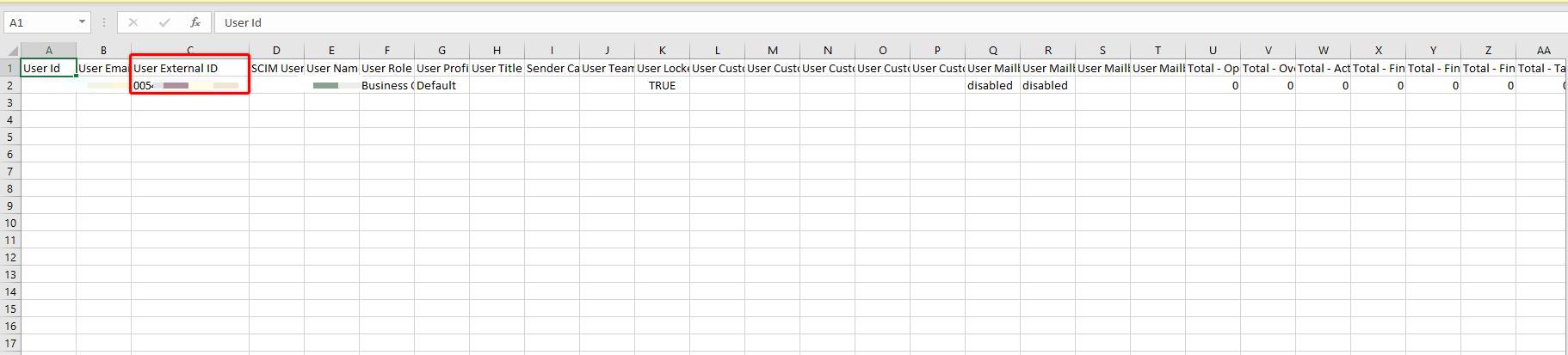
- Locate and open the exported .CSV file. Locate the column "User External ID" column - and copy the value in this field.
- While in the Outreach platform, navigate to the Settings (initials bottom left).
- Under System Config - select "Plugins".
- Select your Platform's CRM connection - select the "User" object.
- In the headers select "Mappings" to pull up a list of the current user mapping configurations
- Locate the "Search by External ID" Search field - and enter in the External ID copied from the .CSV file and hit enter.
- Remove the incorrect mapping and add new mappings as applicable following the steps laid out in this article: How To Map Users in the CRM Plugin.
Cause
This can mean that the owner of the record or any associated object such as the Account or Opportunity doesn't have a corresponding user mapping in Outreach - yet they share an email address of a user that is mapped in the Outreach plugin.
Was this article helpful?
That’s Great!
Thank you for your feedback
Sorry! We couldn't be helpful
Thank you for your feedback
Feedback sent
We appreciate your effort and will try to fix the article