Symptom
The prospect fails on an auto-email or manual-email step with one of the below errors:
- Template syntax error
- An internal error occurred. Our engineers have already been notified.
Applies To
All Users
- Sequences
- Prospects
Resolution
A template syntax error is generally indicative of improper formatting or broken variables in the template that's meant to be sent to the prospect. To correct this, we'd suggest launching Outreach in an incognito window and opening the sequence step template that's generating the error, then removing all content and pasting it back as plain text (or paste and remove formatting). Once that is done, then remove the existing variables and re-adding them using the "Add Variable" button in the compose window. Once you've re-added the variables you'll want to verify that in preview all variables are populating.
Correct any typos or incorrectly formatted variables. A complete list of variables and formatting can be found here.
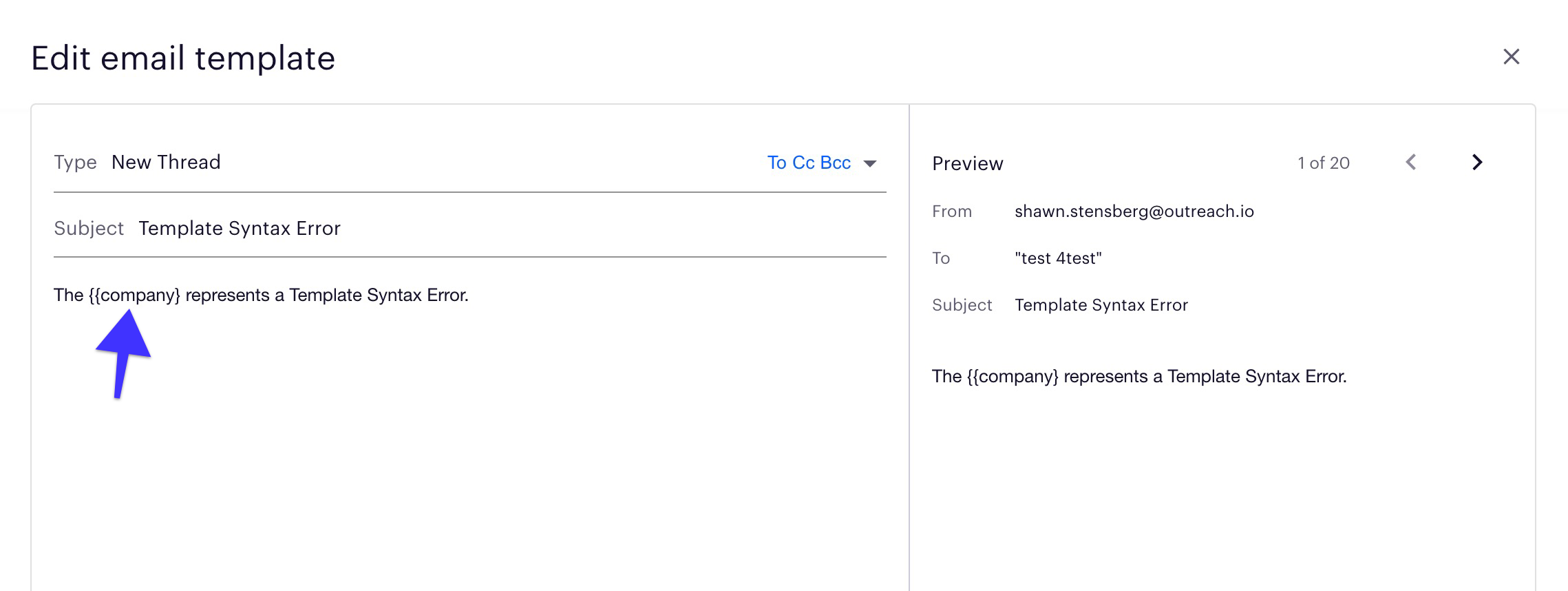
In cases where the prospect is still failing, even after the variable has been fixed/updated, you'll have to remove them from the sequence, and re-add them back. This can occur if that prospect is simply "stuck" on the previous/bad template that caused them to fail.
Some things to keep in mind before you do this:
- Tag the prospects that you're removing so you can easily find them again to add back.
- Remember which step they were in so you can manually move them back to that same step. Keep in mind, when you remove a prospect and re-add them back to a sequence, it's treated as a new sequence, and not a continuation of them previously being in that sequence. Also consider if you're moving them to an email step that is a reply type or new thread. If you're adding them back to a sequence and moving them to a reply type email step, it will fail with an error of No Parent Message. This is because they're being treated as a new sequence and has no recollection/reference of the previous parent email sent.
Cause
These errors occur when an incorrectly formatted template variable is being used. We always recommend using the Add variable button feature when adding variables, rather than typing them in manually.
The most common ones we see are variables that include too many or not enough curly brackets { } or the variable verbiage is incorrect. Below are some examples:
{{some_variable_we_made_up}}
{{comment for adding customization but it isn't formatted correctly as a comment variable}}
{{this_one_is_missing_a_curly}
{{{{too_many_curlys}}}}.
Was this article helpful?
That’s Great!
Thank you for your feedback
Sorry! We couldn't be helpful
Thank you for your feedback
Feedback sent
We appreciate your effort and will try to fix the article