Objective
Turn off GenAI features in Outreach at the organizational level or at the user level.
Applies To
- Outreach Admins
Before You Begin
Determine whether you wish to disable GenAI features for your entire organization or just for select users. The features accessible under the organization settings will differ from those in the governance profile settings, and the procedures for implementation will vary based on your intentions.
- Org-level GenAI features:
- Omni
- Research Agent
- Smart Account Assist
- Meeting Prep Agent
- Smart Deal Assist
- AI Topics Explorer
- MCP Server
- Profile-level GenAI features:
- Omni
- Smart Account Assist
- Smart Deal Assist
- Smart Email Assist
- Deal Agent
Procedure
Org Level
- Log in to Outreach as an Admin.
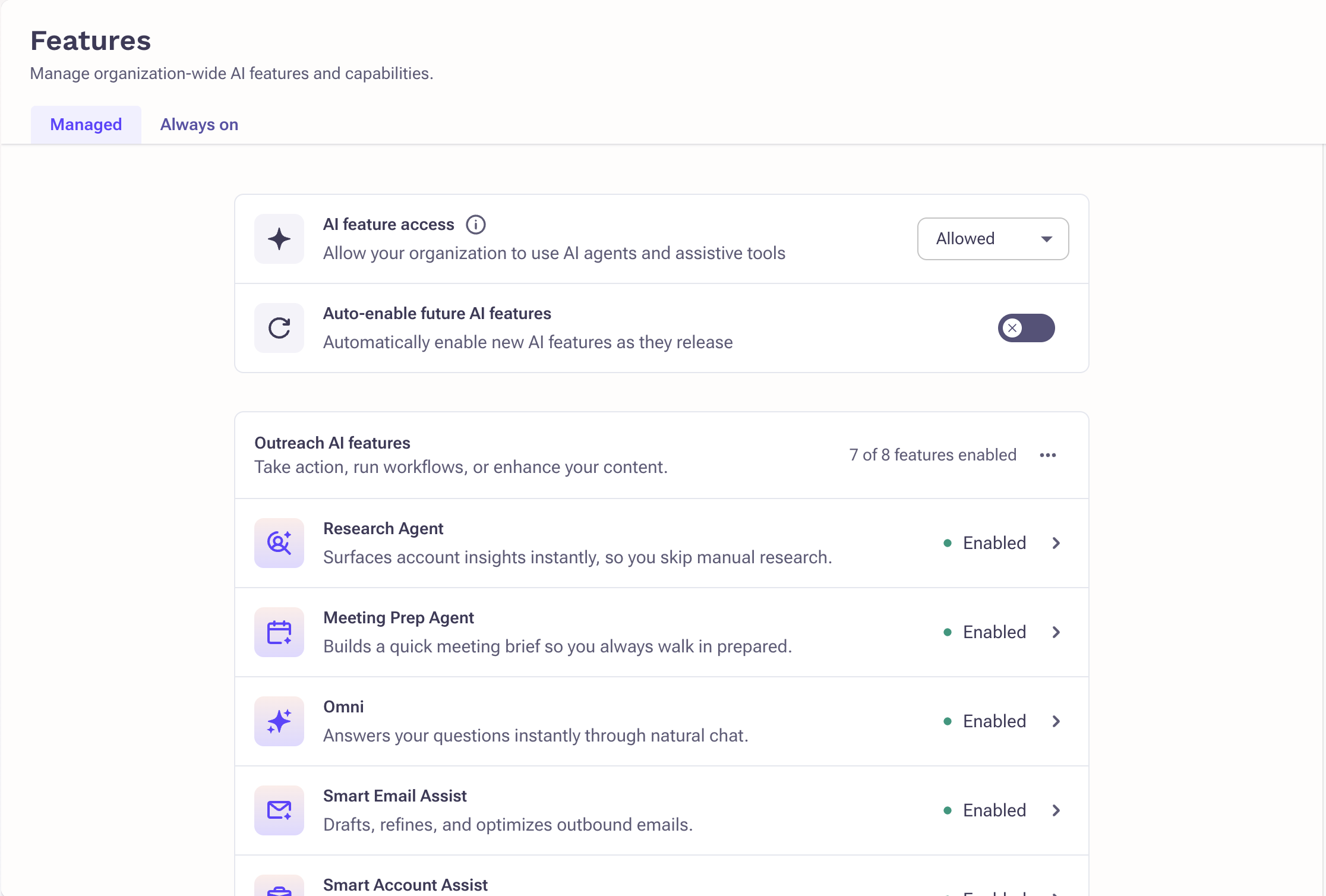
- Click Administration > Agents & AI > Features.
- To turn off all AI features, toggle AI features access off.
- Select the appropriate feature and click Disable
Profile Level
- Log in to Outreach as an Admin.
- Click Administration > User management > Access control.
- Select the appropriate profile.
- Toggle off the appropriate GenAI features. If the toggle is locked, the feature is disabled at the org level.
- Click Save.
Additional Information
Was this article helpful?
That’s Great!
Thank you for your feedback
Sorry! We couldn't be helpful
Thank you for your feedback
Feedback sent
We appreciate your effort and will try to fix the article