Objective
The purpose of this article is to provide information to Outreach Admins in configuring the opportunities record to populate variables for closed lost opportunities.
Applies To
- Outreach Admins
- Opportunities
Before You Begin
Make sure to login as an Outreach admin.
Procedure
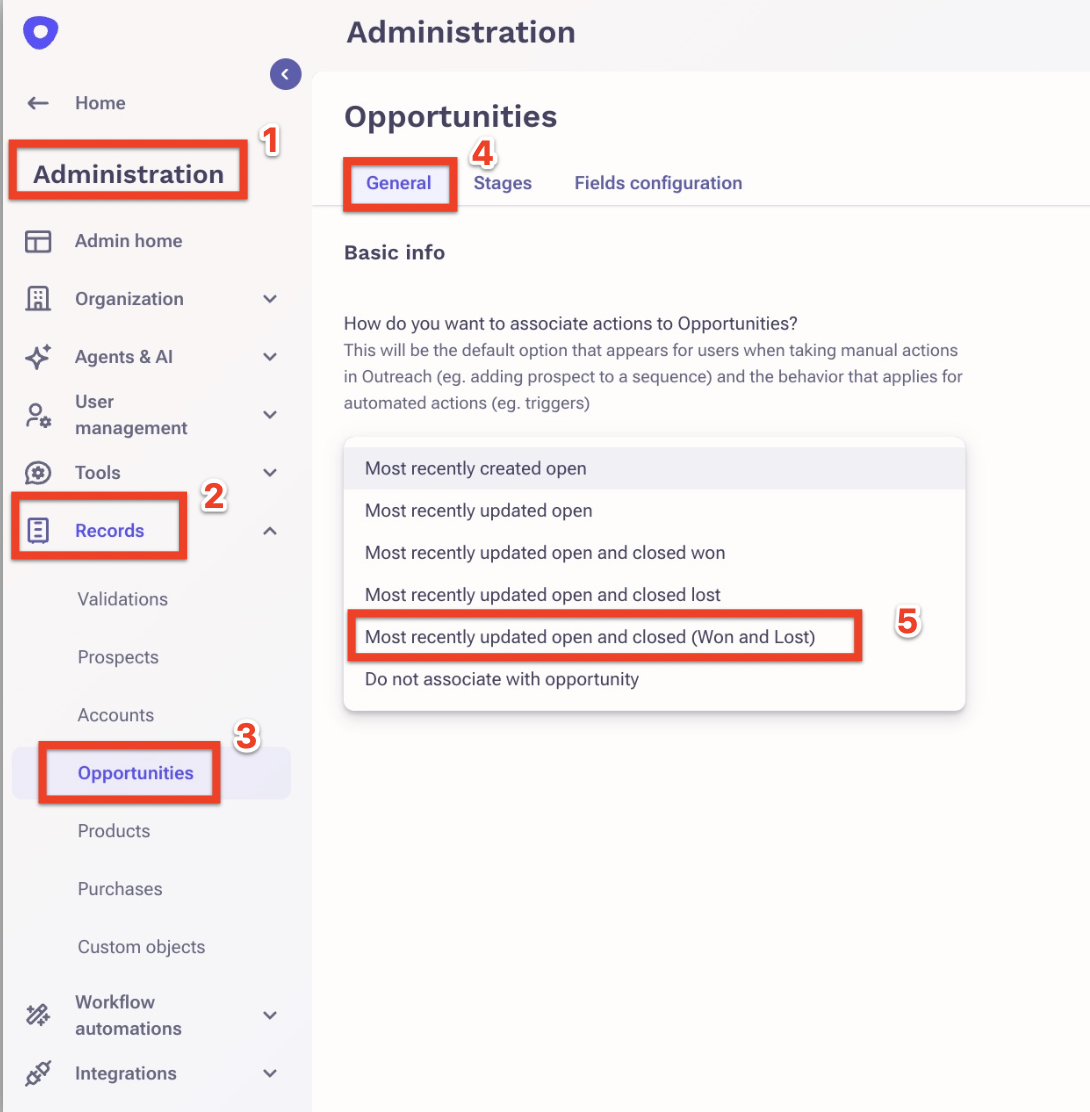
- In the Outreach left hand nav, click Administration.
- Click Records
- Go to Opportunities.
- On the Opportunity settings page, under Basic info > How do you want to associate actions with Opportunities? open the dropdown and select the options:
Note: The option you choose will be the default option that appears for users when taking manual actions in Outreach (eg. adding prospect to a sequence) and the behavior that applies for automated actions (e.g., triggers).- Most recently updated open and closed (Won and Lost)
- Click Save to save your changes.
Was this article helpful?
That’s Great!
Thank you for your feedback
Sorry! We couldn't be helpful
Thank you for your feedback
Feedback sent
We appreciate your effort and will try to fix the article