Objective
The purpose of this article is to provide information about the Win/Loss Insights report, a report to help you understand what drives wins and losses — and coach with confidence.
Applies To
- Sales leaders
- Sales managers
- Sales reps
Overview
A new analytics report that helps managers and reps understand what behaviors, engagement patterns, and deal attributes correlate with higher win rates — enabling more informed coaching, strategy adjustments, and process optimization.
Win rate = (won deals) / (won deals + lost deals)
Procedure
View Win/Loss Insights
- Go to Side Panel > Reports > Win/Loss Insights.
- Select the team, time period, currency, and relevant CRM filters.
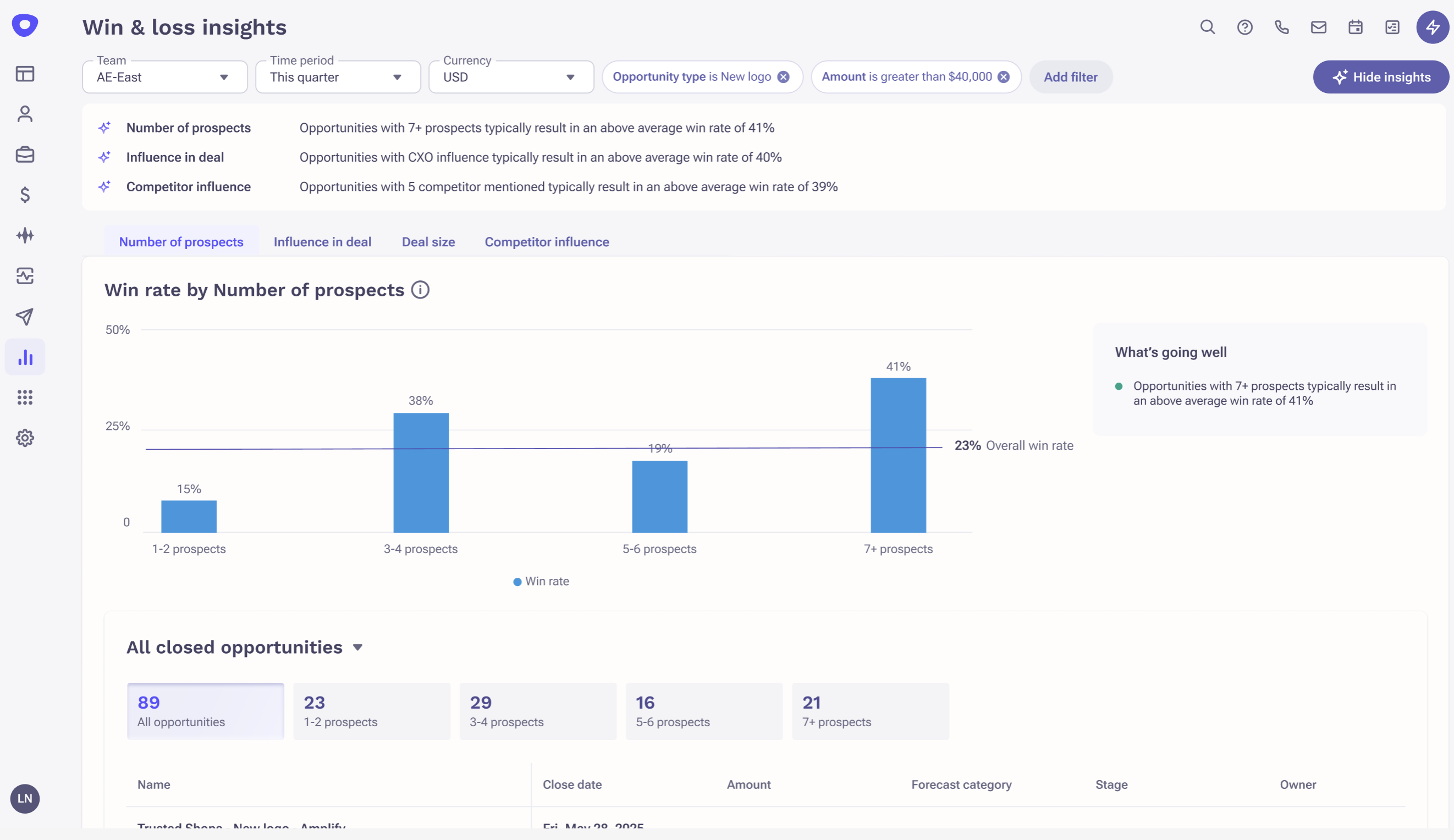
- Click the Show insights button to display the top 3 insights across the charts.
- Click the different chart tabs to drill into and explore each insight.
- The win rate for each bucket is displayed at the top of its respective bar.
- The overall win rate is highlighted with a horizontal line.
- The insight for each chart is shown under the "What's going well" section.
- For each bar, click the respective bucket to view the relevant opportunities below.
- Use the dropdown to filter by All closed, All won, or All lost opportunities.
Charts
Number of Prospects
Understand how the number of prospects on a deal influences your win rate. Is there a minimum number you should aim for on every deal?
Influence in Deal
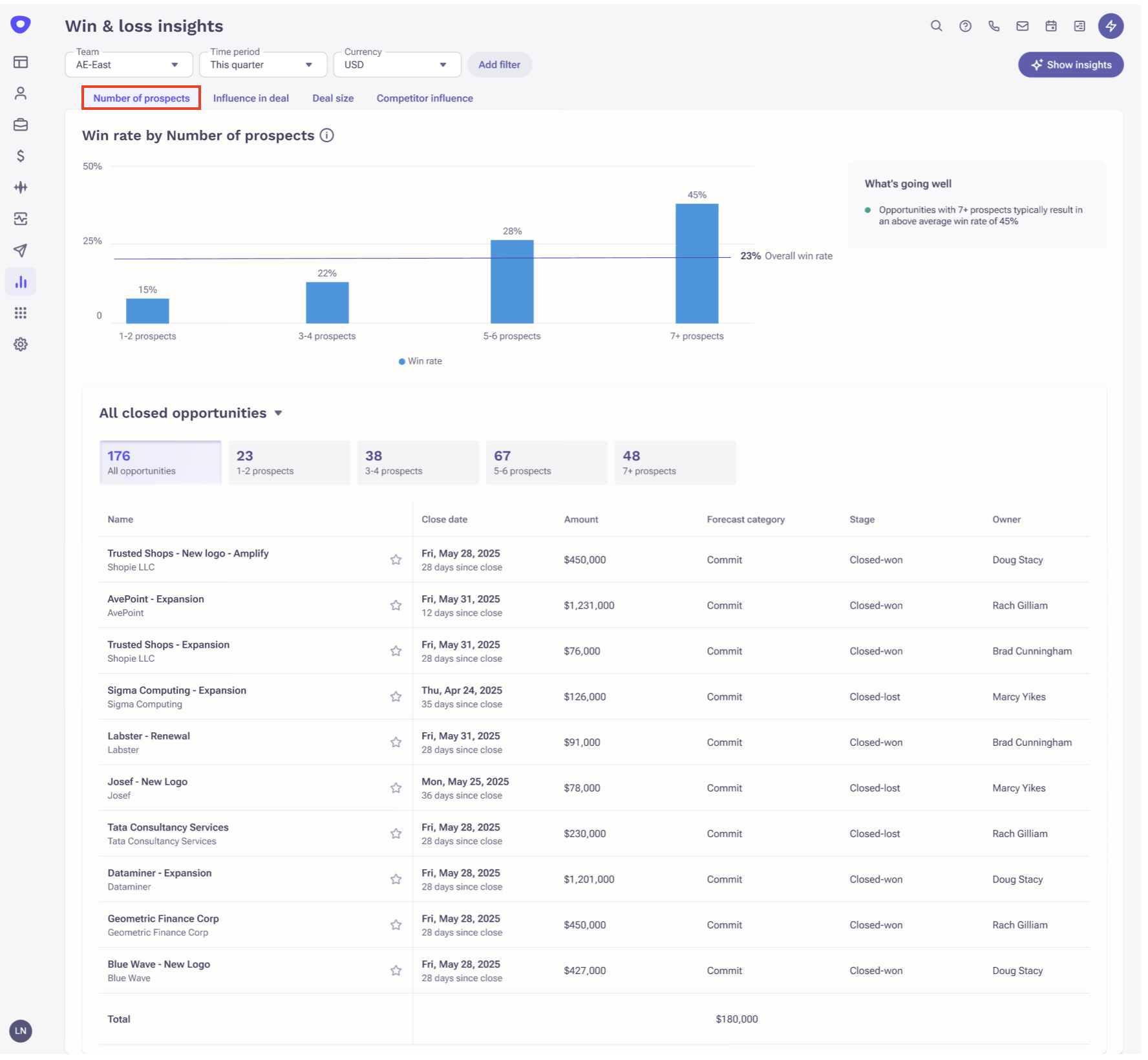
Compare win rates when an influential stakeholder such as a Director, VP, or CXO is involved in a deal. Find out who you need to engage to increase your win rate.
Deal Size
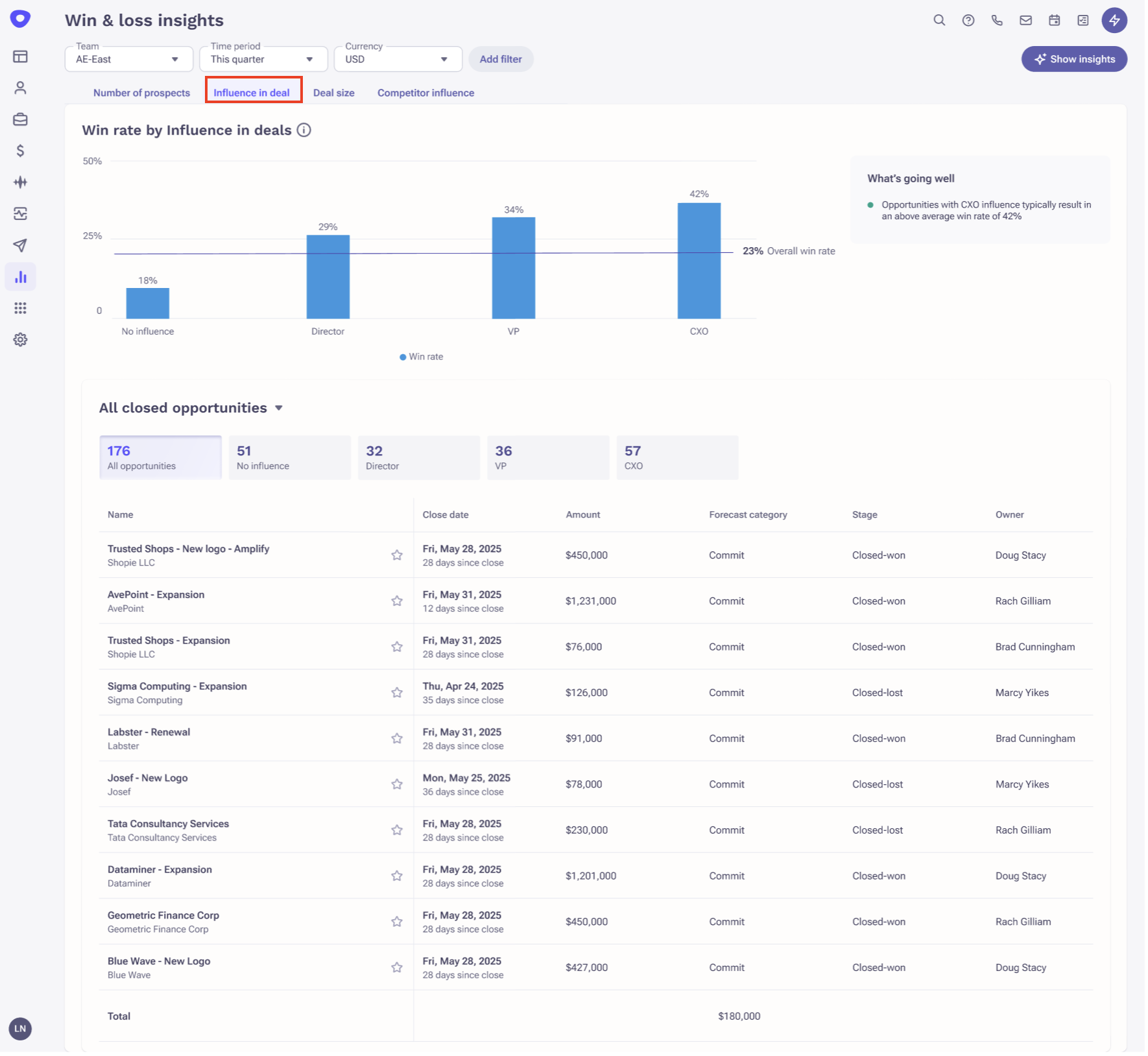
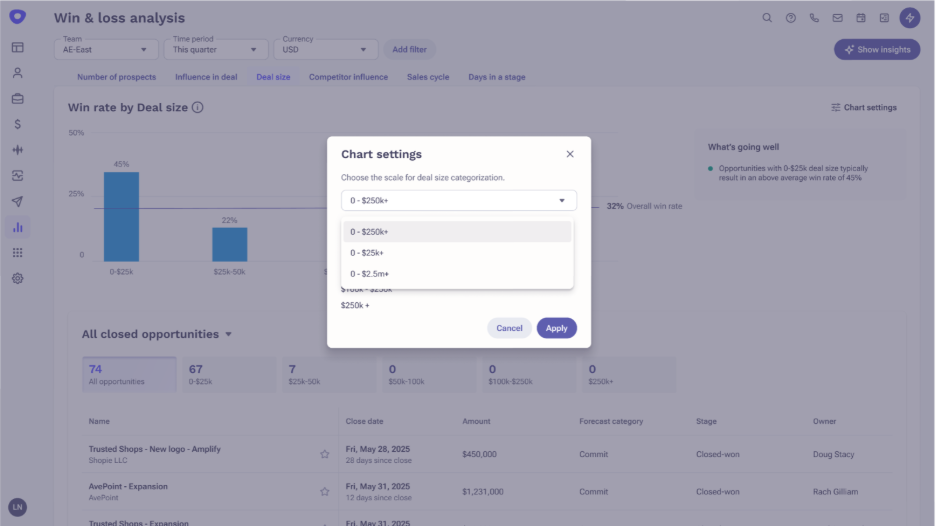
Shows how deal outcomes change across different deal-size ranges. Users can change the x-axis grouping of deal sizes based on their org or team deal sizes from the chart settings. There are 3 pre-defined ranges available.
Competitor Influence
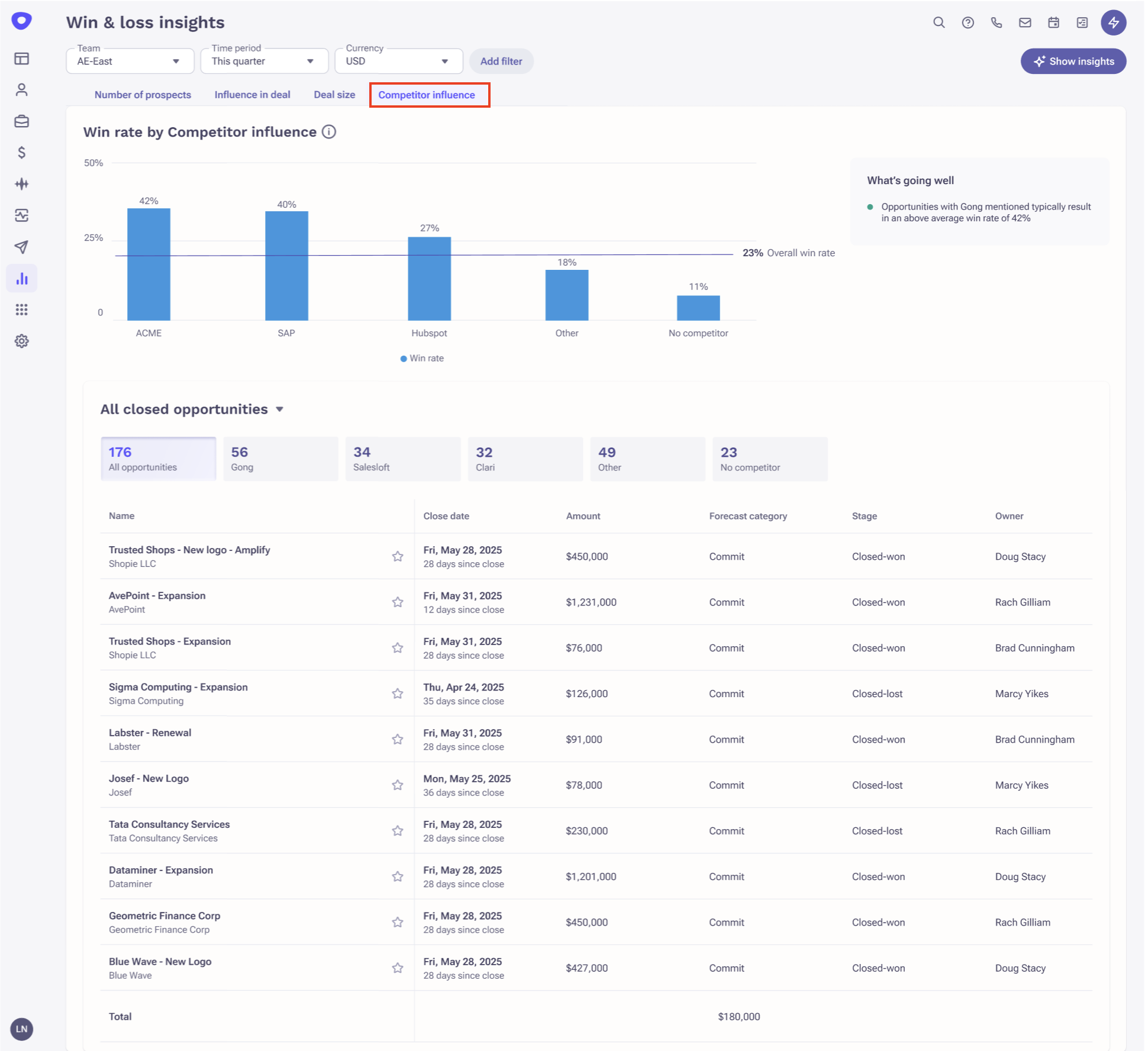
Shows how deal outcomes differ based on which competitor is involved in the deal. This helps you understand whether your competitive playbooks need to be revised. The top 3 competitors are shown individually based on number of mentions; the rest are grouped under "Other."
Was this article helpful?
That’s Great!
Thank you for your feedback
Sorry! We couldn't be helpful
Thank you for your feedback
Feedback sent
We appreciate your effort and will try to fix the article