Symptom
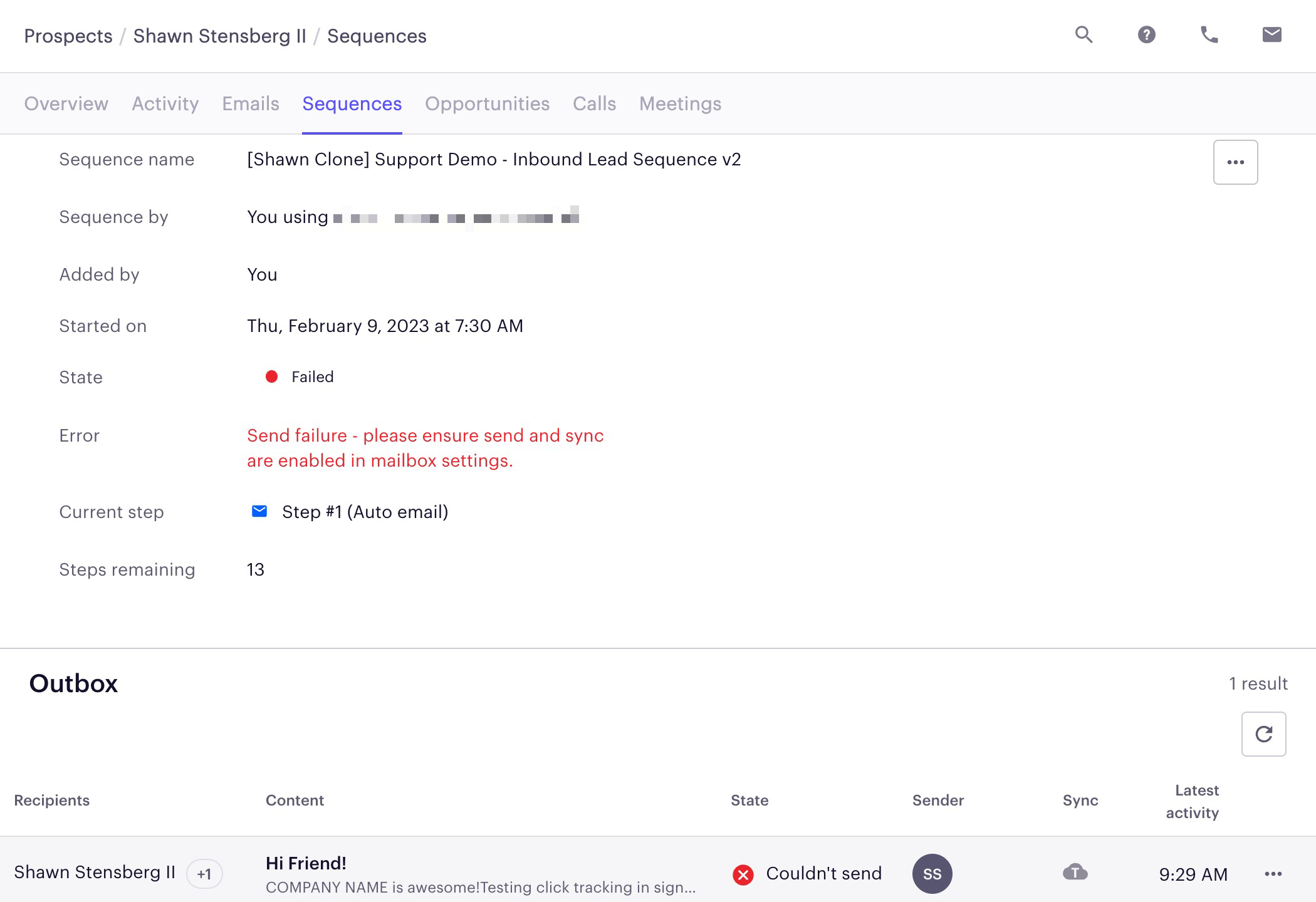
Your sequence email step fails with the error message: Send failure - please ensure send and sync are enabled in mailbox settings.
Applies To
Sequence emails
Resolution
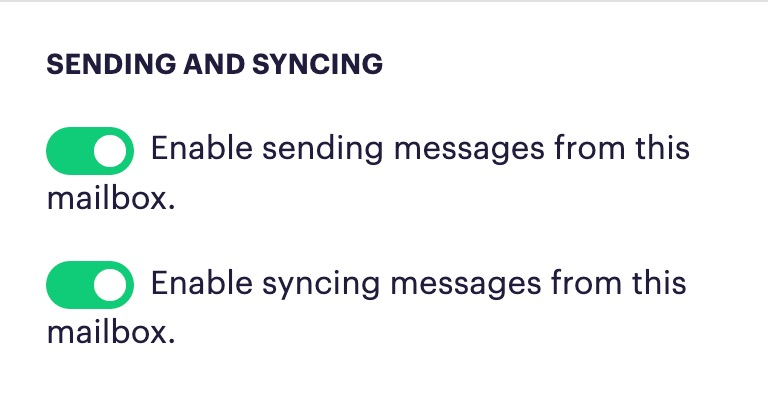
Navigate to your mailbox settings by clicking on your initials in the lower left-hand corner of the screen, click the Mailboxes tab, and click Edit next to the appropriate mailbox. Ensure that the send and sync settings are green (enabled). If they are grey, click the icons to turn them green.
Cause
This issue occurs when the send and sync options on your mailbox become disabled. This may be due to a manual action on your part or an admin's, or we may have temporarily lost connection.
Was this article helpful?
That’s Great!
Thank you for your feedback
Sorry! We couldn't be helpful
Thank you for your feedback
Feedback sent
We appreciate your effort and will try to fix the article