Objective
The purpose of this article is to provide direction to Outreach Users on how to search in Outreach for records associated to a Salesforce record.
Applies To
- Prospects
- Accounts
- Opportunities
Procedure
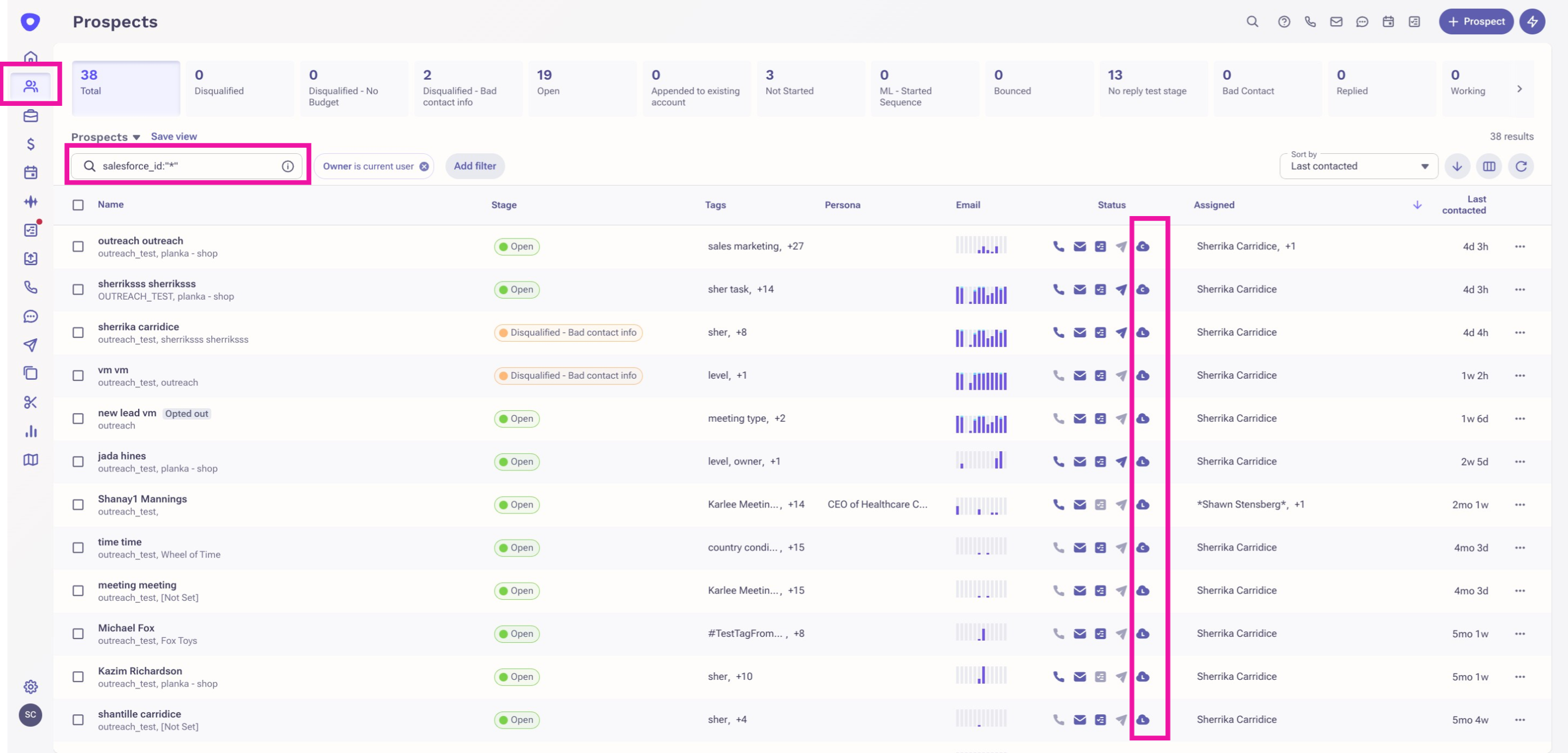
- Click the applicable record icon in the navigation sidebar.
- Click into the search bar
- Enter the following search attributes:
- -salesforce_id:"*" - This will generate results for all records without a Salesforce object ID.
- salesforce_id:"*" - This will generate results for all records with a Salesforce object ID.
Additional Information
Was this article helpful?
That’s Great!
Thank you for your feedback
Sorry! We couldn't be helpful
Thank you for your feedback
Feedback sent
We appreciate your effort and will try to fix the article