Objective
The purpose of this article is to provide Outreach/CRM Admins with troubleshooting steps when
trying to determine how a prospect record may have been created and is siloed to Outreach.
Applies To
- Outreach & CRM Admins
Before You Begin
- As a best practice, we recommend that all Leads & Contacts are created in the CRM first and then synced over to Outreach to ensure a successful sync between Outreach and the CRM.
- There are multiple ways that Outreach can have a prospect records that are not mapped to the CRM. The reasons and features are explained below.
- Outreach will automatically look to the CRM when a prospect is created in Outreach first to see if there is a corresponding lead or contact with that email address for it to sync up with.
- Activity logged against siloed records in Outreach will only exist in Outreach until a corresponding CRM record is created. From there, the activity will associate to the CRM record on a going forward basis.
- Outreach will not push activity retroactively automatically to the CRM for siloed records once a connection with the CRM is made.
Example of Prospect Not Mapped to the CRM:
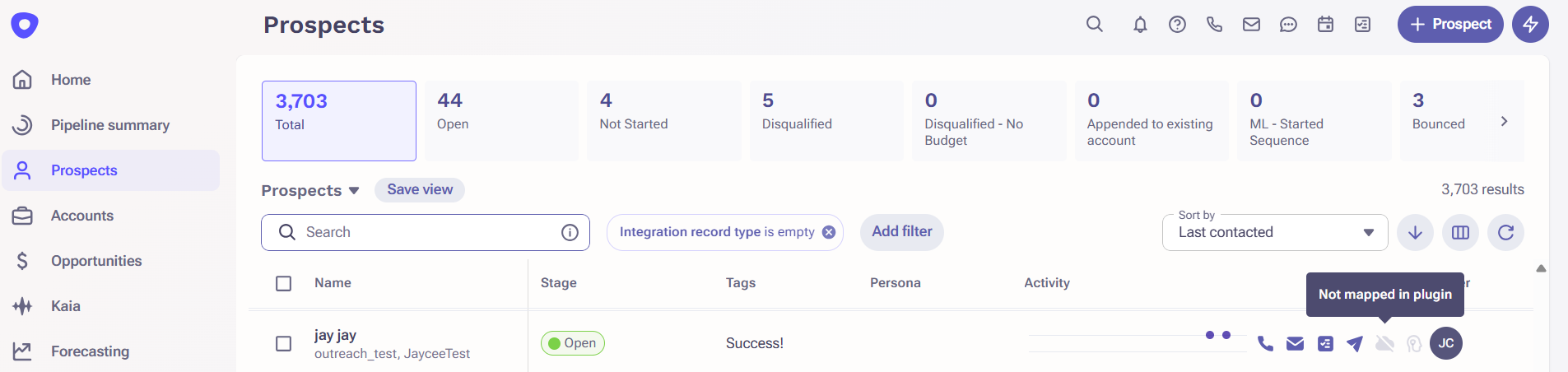
Siloed Records in Outreach Reasons/Features List:
- + Prospect Button - Create Prospect directly in Outreach
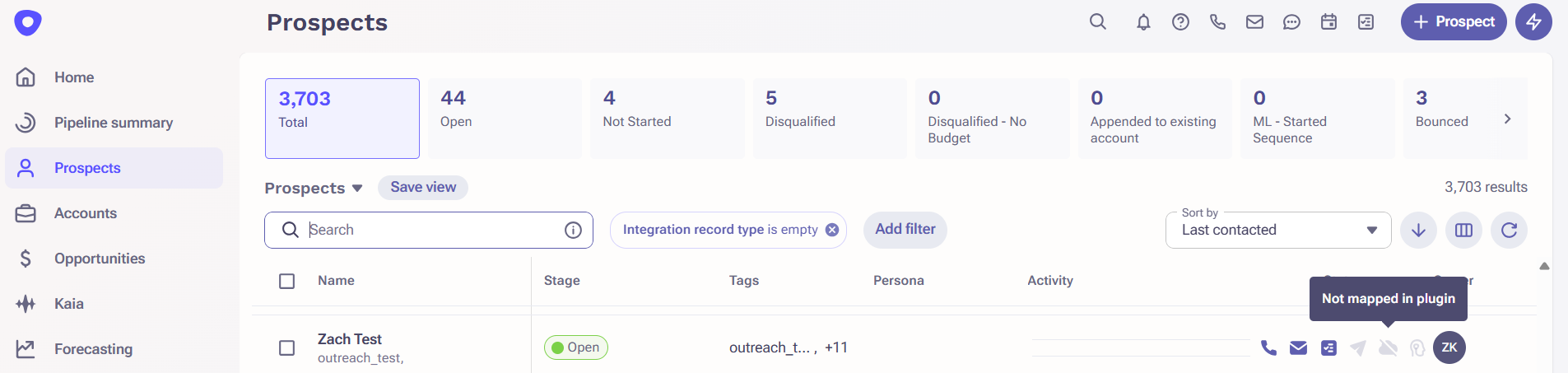 Feature Details: By default, the Access Control Governance Profile permission setting labeled “Create new prospects.” is enabled. It is a best practice to have this feature disabled for your end-users to encourage users to ensure prospects are created as a lead/contact in the CRM first. By disabling this setting the + Prospect button will be removed for users who have this feature disabled.
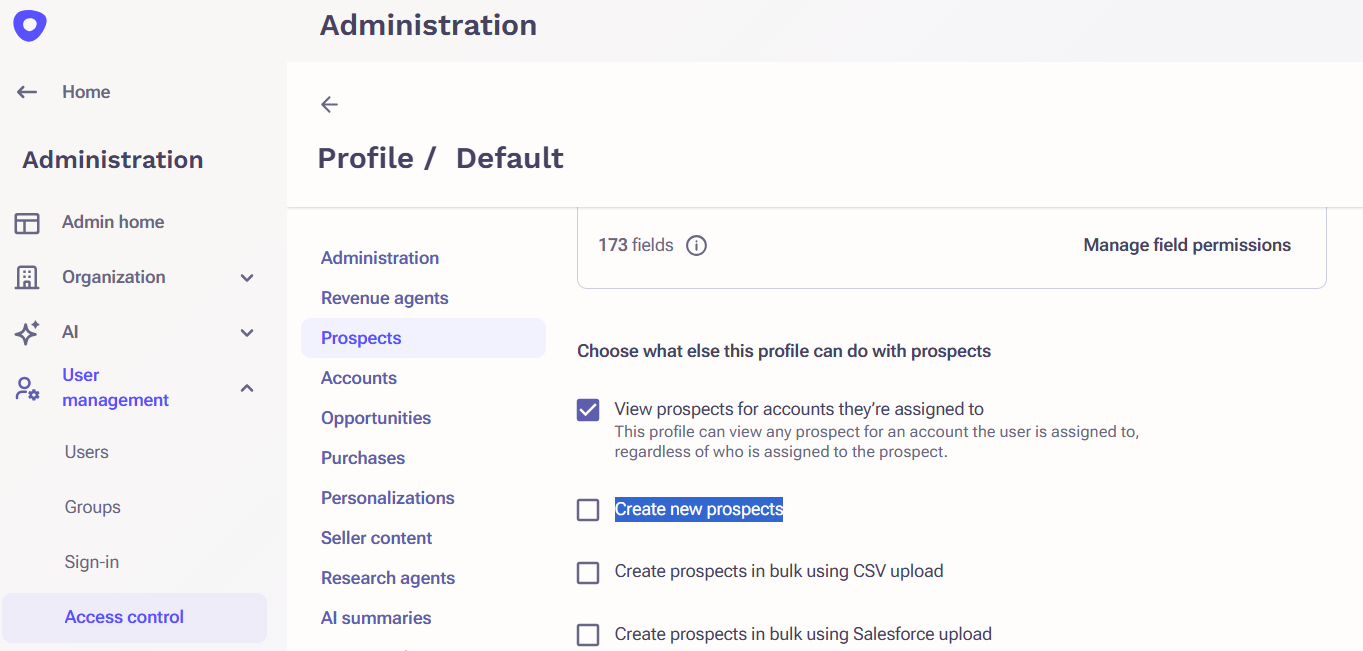 Resources: Outreach Governance Profile Settings Overview
 - Org Setting Feature Enabled: Automatically create a prospect when sending an email using the Outreach extension or add-in feature enabled
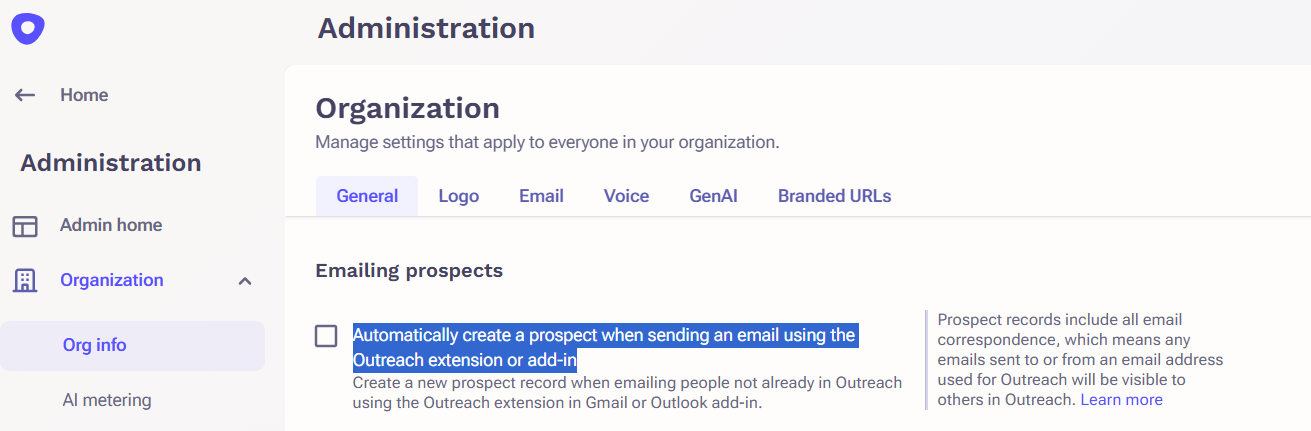 Feature Details: A new Prospect record will be created when an email is sent to an email address not associated with a Prospect record already stored in Outreach.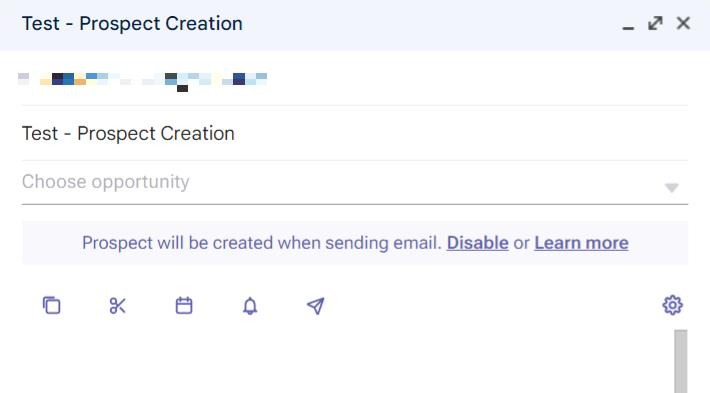
Resource: How To Enable Outreach Automatic Prospect Creation for Gmail or Outlook - Public Calendar Link - Prospect Provides a Different Email Address
Feature Details: If an Outreach user sends a prospect their calendar link to book a meeting but the Prospect inputs an email address that is not associated with a prospect record and the email address is also not associated with a lead or contact in the CRM, it will create a siloed prospect in Outreach.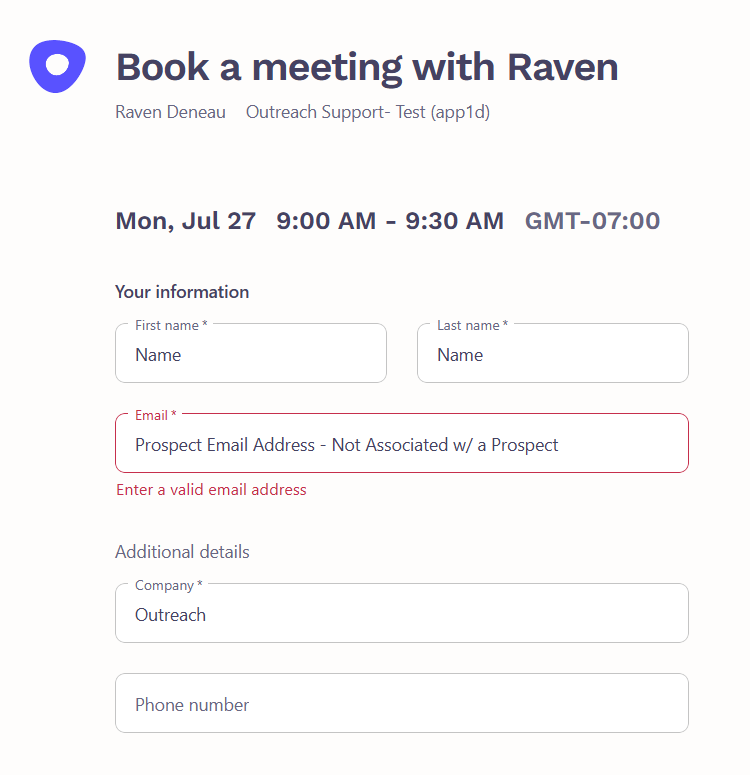
Activity Feed - Creation Details Example: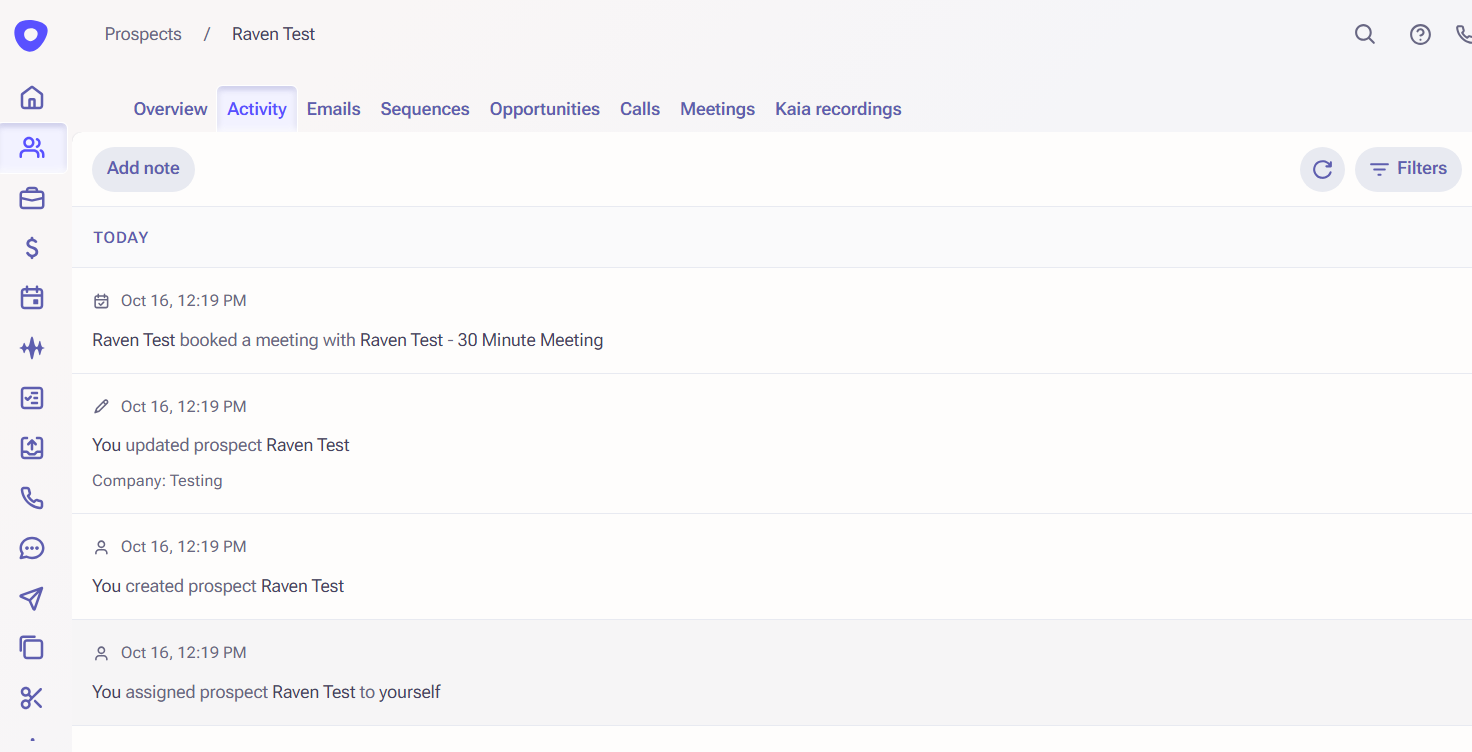
Resource: Outreach Public Calendar FAQ
- Lead Generation Integrations (Example: ZoomInfo + Outreach)
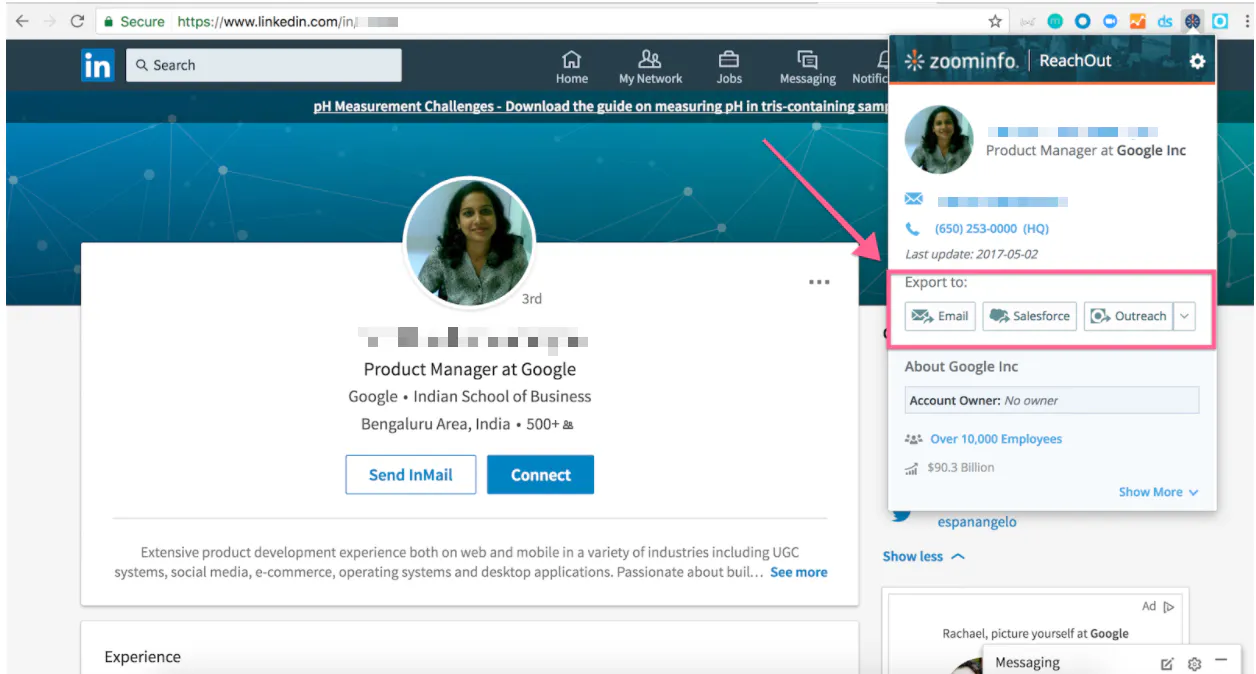
Feature Details: As a best practice, we recommend that lead generation tools are directly integrated with your CRM so that users are enabled to create new leads in the CRM first and then use the Outreach Everywhere extension to import the new records to Outreach or allow the CRM integration to create them automatically. If you plan to use the lead integrations to create them directly in Outreach, it is important that you have a process in place for capturing siloed records and ensuring there is a corresponding lead or contact for it to sync to eventually so that way activity is captured in both systems.
Resources: Zoominfo + Outreach Integration - Merge & Delete Feature Enabled: Do not delete prospects from Outreach if in an active, paused, or pending sequence
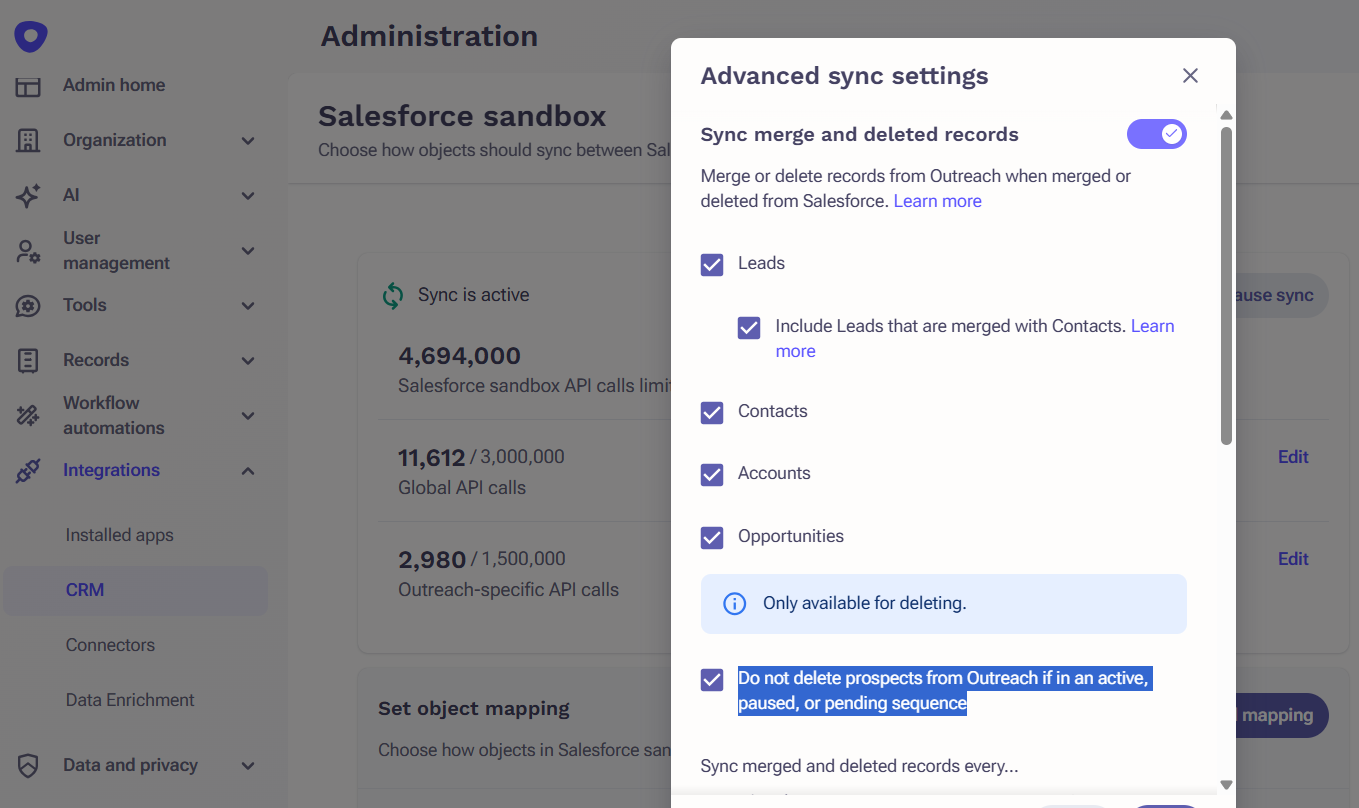 Feature Details: In the CRM integration, there is an advanced setting called Merge & Deletes. Within this feature, there is a setting that gives admins the ability to decide if prospects should be deleted in Outreach when they are deleted in the CRM if they are in a sequence. By disabling the Do not delete prospects, if in an active sequence option, will remove all Prospects marked for deletion regardless of sequence status. By Keeping the feature enabled, it will keep the prospect in Outreach and in the sequence but can ultimately result in siloed prospects in Outreach.
Resources:
How To Enable Inbound Merge and Delete Options for Salesforce Records
Salesforce Record Merge & Delete FAQs - CSV Imports:
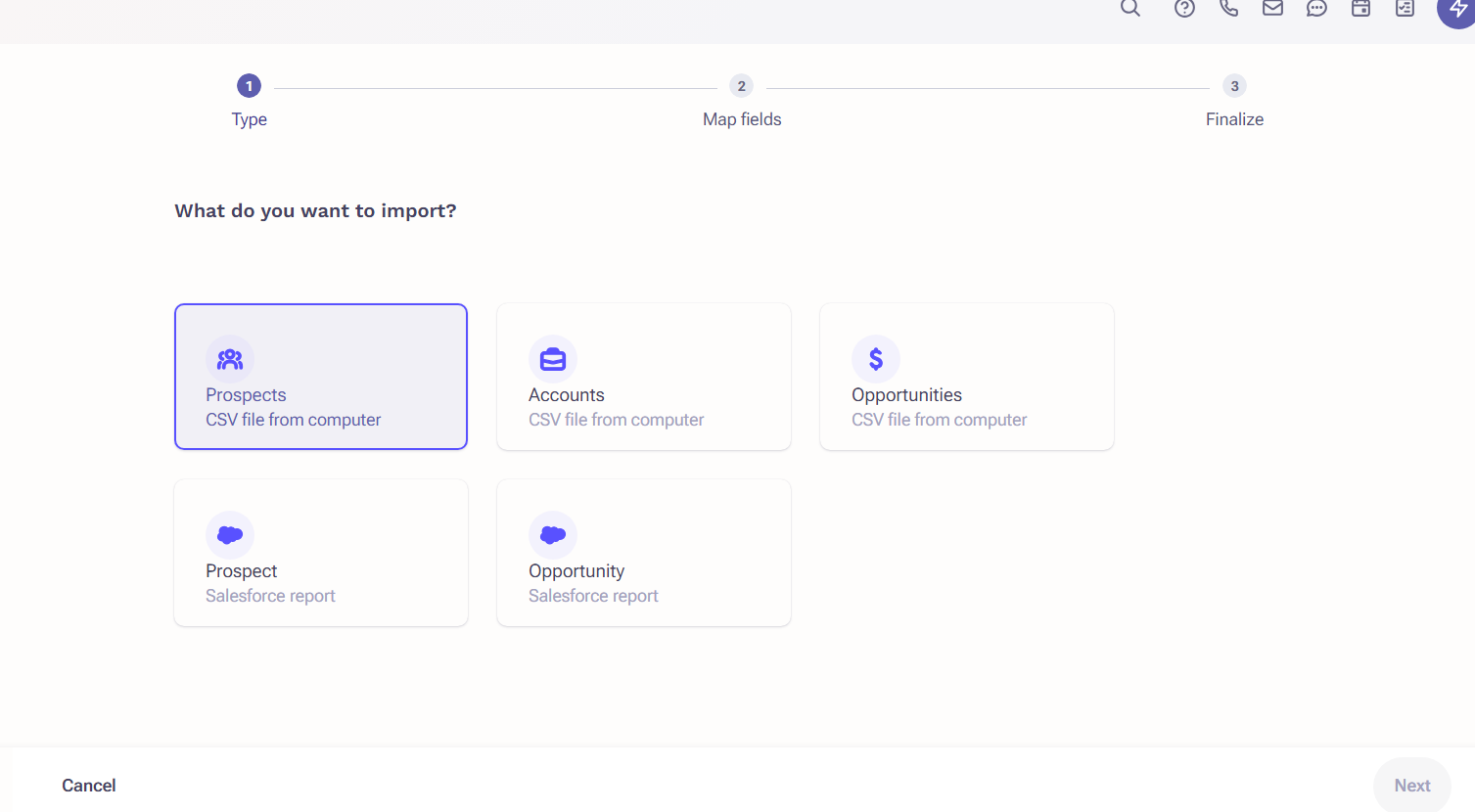
Feature Details: As a best practice, we recommend that users do not have the ability to import prospects via a CSV file. Records from a CSV file may not exist in the CRM so when they are imported to Outreach, they will be siloed until a corresponding record exists in the CRM. When using a CRM integration, it is important that users are utilizing the Outreach Everywhere extension to import prospects to Outreach via the CRM. There is a governance profile setting that should be set to denied for users.
Resources:
How To Bulk Create Prospects and Accounts in Outreach via .CSV File
Outreach Governance Profile Settings Overview
Additional Resources:
- Import Leads, Contacts, and Accounts from the Salesforce List View with Outreach Everywhere
- Salesforce Configuration for Outreach: End to End Guide & Best Practice
Was this article helpful?
That’s Great!
Thank you for your feedback
Sorry! We couldn't be helpful
Thank you for your feedback
Feedback sent
We appreciate your effort and will try to fix the article