Objective
This article provides direction to Outreach Admins on managing AI Control Hub. AI Control Hub provides visibility and control to Org Admins by giving them a single place to view, enable, and disable AI features across their organization.
Applies To
- Agents & AI
Before You Begin
AI Control Hub only shows AI features included in your organization's current subscription. You'll need the Org Admin role to view or change any settings on this page.
Procedure
- Log in to Outreach as an Admin.
- Click Administration > Agents & AI > Features
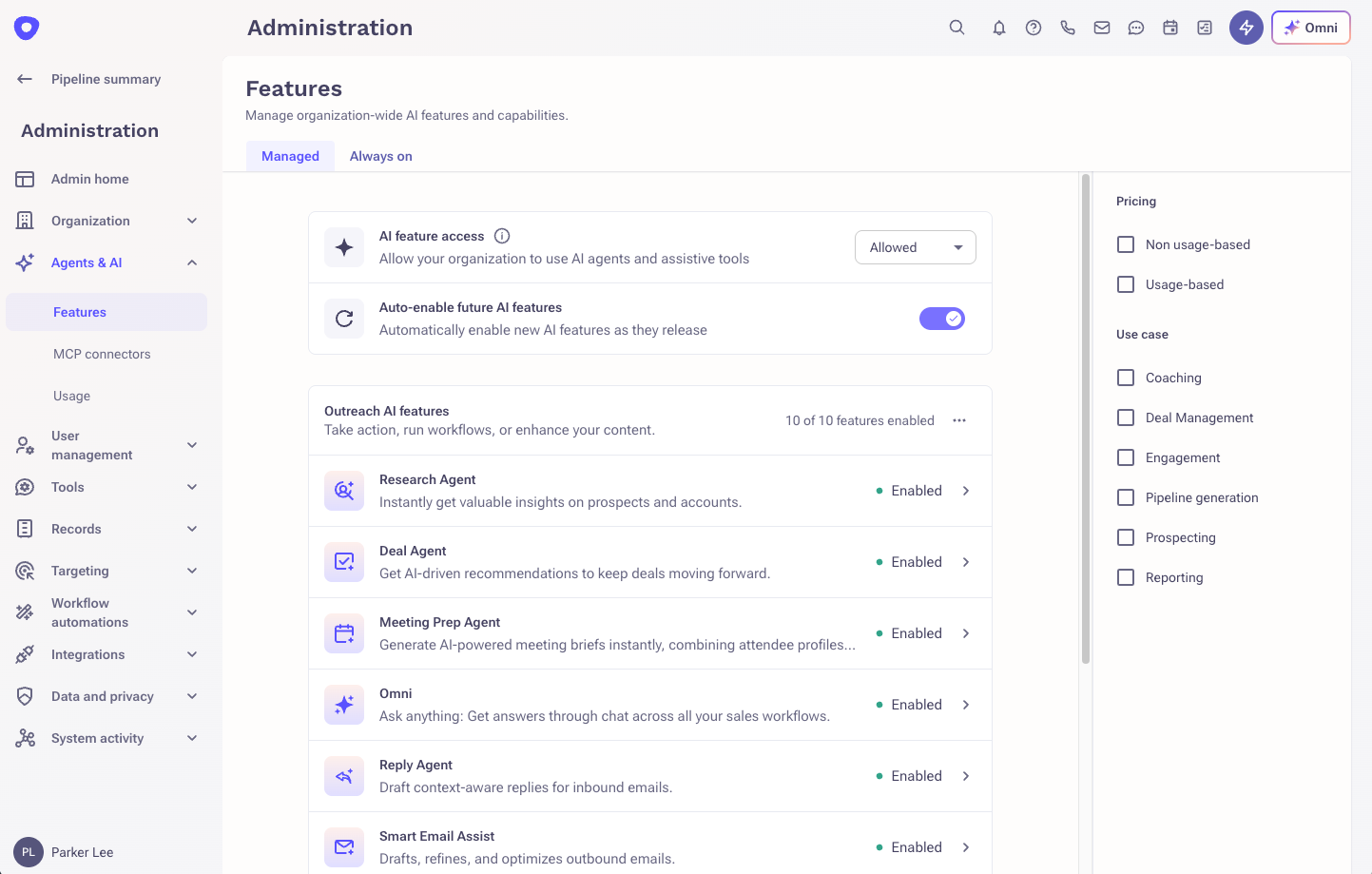
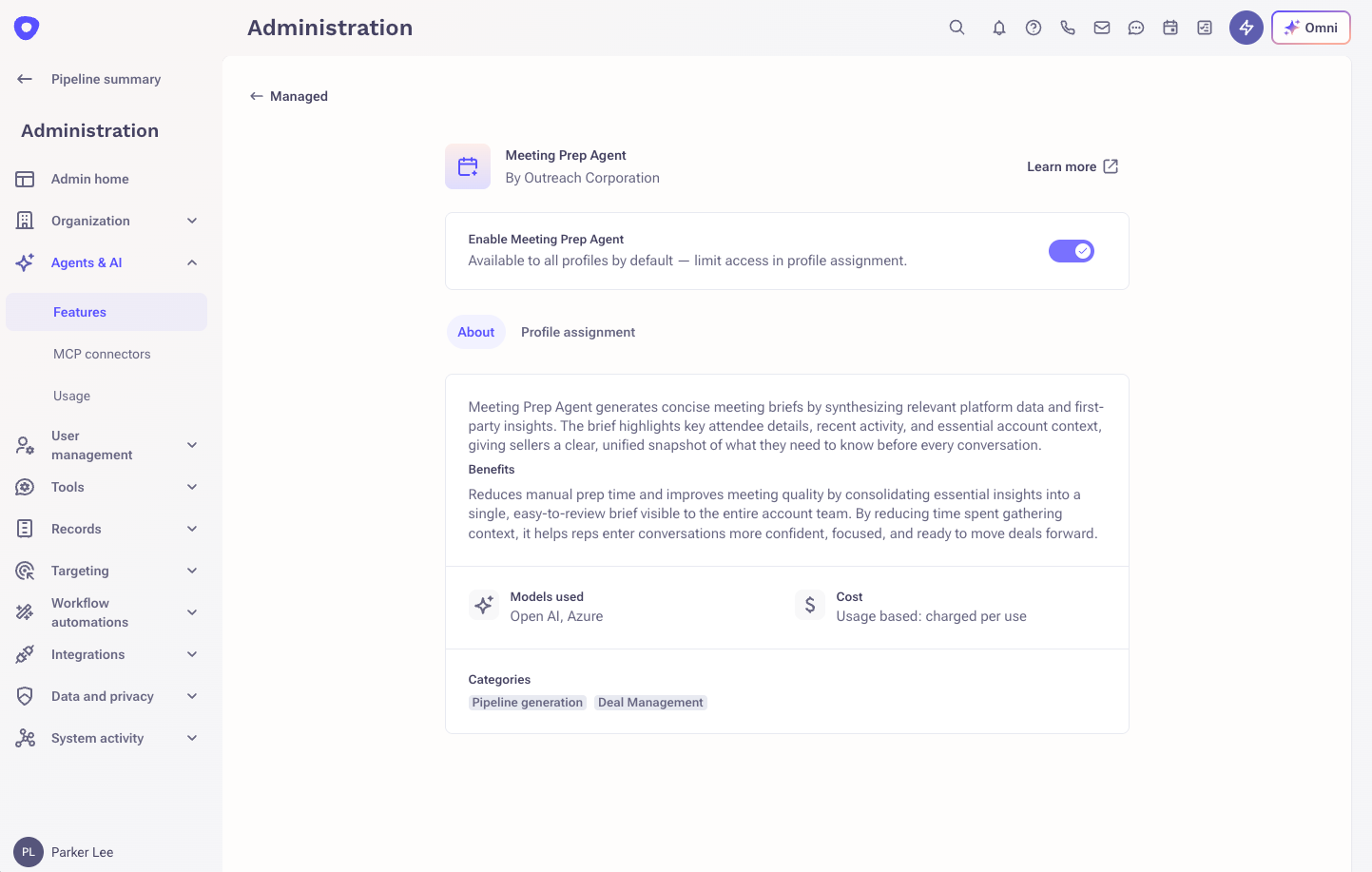
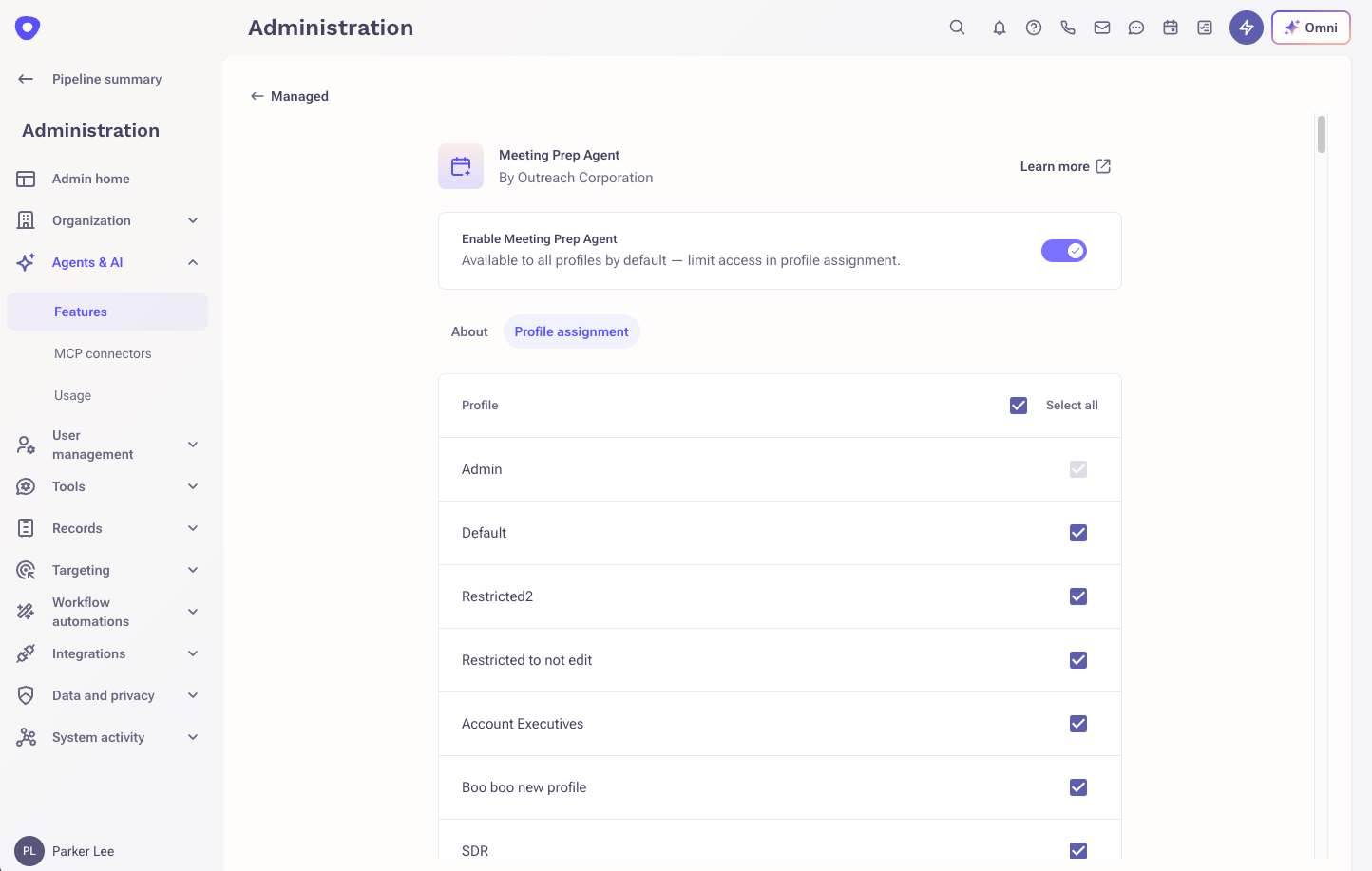
AI Control Hub lists every AI feature available to your organization, filterable by use case and pricing. Each feature includes a description, the AI model(s) behind it, and its cost. From here, admins can:
- Set an org-wide AI access level: Off or Allowed
- Choose whether new AI features should turn on automatically as they become available
- Turn individual features on or off
- Restrict certain features to specific teams, where supported
A separate Always On tab lists AI capabilities that are part of the core platform and always active. These are shown for transparency but can't be individually disabled.
Additional Information
- For information on AI feature usage and credit consumption, see the AI Metering Dashboard article.
- For MCP Connector governance, see the Outreach MCP Server Overview article.
Frequently Asked Questions
What is AI Control Hub?
It's a dashboard in Outreach's admin settings where an Org Admin can see every AI feature available to their organization, what each one does, and turn any of them on or off.
Can I turn off all AI features at once?
Yes. There's a single org-wide setting that can turn AI access off for the whole organization.
If I turn off a feature, does it stop immediately, even for something already in progress?
Yes. A feature that's disabled will stop being used going forward, including for automated or background processes already underway; those halt before their next step rather than continuing to run.
Can individual users control their own AI settings?
No. AI Control Hub is an admin solution, not an end-user one; only Org Admins can view or change AI feature settings.
Will I see AI features I'm not entitled to?
No. Only AI features included in your current subscription appear in AI Control Hub.
Was this article helpful?
That’s Great!
Thank you for your feedback
Sorry! We couldn't be helpful
Thank you for your feedback
Feedback sent
We appreciate your effort and will try to fix the article