Objective
Manage custom field visibility for an Account within the side panel.
Applies To
- Accounts
- Outreach Users
Before You Begin
- This is a personal setting, not an admin-controlled default, and field reordering is not possible.
- Up to 150 fields may be selected
Procedure
- Log in to Outreach.
- Click Accounts.
- Navigate to an Account.
- Click Account Plan.
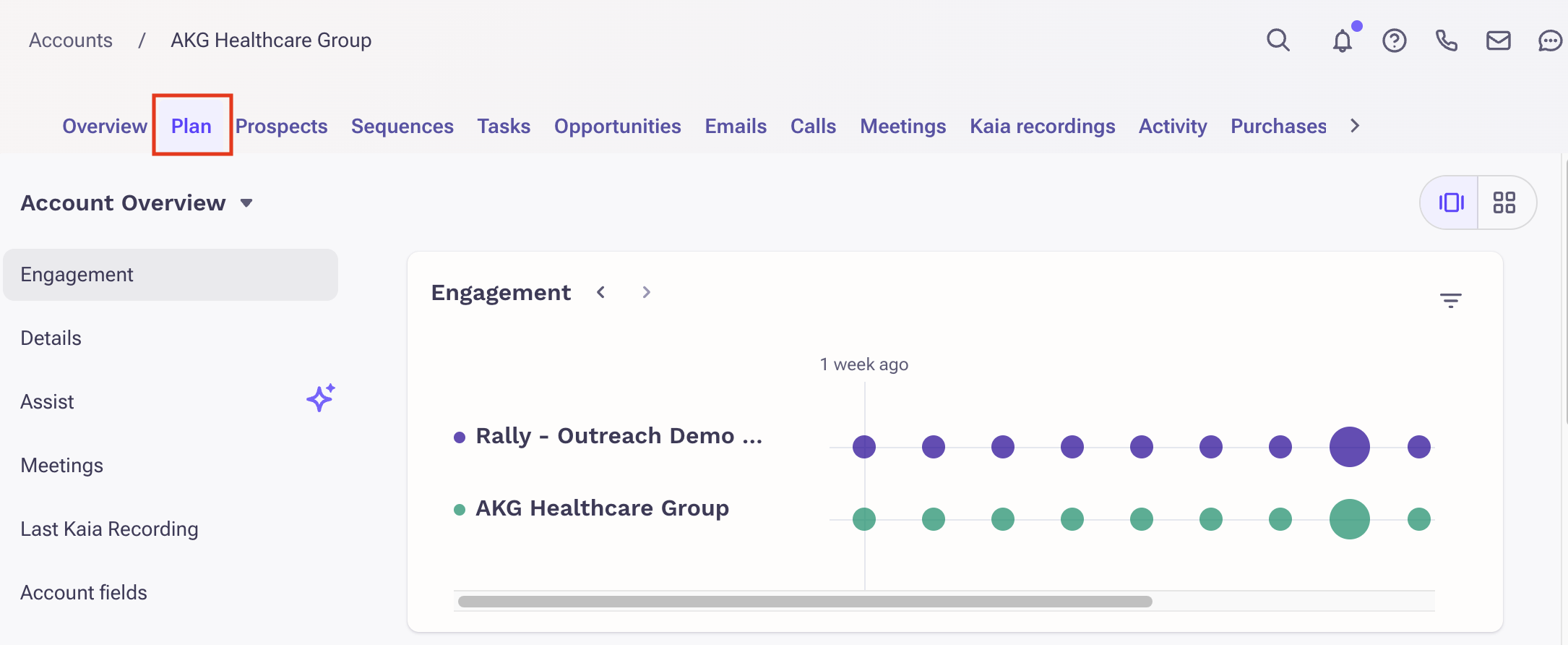
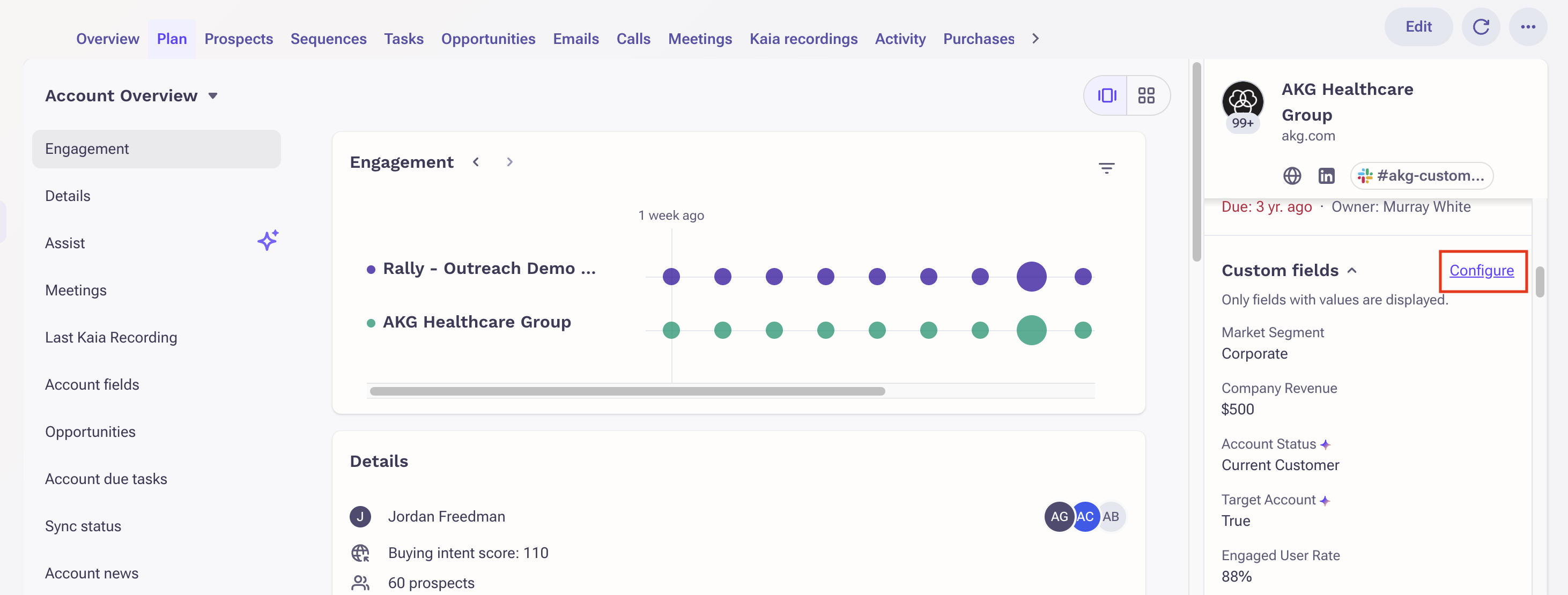
- Navigate to Custom fields in the side panel.
- Click Configure.
- Select which fields to populate within the side panel.
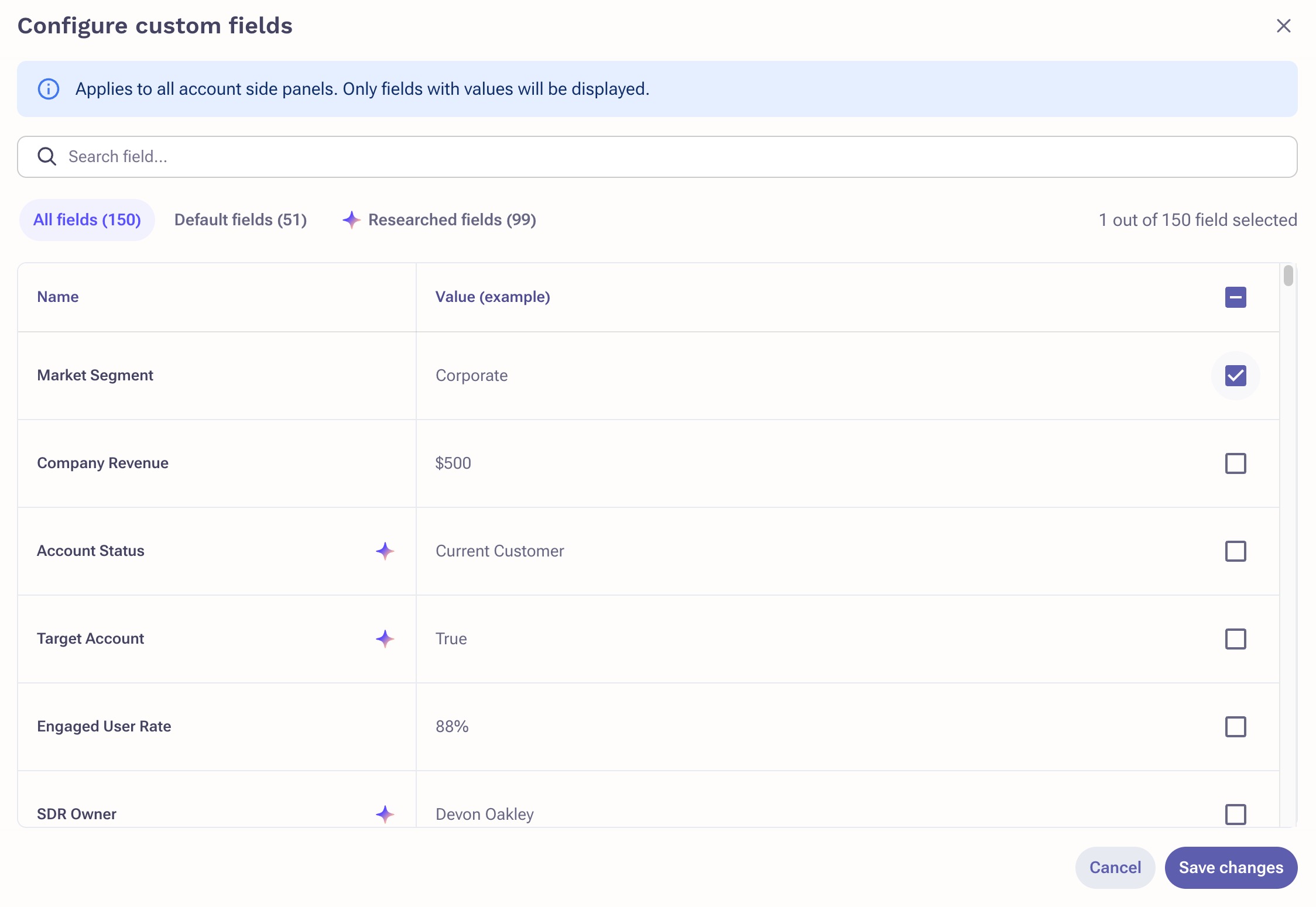
- Click Save changes.
Was this article helpful?
That’s Great!
Thank you for your feedback
Sorry! We couldn't be helpful
Thank you for your feedback
Feedback sent
We appreciate your effort and will try to fix the article