Objective
To inform Outreach users on how to cancel 'In Progress" imports.
Applies To
- Imports
Procedure
- Navigate to Administration
- Expand System activity > Select Imports
- Select the Import that is in Progress and click cancel.
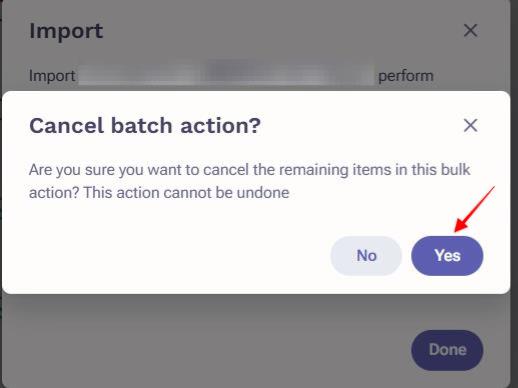
- Click Yes on the Cancel batch action prompt.
Additional Information
How To Bulk Create Prospects and Accounts in Outreach via .CSV File
Import Leads, Contacts, and Accounts from the Salesforce List View with Outreach Everywhere
How To Import Salesforce Reports into Outreach to Bulk Create Prospects and Opportunities
Was this article helpful?
That’s Great!
Thank you for your feedback
Sorry! We couldn't be helpful
Thank you for your feedback
Feedback sent
We appreciate your effort and will try to fix the article