Applies to
Outreach and CRM admins using Salesforce or Microsoft Dynamics.
What is record matching?
The process of identifying matching records between Outreach and CRM by comparing data in defined fields, for example name or email address, and then connecting them through record mapping.
Record matching is also referred to as record deduping.
Where is record matching configured?
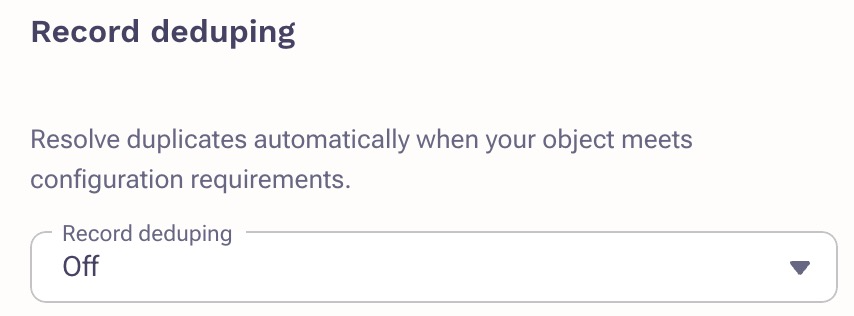
Record matching can be configured per object in the CRM integration. Once you have selected an object navigate to the “Set field mapping” section and select the “...” menu on the right side of the field mapping. Then select Advanced settings.
Does record matching work the same for prospect (lead and contact) vs non-prospect objects (account, opportunity, etc.)?
No. Prospects and other objects use different logic.
Prospect object
By default record matching is based on email address. If email address is not mapped in the CRM integration there will be no record matching to try and the CRM integration will either:
a) create a new record if it has the required permissions or
b) fail to find a match and take no further action.
If Purposeful Duplicates is enabled in the Outreach instance, additional fields can be configured for record matching. This assumes that the email field is mapped on the object.
Non-prospect object
By default the CRM integration will record match using an indexed field.
Any field can be used for record matching in addition to the default index field.
Is record matching bidirectional?
Yes and no. Depending on the field and CRM record matching can be configured:
- Bidirectional: “When syncing both ways” and will apply to data sync to and from Outreach.
- One way: “When syncing from Salesforce into Outreach” or “When syncing from Outreach into Salesforce” and will only apply to data sync in the chosen direction.
- Off: Record matching will not consider the field. This is the default for most fields.
How many fields can be used for record matching?
Technically as many as desired. However using too many fields can introduce a timeout where Outreach and the CRM take too long to record match. As a best practice use no more than five fields per object for record matching.
Are any fields off-limits for record matching?
Technically no, record matching can use any field however depending on the size of the field it is possible to introduce a timeout where Outreach and the CRM take too long to record match. As a best practices avoid using large text fields for record matching.
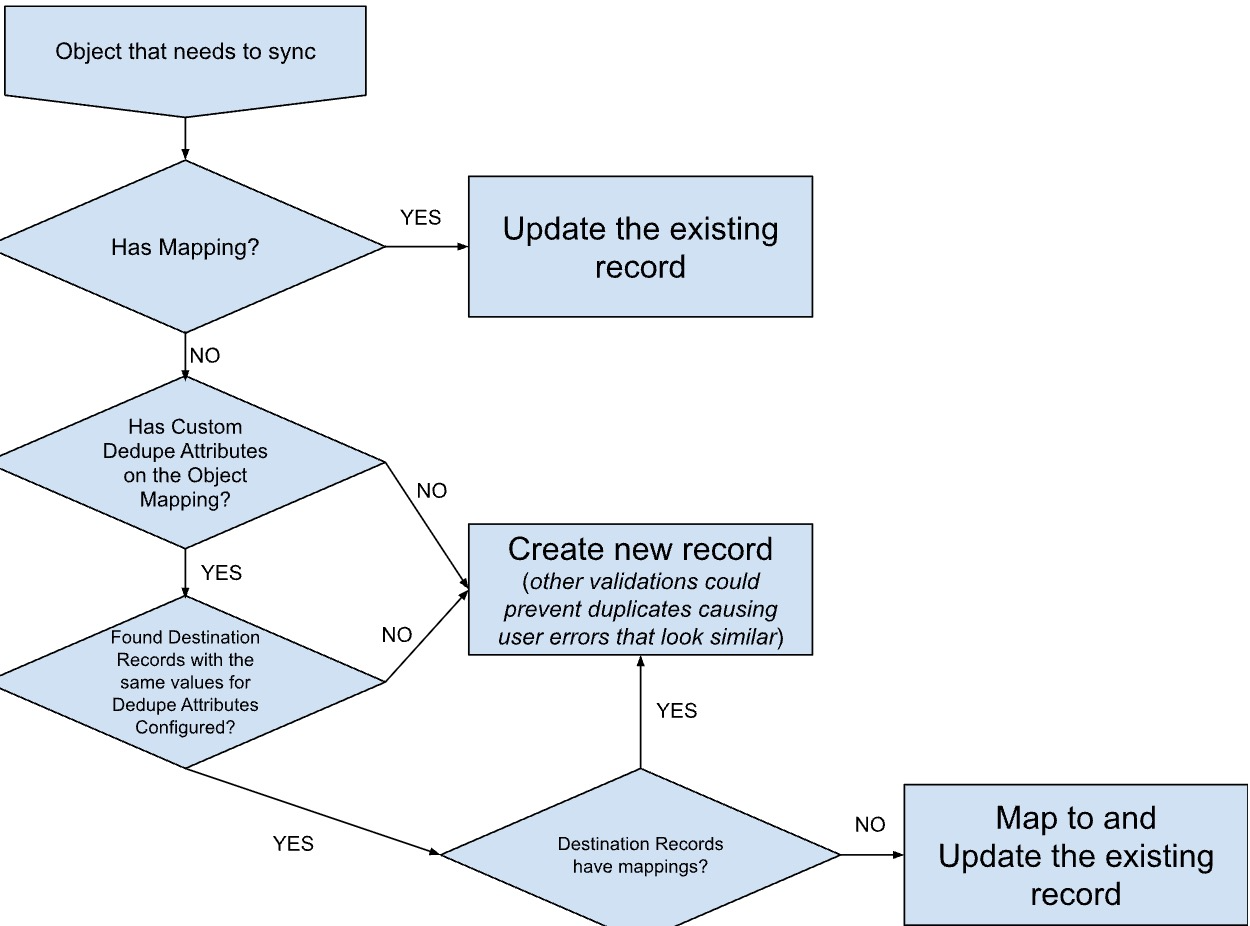
Record matching flowchart
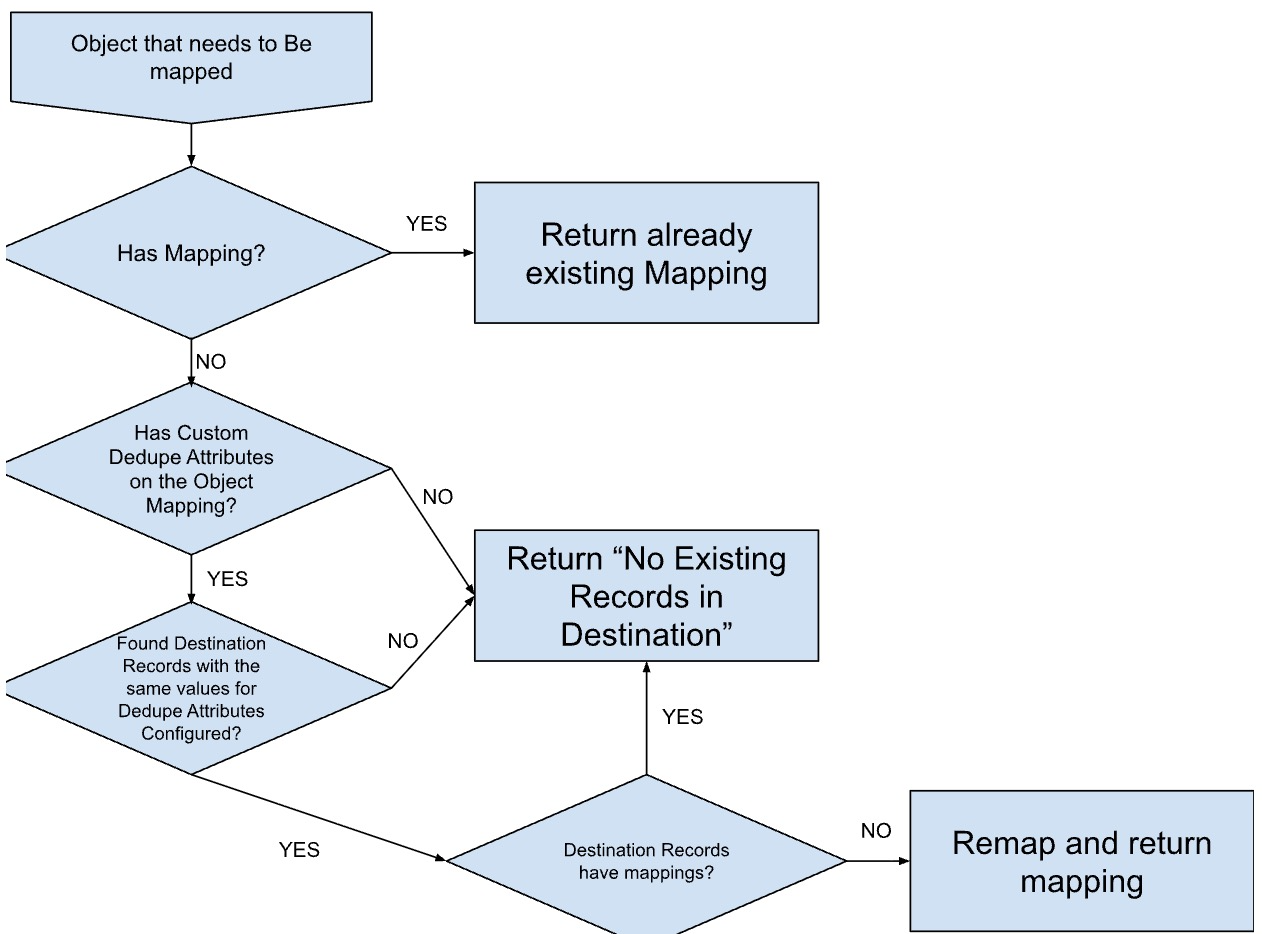
Find related object in CRM flowchart
Was this article helpful?
That’s Great!
Thank you for your feedback
Sorry! We couldn't be helpful
Thank you for your feedback
Feedback sent
We appreciate your effort and will try to fix the article